Real Reasons, Hidden Triggers & Proven Fixes Sellers Actually Use
Selling on Amazon is more competitive in 2026 than ever before. One of the most frustrating problems sellers face is Amazon rejecting product images without clear explanations.
You upload what looks like a “perfect” image — and suddenly your listing is suppressed, images are removed, or the product fails to go live.
This guide explains why Amazon rejects product images in 2026, the real reasons most sellers miss, and how to fix rejected images fast—often without re-shooting the product.
If you sell apparel, fashion items, or physical products on Amazon, this guide can save you weeks of delay and lost sales.
Why Amazon Image Rejections Are Increasing in 2026
Amazon’s goal is simple:
👉 reduce customer confusion, returns, and complaints
To achieve this, Amazon now uses:
-
Automated image validation systems
-
AI-based visual analysis
-
Stricter enforcement of image accuracy
In 2026, even small technical or visual mistakes can trigger automatic rejection — often without human review.
That’s why sellers see:
-
Images accepted before → rejected now
-
Inconsistent approval behavior
-
Sudden listing suppression
Understanding the real rejection triggers is critical.
Top Amazon Image Rejection Reasons (2026 Updated)
Below are the most common and most dangerous reasons Amazon rejects product images today.
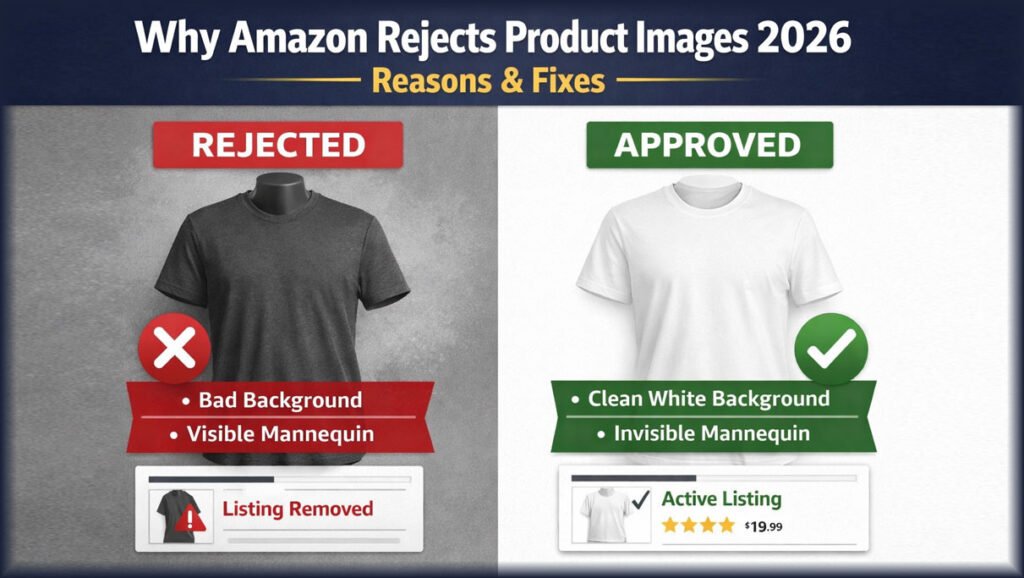
1️⃣ Background Is Not Pure White (Most Common Reason)
Amazon requires the main product image background to be pure white.
What Amazon Expects
-
RGB value: 255,255,255
-
No shadows touching edges
-
No gradients or textures
Why Images Get Rejected
-
Off-white or gray backgrounds
-
Natural shadows reaching the border
-
Poor background removal with halos
✅ How to Fix It
-
Professional background cleanup
-
Edge refinement (no gray outlines)
-
Shadow control (kept inside object)
🚫 DIY background removal is one of the top rejection causes.
2️⃣ Product Does Not Fill 85% of the Image Frame
Amazon requires the product to occupy at least 85% of the image area.
Why This Happens
-
Too much empty space
-
Incorrect cropping
-
Fear of “zooming too much”
✅ How to Fix It
-
Re-crop images professionally
-
Maintain correct proportions
-
Keep product centered and dominant
Amazon wants clarity at thumbnail size.
3️⃣ Low Resolution, Blur, or Compression Artifacts
Even if the image looks okay on your screen, Amazon checks technical quality.
Amazon Requirements
-
Minimum: 1000px (longest side)
-
Recommended: 2000–3000px
Common Mistakes
-
Upscaled low-res images
-
Over-compressed JPEGs
-
Screenshot-based images
✅ How to Fix It
-
Start with high-resolution originals
-
Export images with proper compression
-
Avoid resizing multiple times
4️⃣ Visible Mannequin or Bad Ghost Mannequin Editing (Apparel)
This is a major issue for clothing sellers.
Amazon Policy (Apparel)
-
Mannequins must be completely invisible
-
Clothing shape must be realistic
-
No artificial slimming or reshaping
Why Amazon Rejects These Images
-
Partial mannequin visibility
-
Unrealistic neck joints
-
Over-edited body shapes
-
Floating or distorted garments
✅ How to Fix It
-
Use professional ghost mannequin editing
-
Maintain natural garment proportions
-
Ensure realistic neck and sleeve joints
Ghost mannequin editing is allowed, but only when done correctly.
5️⃣ Text, Logos, Badges on Main Image
Amazon does not allow marketing elements on main images.
Prohibited Elements
-
“Best Seller” badges
-
Discount text
-
Brand slogans
-
Watermarks
✅ How to Fix It
-
Remove all text from main image
-
Use text only in secondary images
This rule is enforced very strictly.
6️⃣ Misleading Image Editing (Accuracy Violation)
Amazon cares deeply about visual accuracy.
Rejection Triggers
-
Color enhancement that changes reality
-
Shape manipulation
-
Size exaggeration
-
Features shown that aren’t included
Example
Showing accessories that are not part of the purchase can get the image rejected.
✅ How to Fix It
-
Match image exactly to product title
-
Keep color correction realistic
-
Avoid “beautifying” edits
7️⃣ Inconsistent Variation Images (Color / Size Issues)
If you sell variations (color, size), Amazon cross-checks images.
Why Images Get Rejected
-
Wrong color shown
-
Same image reused for multiple variations
-
Mismatch between image and selection
✅ How to Fix It
-
Separate images per variation
-
Accurate color correction
-
Clear labeling in secondary images
Amazon Ghost Mannequin Image Rejections (Very Common in 2026)
Many apparel sellers ask: “Why did Amazon reject my ghost mannequin image?”
Common Ghost Mannequin Problems
-
Flat, lifeless clothing
-
Fake-looking neck joints
-
Altered garment shape
Amazon-Safe Ghost Mannequin Rules
✔ Mannequin completely removed
✔ Natural clothing depth
✔ Realistic inner neckline
✔ Accurate proportions
Professional editing ensures compliance and higher conversion.
How to Fix Amazon Image Rejections Without Re-Shooting
Good news:
❗ Most rejected images can be fixed without a new photoshoot
Common Fixes
-
Background correction
-
Edge cleanup
-
Shadow adjustment
-
Color correction
-
Crop & framing optimization
This saves:
-
Time
-
Photography costs
-
Listing downtime
DIY Fix vs Professional Amazon Image Editing
| Factor | DIY Editing | Professional Editing |
|---|---|---|
| Rejection risk | High | Very low |
| Background accuracy | Inconsistent | Perfect white |
| Apparel realism | Often poor | Natural |
| Time cost | High | Low |
| Conversion impact | Uncertain | High |
Amazon image compliance is technical, not cosmetic.
Amazon Image Rejection Checklist (Save This)
Before uploading, confirm:
☑ Background is pure white
☑ Product fills ≥85% frame
☑ Resolution ≥2000px
☑ No text or logos on main image
☑ Accurate color & size
☑ Apparel images are mannequin-free
☑ No misleading edits
Passing this checklist dramatically reduces rejections.
Before & After: Rejected vs Approved Amazon Images
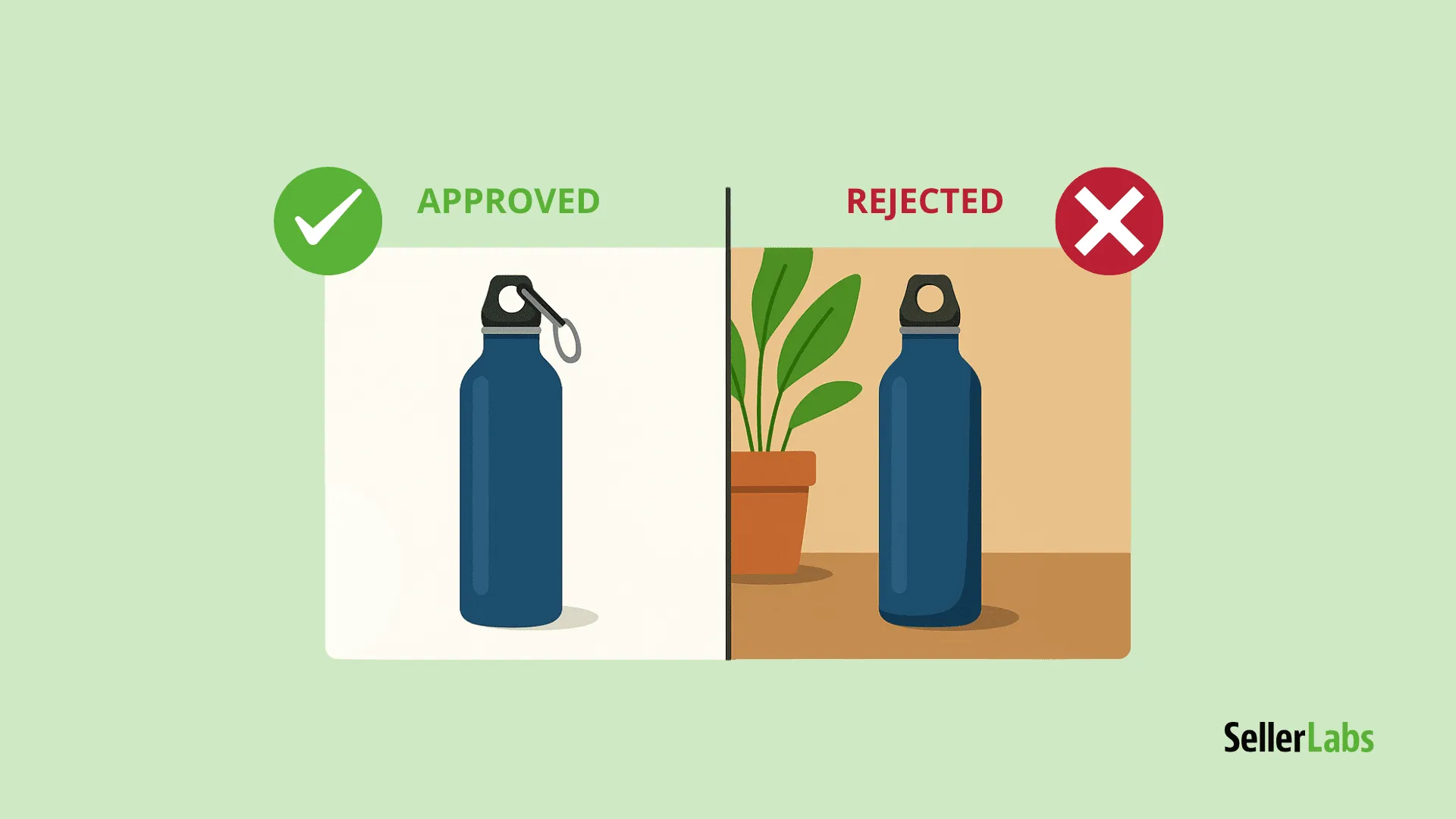


Small visual details often decide approval vs rejection.
Frequently Asked Questions (FAQs)
Why does Amazon reject images without explanation?
Amazon uses automated systems. Minor background or edge issues often trigger silent rejection.
Can rejected images hurt my ranking?
Yes. Listing suppression reduces visibility and sales velocity.
Are ghost mannequin images allowed on Amazon?
Yes — if they are realistic and fully compliant.
Should I fix images or re-upload new ones?
In most cases, professional editing fixes the issue faster.
Final Advice for Amazon Sellers in 2026
Amazon image rejection is not random.
It’s usually caused by technical, accuracy, or compliance mistakes.
Sellers who:
-
Follow image rules precisely
-
Avoid DIY shortcuts
-
Use professional editing
…experience fewer rejections, higher conversions, and more stable listings.
Fix Amazon Image Rejections the Right Way
At Clipping Area, we help Amazon sellers:
-
Fix rejected product images
-
Create compliant ghost mannequin apparel photos
-
Optimize images for approval and conversion
👉 Start with a free Amazon image editing trial
No risk. See results before you pay.