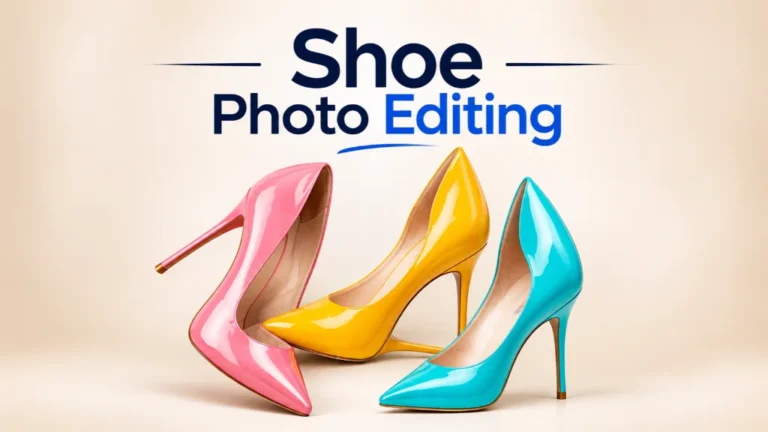
If you sell shoes online, your photos are your sales team. Shoppers cannot touch the leather, feel the sole, or try the fit. They only see your pictures. That is why professional shoe photo editing services matter so much. A clean, sharp, true-to-color image builds trust fast, and trust leads to orders. In this guide, you will learn what shoe photo editing includes, what it costs, how to pick the right partner, and how Clipping Area can help your store look polished and professional.
Quick Answer: What Are Professional Shoe Photo Editing Services?
Professional shoe photo editing services are post-production services that improve raw footwear photos. Editors cut out the background, fix color, remove dust and scratches, clean up shadows, and make every shoe look sharp and consistent. The goal is simple: make your shoes look like they do in real life, only cleaner and more appealing, so shoppers feel confident when they click “Add to cart.”
This includes work like clipping path, background removal, shoe color correction, shadow creation, reflection effects, and detailed retouching for sneakers, boots, heels, sandals, loafers, and sports shoes.
Why Shoe Photos Are Harder to Edit Than You Think
Shoes look simple. They are not. A shoe has curves, stitching, laces, mesh, holes, glossy edges, and soft fabric, all in one small product. A tiny mistake shows up quickly.
Here are the common problems that make shoe photography tricky:
- Shiny surfaces. Patent leather and glossy soles reflect light, studio equipment, and even the photographer.
- Fine details. Laces, eyelets, and stitching need clean, exact edges.
- Mesh and fabric. Sneaker uppers often have see-through areas where the background shows through.
- Color accuracy. A navy shoe that looks black in the photo leads to returns and angry reviews.
- Dust and scuffs. Even a brand new pair can look worn under strong studio lights.
- Shadows. Without a natural shadow, a shoe looks like it is floating.
A general editor may rush through these. A skilled footwear retoucher knows how to handle each one without making the shoe look fake.
What Is Included in Shoe Photo Editing?
Good editing is more than “cutting out the background.” Here is what a complete service usually covers.
1. Clipping Path for Shoes
A clipping path is a hand-drawn outline around the shoe. It separates the product from the background with sharp, smooth edges. For shoes with clear shapes, like leather boots or heels, this is the best method. It gives you a clean cutout you can place on white, a color, or any design.
2. Shoe Background Removal
Most marketplaces want a clean white background for the main image. Background removal takes away messy studio walls, floors, stands, and props. The result is a neat product photo that is ready for your store. Many sellers also ask for a transparent background so they can use the image in banners and ads.
3. Image Masking for Mesh and Fabric
Some shoes cannot be cut with a simple path. Think of fuzzy suede, knitted sneakers, or mesh running shoes. For these, editors use image masking. It keeps the soft edges and fine fibers while removing the background naturally.
4. Color Correction
Color is one of the top reasons for returns. Editors match the shoe color on screen to the real product. They also fix lighting, white balance, and brightness, so every image in your catalog looks the same.
5. Shoe Photo Retouching
This is where the fine work happens. Retouching can include:
- Removing dust, lint, scratches, and fingerprints
- Smoothing wrinkles and creases in leather
- Fixing glue marks and loose threads
- Cleaning the sole and the inside lining
- Balancing highlights on shiny areas
- Sharpening stitching and logos
The key word is natural. Over-editing makes shoes look like plastic. Good retouching keeps the real texture.
6. Shadow and Reflection Effects
Shadows give the shoe weight and depth. A soft drop shadow or a light floor reflection makes the product look grounded and premium. Editors can add a natural shadow, a mirror reflection, or keep the shadow from your original shot.
7. Image Resizing and Formatting
Every platform has its own size rules. Editors crop, resize, and export your images in the right format, such as JPG, PNG, or TIFF, so they load fast and look sharp on phones and desktops.
8. Multi-Angle Consistency
A shoe listing often has five to eight photos: front, side, back, top, sole, and close-ups. A pro editor makes sure all angles share the same lighting, spacing, and color so your product page looks clean and organized.
Before and After: What Changes in Your Shoe Photos
Here is a simple way to see the value.
| Before Editing | After Professional Editing |
|---|---|
| Gray or messy background | Clean white or transparent background |
| Dull, uneven colors | True-to-life, balanced colors |
| Dust, scratches, and lint | Clean, smooth surface |
| Harsh or missing shadows | Soft, natural shadow |
| Different look in each photo | Same style across the full catalog |
| Slow-loading heavy files | Optimized, web-ready files |
The shoe itself does not change. What changes is how it feels to the buyer: more trustworthy, more premium, and easier to compare.
Who Needs Professional Shoe Photo Editing Services?
Almost anyone who sells footwear online can benefit. Here are the most common groups.
- Online shoe stores. Shopify, WooCommerce, and BigCommerce stores need clean, consistent product pages.
- Amazon, eBay, and Etsy sellers. These platforms have strict image rules, and clean photos help you meet them.
- Footwear brands and manufacturers. Catalogs, lookbooks, and line sheets need a polished, uniform look.
- Wholesalers and distributors. Hundreds of SKUs need fast, steady editing.
- Photographers and studios. Many shoot the product and hand off the post-production work to a trusted team.
- Marketing agencies. Ads, banners, and social posts need cut-out shoes that fit any design.
- Fashion bloggers and small sellers. Even a small shop looks bigger with sharp images.
How Good Shoe Images Help You Sell More
Let us talk about results. You are not paying for editing. You are paying for what editing does for your business.
Better first impressions. Shoppers decide in seconds. A clean image tells them your store is serious.
Higher trust. True colors and clear details reduce doubt. When the shoe matches the photo, buyers feel safe.
Fewer returns. Accurate color and texture mean fewer “not what I expected” returns. That saves you shipping costs and stress.
Better ad performance. Cut-out shoes with clean edges look great in Google Shopping, Facebook, and Instagram ads.
Faster page speed. Optimized files load quickly. Fast pages keep shoppers on your site and help your search rankings.
Stronger brand look. When every product photo follows the same style, your brand feels professional and easy to remember.
Platform Rules You Should Know
Each marketplace has its own picture rules. They change from time to time, so always check the latest guide before uploading. In general:
- Amazon usually asks for a pure white background on the main image, with the product filling most of the frame.
- eBay prefers clear, bright images with a clean background.
- Etsy allows more creative styling but rewards sharp, well-lit photos.
- Shopify and WooCommerce stores have no strict rule, but a consistent background across the catalog looks best.
- Google Shopping requires clear product images with no extra text or logos added over the shoe.
A professional editing team already knows these rules and prepares your files to match.
In-House vs. Freelancer vs. Editing Agency
One of the biggest questions is who should do the editing. Here is an honest comparison.
Editing in-house. You have full control and can edit anytime. But you need to hire, train, and pay for software and a computer setup. It gets costly when your volume goes up and down.
Hiring a freelancer. This can be cheap for small jobs. The risk is quality changes from job to job, and one person may not handle big deadlines or sudden volume.
Using AI or automatic tools. These are fast and low-cost for simple shots. But they often struggle with laces, mesh, glossy parts, and shadows. You usually still need a human to fix the mistakes.
Working with a professional agency. You get a trained team, quality checks, steady results, and the ability to scale from ten images to ten thousand. This is the best fit for growing stores and brands that care about consistency.
If your shoe photos are a big part of your sales, a dedicated agency is usually the smartest choice.
What Affects the Price of Shoe Photo Editing?
Pricing is not the same everywhere, and any honest provider will tell you the final price depends on your files. These are the main factors.
- Type of work. A simple background removal costs less than full retouching with shadows and color work.
- Complexity of the shoe. A plain leather boot is easier than a mesh sneaker with many laces and holes.
- Number of images. Bulk orders often get better rates.
- Quality of the original photo. Sharp, well-lit photos take less time to edit than blurry or dark ones.
- Turnaround time. Rush jobs usually cost more than standard delivery.
- Extra services. Reflections, resizing, and multi-format delivery may add to the cost.
The best way to know the real cost is to send a few sample images and ask for a quote. A good agency will give you a clear price with no hidden fees.
How to Choose the Right Shoe Photo Editing Company
Not every provider is equal. Use this checklist before you decide.
Check their portfolio. Look for real before-and-after work on shoes, not just general product photos. Do the edges look clean? Do the colors look real?
Ask about the process. A trusted team uses hand-made paths and manual retouching for detailed work, not just one-click tools.
Look for quality control. Ask if every image is checked by a second person before delivery.
Test with a sample. Send two or three tricky images, such as a mesh sneaker or a glossy heel, and see how they handle them.
Confirm turnaround time. Make sure they can meet your launch dates and sale seasons.
Ask about file safety. Your unreleased product photos are valuable. Make sure your files are handled with care.
Check communication. Do they reply quickly? Do they listen to feedback? Do they offer free revisions if something is off?
Read reviews and case studies. Real client feedback tells you more than any sales page.
A provider who is open about their process, answers your questions clearly, and shows real examples is usually one you can trust.
Meet Clipping Area: A Premium Post-Production Photo Retouching Agency
Clipping Area is a premium post-production agency and a complete image editing solution provider. The team supports online sellers, photographers, brands, and agencies who need clean, consistent, and professional images. Shoes are just one part of the work. Clipping Area handles almost every kind of product and photo that needs expert post-production.
Here are the main services Clipping Area offers.
Clipping Path Service
Hand-drawn paths that cut your product from the background with sharp, smooth edges. This is the base of most shoe, bag, apparel, and accessory editing. It works well for products with clear shapes and hard edges.
Background Removal
Clean white, colored, or transparent backgrounds that meet marketplace rules. Perfect for Amazon, Shopify, eBay, and ad creatives.
Image Masking
For soft edges and fine details like fur, hair, mesh, knit fabric, and suede. Masking keeps the natural texture that a plain path would destroy.
Ghost Mannequin Service
Also called the invisible mannequin effect. It removes the mannequin from clothing photos and gives a 3D, “worn” look. It is great for shirts, jackets, dresses, and activewear.
Ecommerce Image Editing
Complete editing for online stores: cleanup, cropping, resizing, color matching, and batch work for large catalogs, ready for any platform.
Real Estate Photo Editing
Sky replacement, brightness fixes, color balance, and object removal for property listings. Great for agents and photographers who want homes to look bright and inviting.
Jewelry Retouching
Detailed cleanup for rings, necklaces, earrings, and watches. Editors remove dust, fix reflections, and bring out the shine of metal and stones.
Product Retouching
Skin-deep cleanup for any product. Scratches, dust, wrinkles, and flaws are fixed while the real material and texture stay natural.
Color Correction
Accurate colors that match the real product. Editors fix white balance, exposure, and color casts, and keep every image in a set looking the same.
And More
Clipping Area also supports shadow and reflection creation, photo restoration, image manipulation, and other custom post-production work. If you have a special request, just ask the team.
Why Sellers Choose Clipping Area
- Skilled, trained editors who work by hand on detailed images
- Consistent results across large catalogs
- Quality checks before every delivery
- Flexible volume for small shops and large brands
- Clear communication and revisions when needed
- Support for many industries such as fashion, footwear, jewelry, furniture, electronics, and real estate
When you work with a team that handles many types of images every day, you get the benefit of that experience on every shoe you send.
How Shoe Photo Editing Works: A Simple Step-by-Step Process
If you have never outsourced editing before, here is how a typical project runs.
Step 1: Share your photos. You upload your raw shoe images and tell the team what you need, such as white background, shadow, or color fix.
Step 2: Get a quote. The team checks your files and gives you a clear price and delivery time.
Step 3: Optional test edit. For new clients, a small sample helps you confirm the style before you send the full batch.
Step 4: Professional editing. Editors work on each image by hand: cutout, color work, retouching, and shadow.
Step 5: Quality check. A second person reviews every image for edge quality, color accuracy, and cleanliness.
Step 6: Delivery. You receive web-ready files in the formats and sizes you asked for.
Step 7: Revisions. If anything needs a tweak, you send feedback, and the team fixes it.
It is simple, and once your style is set, future orders go even faster.
Tips to Shoot Better Shoe Photos Before Editing
Editing works best when the original photo is good. These small steps save time and improve your results.
- Clean the shoes first. Wipe off dust and fingerprints. Remove price tags and sticker marks.
- Stuff the toe box. Use paper or foam so the shoe holds its shape.
- Lace them neatly. Straight, even laces look more professional.
- Use soft, even light. A lightbox or two soft lights reduces harsh shadows and glare.
- Use a tripod. Keep the camera at the same height and angle for every shoe.
- Shoot in RAW if you can. It gives editors more room to fix color and exposure.
- Capture all angles. Front, back, both sides, top, sole, and a few close-ups of key details.
- Keep a color card in one test shot. It helps editors match colors exactly.
You do not need a fancy studio. A phone camera with good light and a steady setup can give editors enough to work with.
Common Mistakes in Shoe Photo Editing
Avoid these problems, whether you edit yourself or hire a team.
- Over-smoothing leather. It removes texture and makes the shoe look fake.
- Jagged or rough edges. Cheap auto-cutouts often leave a messy outline.
- Wrong colors. Over-saturated or washed-out colors lead to returns.
- Missing shadows. The shoe seems to float in space.
- Different sizes and angles. Uneven images make your store look careless.
- Heavy file sizes. Large images slow down your pages and hurt your rankings.
- Fake-looking reflections. Reflections should be soft and light.
A good editing partner will avoid all of these and keep your shoes looking real.
Tips for Different Types of Shoes
Different shoes need different care. Here is a quick guide.
- Sneakers and running shoes: Mesh and knit areas need careful masking. Keep the texture and show the sole design.
- Leather dress shoes: Control glare, keep the shine natural, and fix creases without erasing the grain.
- High heels: Sharp, thin heels need very clean edges. Reflections on patent leather need balance.
- Boots: Keep the shape tall and even. Show the stitching and sole.
- Sandals and flip-flops: Straps and gaps need precise cutouts so the background does not show through.
- Kids’ shoes: Bright colors need extra care to stay true and not look too loud.
- Sports cleats and spikes: Show the studs clearly with sharp detail.
File Formats and Delivery: What to Expect
Professional teams usually deliver files in the format that suits your use case.
- JPG for web stores and marketplaces
- PNG for transparent backgrounds
- TIFF or PSD for print and layered files
- Clipping path files if you want to reuse the outline later
You can also ask for different sizes for your website, marketplace, and social media, so you do not need to resize anything yourself.
Frequently Asked Questions
What are professional shoe photo editing services?
They are post-production services that clean up and improve footwear photos. This includes background removal, clipping path, color correction, retouching, shadow creation, and resizing for online stores and marketplaces.
Why do I need shoe photo editing for my online store?
Clean, accurate photos build trust, help your products stand out, and reduce returns. Shoppers cannot touch your shoes, so your images do the selling.
How much do shoe photo editing services cost?
The price depends on the type of edit, the complexity of the shoe, the number of images, and delivery time. Send sample images to the provider to get an exact quote.
What is the best background for shoe photos?
White is the most common, and many marketplaces ask for it on main images. Transparent backgrounds are also popular for ads and banners. Lifestyle backgrounds work well for secondary images.
What is the difference between clipping path and image masking?
Clipping path is used for hard-edged shapes with clear lines, like leather shoes. Image masking is used for soft or complex edges, like mesh, knit, suede, or fur.
Can editors fix shoe color in photos?
Yes. Color correction matches the shoe in the photo to the real product. It also keeps colors the same across all your angles and your full catalog.
How long does shoe photo editing take?
It depends on volume and complexity. Small batches can often be done within a day or two, while large catalogs take longer. Many agencies offer rush delivery for urgent needs.
Can I outsource editing for hundreds of shoe images?
Yes. Agencies are built for bulk work. A good team keeps the same style across the whole batch so your catalog stays consistent.
Is AI editing good enough for shoe photos?
AI tools can help with simple images, but they often miss fine details like laces, mesh, and glossy parts. For a clean, premium result, human review and manual editing still give better quality.
What file formats will I receive?
Most providers deliver JPG, PNG, TIFF, or PSD, depending on your needs. You can also ask for specific sizes for each platform.
Does Clipping Area only edit shoe photos?
No. Clipping Area handles many types of images, including clothing, jewelry, furniture, electronics, and real estate photos, with services such as clipping path, background removal, image masking, ghost mannequin, and color correction.
Final Thoughts: Make Every Shoe Look Worth Buying
Great shoes deserve great photos. Even the best design can lose a sale if the picture is dull, messy, or off in color. Professional shoe photo editing services fix that by giving every pair a clean, sharp, and trustworthy look that helps shoppers say yes.
Whether you run a small online shop or manage a large footwear brand, the right post-production partner saves you time, protects your brand image, and helps your products compete. Clipping Area brings the skills, process, and care needed to turn raw shoe photos into sales-ready images, along with a full range of services like clipping path, background removal, image masking, ghost mannequin, ecommerce editing, real estate photo editing, jewelry retouching, product retouching, and color correction.
Ready to upgrade your shoe photos? Send a few sample images to Clipping Area, share what you need, and see the difference professional editing can make for your store.