A customer can’t pick up a shoe on Amazon. They can’t feel the leather, test the sole, or judge the fit in person. Your product images have to do that job. That’s why understanding Amazon Footwear Product Image Requirements is essential for sellers. Amazon has specific standards for image size, background, product visibility, and image quality. But simply meeting the rules isn’t enough. Weak or poorly presented photos can still hurt buyer confidence.
This guide explains Amazon’s footwear image requirements, common mistakes to avoid, and practical ways to create product photos that attract shoppers and drive sales.
Why Footwear Gets Extra Scrutiny
Shoes get returned more than almost anything else Amazon sells. Wrong color, wrong fit, sole looked different in the photo. Amazon tracks all of it.
When return rates climb on a listing, Amazon’s algorithm notices. Rankings drop. Sometimes the listing gets flagged for review entirely.
So the image rules aren’t red tape for the sake of red tape. They exist because a customer who buys a black sneaker and receives a navy one is a customer who leaves a one-star review and requests a refund. Good images prevent that before it happens.
The Baseline Rules (Every Category, Footwear Included)
These apply no matter what you sell on Amazon. Get them wrong and your listing may not even publish.
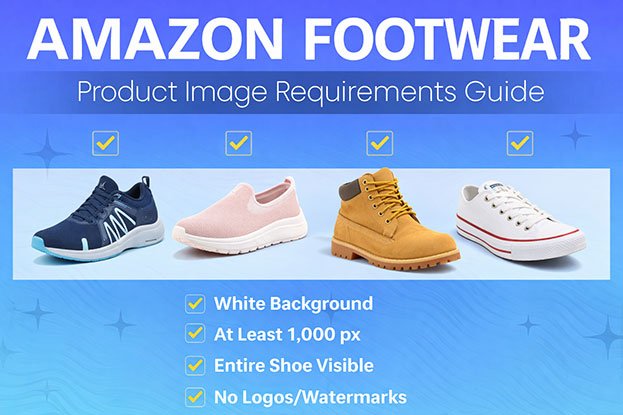
Main image background: pure white. Not off-white. Not cream. Not “looks white on my monitor.” Amazon checks for RGB 255, 255, 255 specifically. A background that looks white to your eye can still fail if there’s a faint grey tint from uneven studio lighting.
Minimum size: 1000 pixels on the longest side. This isn’t a random number. It’s the threshold that turns on Amazon’s zoom feature, the one that lets a shopper hover over the image and see stitching detail up close. Listings without zoom convert noticeably worse.
File type: JPEG. PNG, GIF, and TIFF are technically accepted, but JPEG is the standard because it keeps file size down without losing quality.
Product fill: about 85% of the frame. A tiny shoe floating in a sea of white space looks cheap and makes it harder to judge size and detail.
No text, no logos, no watermarks, no borders. Nothing except the product.
No mannequins, hands, or props in the main image. Clothing sellers sometimes get away with a mannequin. Footwear sellers don’t. Just the shoe, isolated.
What Makes Footwear Different From Every Other Category
General apparel rules stop here. Footwear has its own expectations layered on top, and this is where most sellers fall short.
You need more angles than you think
One clean side shot used to be enough. It isn’t anymore. Listings that actually convert show:
Side profile (this is usually the main image)
Three-quarter angle, so shoppers can see depth and shape
Top-down view of the upper
Heel and back view
Sole close-up
Both shoes together as a pair
At least one on-foot or lifestyle shot
Amazon gives footwear listings up to nine image slots. Sellers who use six or seven of them consistently beat competitors who stop at two or three.
The sole shot isn’t optional
Shoppers buying running shoes, hiking boots, or work boots care about tread pattern and grip. A straight-on sole photo, evenly lit, answers a question before it becomes a return.
Skip this shot and you’ll see it in your reviews: “sole looked different than pictured.”
Color has to match reality
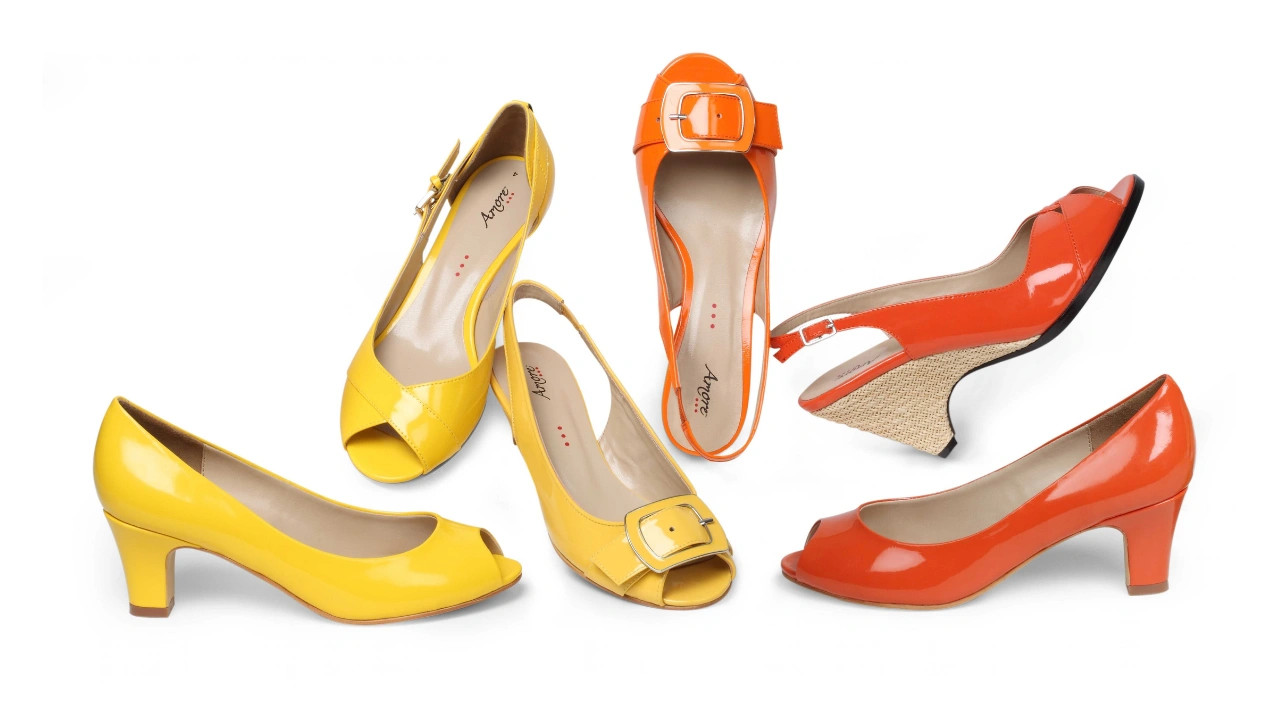
This is the single biggest source of footwear returns. A shoe photographed under warm studio lights can shift toward yellow or orange on screen. Shoot it under cool lighting and it can swing blue.
Neither version is what the customer actually gets. That gap between “photo color” and “real color” is what drives one-star reviews, and it’s also a policy risk if Amazon decides the image misrepresents the product.
Fixing this isn’t about better lighting equipment. It’s a color correction step that happens after the shoot, matching the final image back to the actual product.
Every colorway should look the same
If you sell one shoe in five colors, all five listings should share the same lighting setup, same angle, same framing. Customers notice when one variant looks studio-shot and another looks like it was taken on a kitchen counter. So does Amazon’s catalog quality system.
Why Images Get Rejected (Or Quietly Buried)
The white isn’t actually white. This is the single most common rejection reason. A white sweep under uneven lighting creates soft grey shadows that fail Amazon’s pixel check even though they look fine to a human eye.
Resolution falls short. Shooting on an older phone, or compressing the file too hard before upload, drops images below the 1000-pixel minimum without the seller realizing it.
A drop shadow looks like a design element. A soft, natural shadow under the shoe is fine. A hard-edged shadow that looks like it was added in Photoshop reads as a graphic, and Amazon’s system can flag it.
Props sneak into frame. A hand holding the shoe. A visible shoebox corner. These are common in phone-shot “quick” photos meant for secondary slots, and they violate the no-extra-elements rule.
A stray watermark. Photography apps often add a small logo automatically. Sellers miss it because it’s tiny, but Amazon’s review catches it.
Color drift. This one rarely triggers an instant rejection, but it shows up later in return rates and reviews, which affects ranking over time.
Every item on this list gets fixed in editing. None of it requires a reshoot.
What Editing Actually Fixes
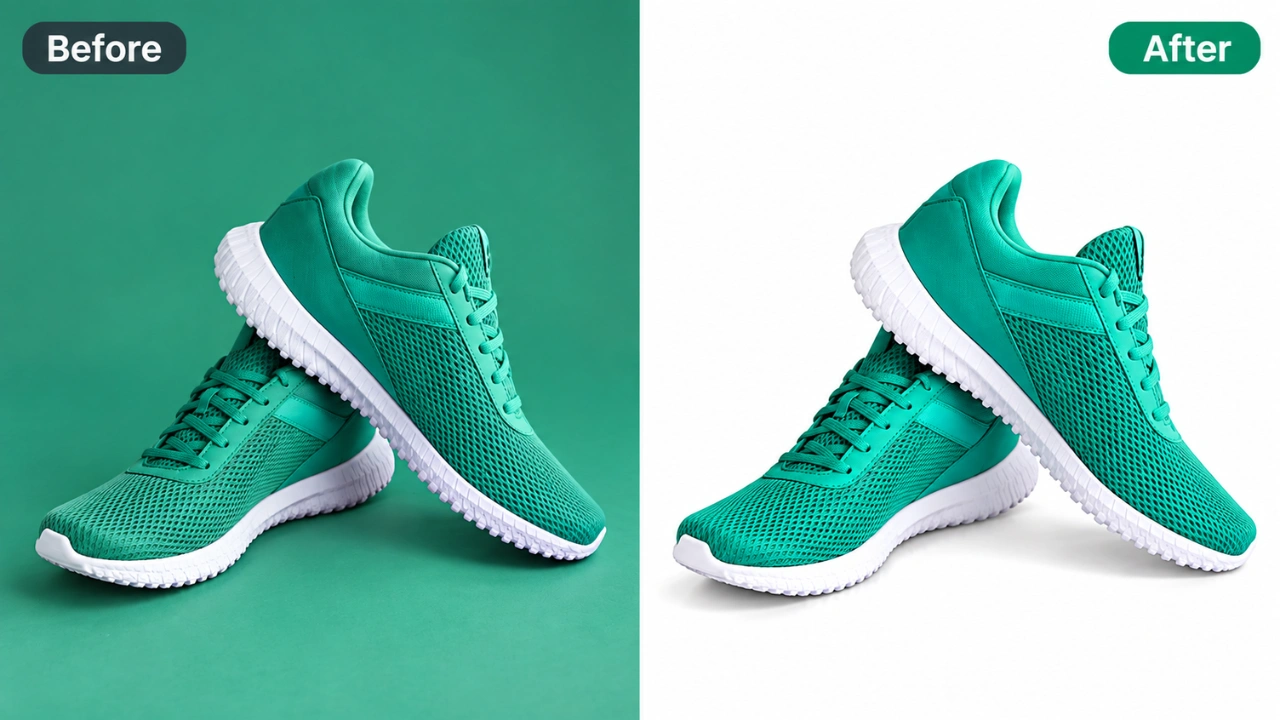
You don’t need a studio budget to get compliant, high-converting footwear images. You need clean post-production.
Background cleanup. Even a shoe shot against white fabric usually needs work to hit true RGB 255 white without flattening the natural shadow underneath it.
Color correction. Matches the photo to the real product. This single step prevents more returns than almost anything else on this list.
Shadow work. A subtle, realistic shadow makes a shoe look grounded instead of pasted onto the background. Too much shadow, or the wrong kind, looks fake. Getting it right is a skill, not a filter.
Retouching. Dust picked up during the shoot, small scuffs from handling, uneven highlights on stitching. All fixable without changing what the product actually is.
Ghost mannequin for accessories. Insoles, boot liners, straps shot on a mannequin or hanger, edited so the form disappears but the item still holds its natural shape.
Batch consistency. For sellers with dozens of SKUs, this is the real time-saver. Instead of manually color-correcting every colorway one at a time, the same correction gets applied across the whole line, so every variant matches.
This is the exact work Clipping Area does for footwear brands and ecommerce sellers who need Amazon-ready images without spending their own hours in editing software. Pricing starts at $0.29 per image, and a free trial edit is available before you commit to a bulk order, so you can check the quality on your own product first.
Pre-Upload Checklist
Run through this before submitting any footwear image:
Background is true white, RGB 255, 255, 255, not off-white or grey
Longest side is at least 1000 pixels
Product fills roughly 85% of the frame
No text, logos, or watermarks anywhere in the file
No hands, props, or packaging visible
Color matches the real product under natural light
At least five to seven angles included, sole shot and pair shot among them
Shadow looks natural, not like a graphic overlay
All colorways of the same shoe match in lighting and framing
Image previewed at real size on both desktop and mobile
Quick Answers
How many images can a footwear listing have? Up to nine in most cases. Use as many as you can. More angles means fewer returns.
Does the main image have to be plain white? Yes, always. Lifestyle and on-foot shots go in the secondary slots, never the main image.
Why did my listing get suppressed after it was already approved? Usually one of three things: the background wasn’t a true white, resolution slipped below the minimum, or return and complaint data showed the product doesn’t match the photos closely enough.
Can editing fix an average phone photo? Often, yes. Background cleanup, color correction, and shadow work rescue a lot of photos that would otherwise fail Amazon’s checks. A decent camera helps, but editing is what makes the difference between passable and compliant.
Bottom Line
The technical rules (white background, resolution, file type) are the minimum bar. They keep your listing live.
What actually sells the shoe is everything past that bar: accurate color, enough angles to answer every question a customer has, and a sole shot that removes the last bit of doubt.
If your footwear photos need cleanup before they’re Amazon-ready, Clipping Area handles background removal, color correction, retouching, and ghost mannequin editing for footwear sellers worldwide. Pricing starts at $0.29 per image, with a free trial edit available before you place a bulk order.