You took the photos. The house looks great in person. Then you open the files, and something feels off. The rooms look dark. The windows are blown out. The walls have a yellow tint. The whole place looks smaller than it is.
Every agent and photographer hits this moment. Do you fix the photos yourself, or do you hand them to a professional?
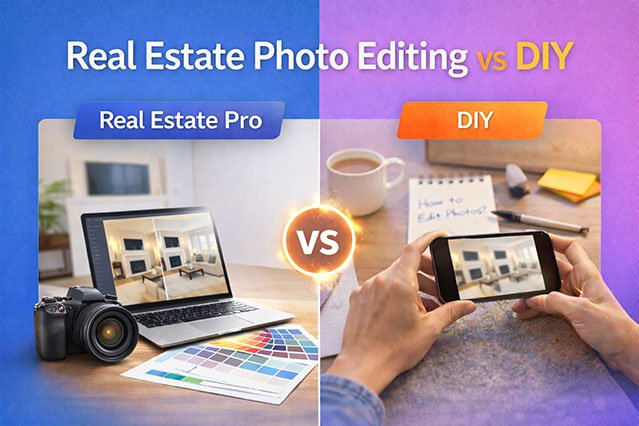
That is the real question behind Professional Real Estate Photo Editing vs DIY. Your choice can decide how fast a home gets clicks, showings, and offers. In this guide, we compare both options side by side. You will see what each one costs, where each one wins, and what really works for real estate listings.
Let’s start with why editing matters at all.
Why Photo Editing Matters for Listings
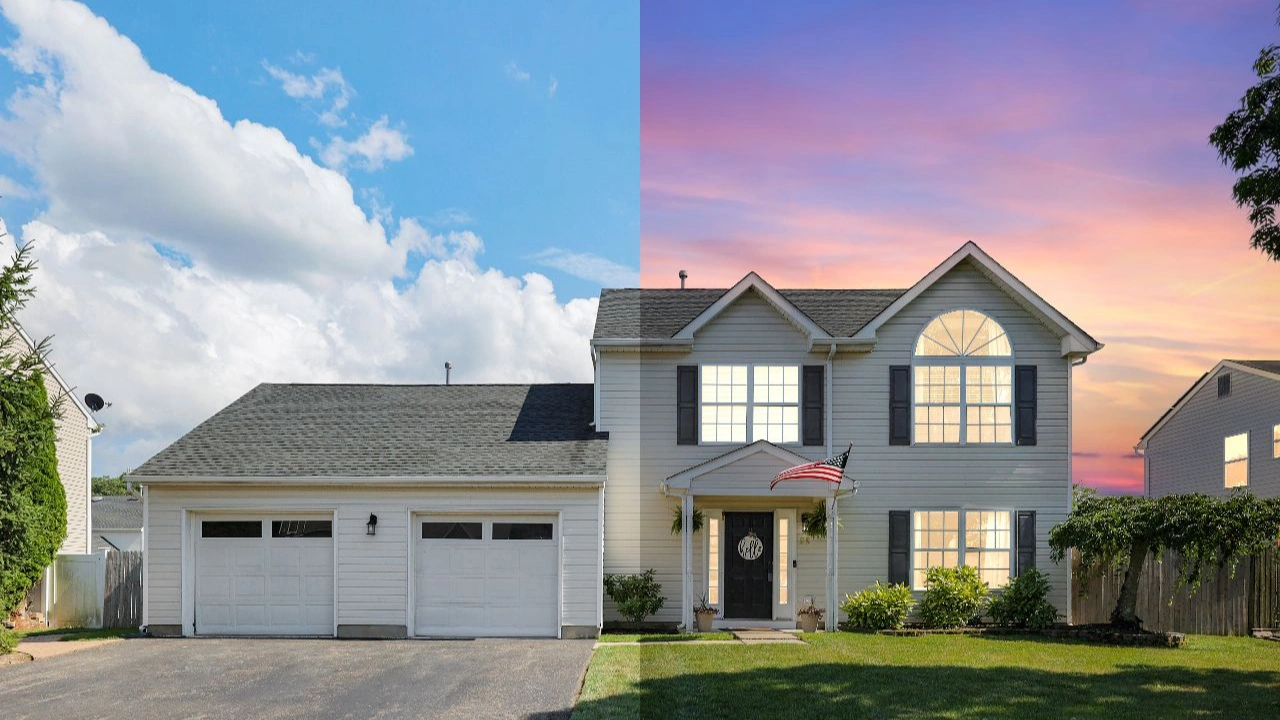
Most buyers start their search online. They scroll fast. They decide in seconds if a listing deserves a click. Your first photo is your first showing.
Raw camera files rarely look like what the eye sees. Cameras struggle with bright windows and dark rooms at the same time. They also pick up color casts from lamps, walls, and outdoor light. Wide lenses bend straight lines. Small distractions like cords, trash bins, or a stray car show up in the frame.
Editing fixes these problems. Good listing photos look bright, clean, and true to life. They help buyers picture themselves in the home. Strong photos tend to bring more views, more saves, and more showing requests. That is why property photo editing is now a standard step, not an extra.
But how you edit matters just as much as whether you edit. Bad editing can hurt a listing more than no editing.
What Real Estate Photo Editing Really Includes
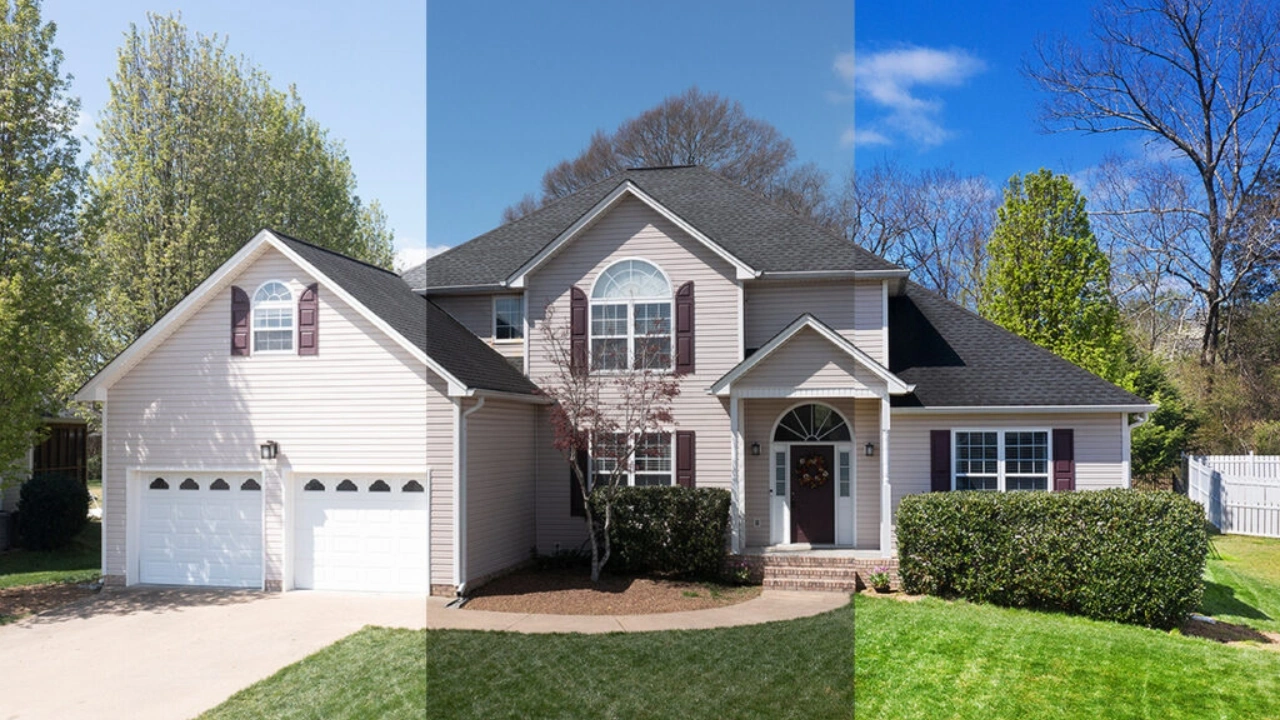
Many people think editing means “make it brighter.” It is much more than that. Here are the main edits used in professional real estate photo editing.
Exposure and brightness fixes. Dark rooms get lifted. Bright spots get pulled back.
White balance and color correction. Yellow lamps and blue shadows are cleaned up so whites look white.
HDR and exposure blending. Several shots at different brightness levels are merged into one balanced image.
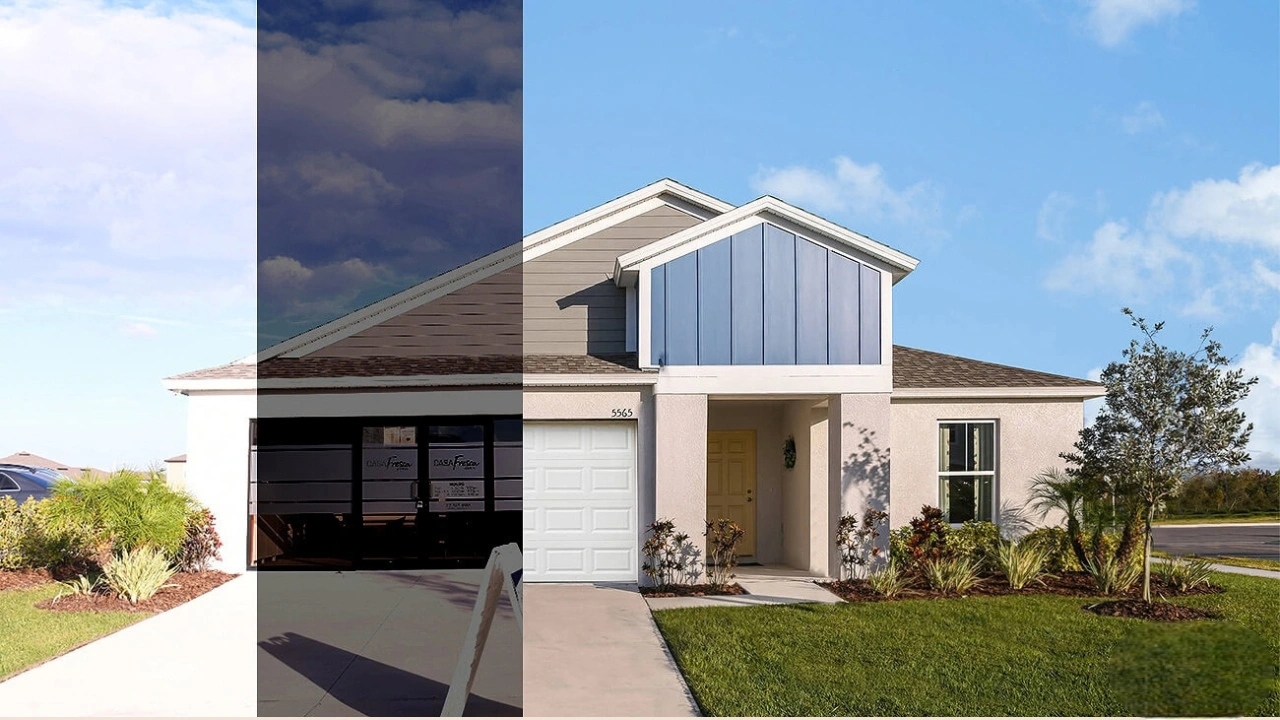
Window pull. The bright glare in a window is replaced with a clear outside view, so buyers see the yard, not a white blob.
Perspective and lens correction. Walls are straightened so the room does not lean or bend.
Sky replacement. A gray or blank sky is swapped for a natural blue one.
Object removal. Cords, trash cans, cars, and small clutter are removed.
Twilight conversion. A day photo is turned into a warm dusk scene with glowing windows.
Virtual staging. Furniture is added to empty rooms with software.
Lawn and grass enhancement. Dry patches are made to look healthy and green.
Some of these are simple. Others take real skill. That gap is exactly where DIY and professional editing start to split.
DIY vs Real Estate Photo Editing: What It Looks Like
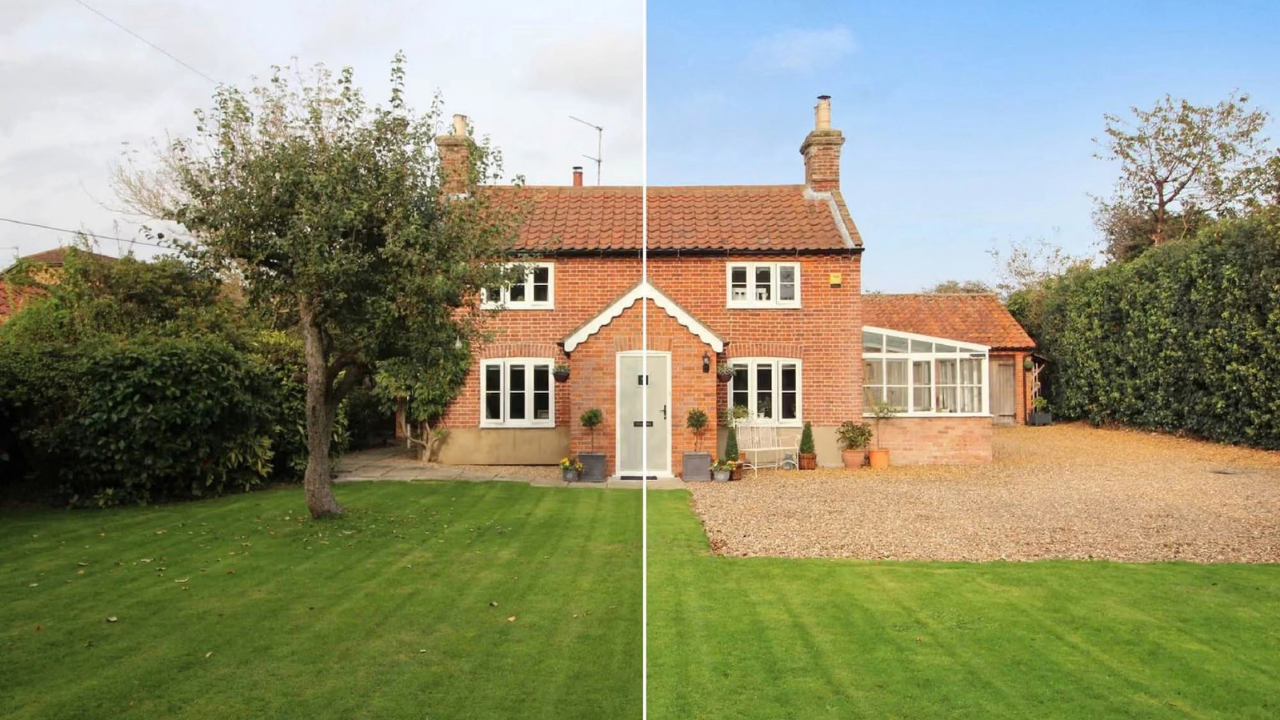
DIY editing means you do the work yourself. Most people use Adobe Lightroom, Photoshop, Canva, or phone apps like Snapseed. Some use AI auto-enhance tools that fix a photo in one click.
The upsides of DIY
Low upfront cost. A Lightroom subscription is cheap compared to paying per photo.
Full control. You decide every setting and every look.
Quick for simple jobs. A few bright, well-lit rooms can be fixed in minutes.
Skill building. You learn how light and color work, which also makes you a better shooter.
DIY works best when the photos are already good. If the light is even, the camera is set well, and the rooms are simple, basic edits can be enough. Agents who list a few homes a month and shoot with a phone or an entry-level camera often start here, and that is fine.
The trouble starts when the job gets harder, or when your volume grows.
Where DIY Editing Goes Wrong
Most DIY problems are not about effort. They come from experience and time. Here are the issues that show up again and again.
Over-editing
New editors push sliders too far. Colors get loud. Shadows look fake. HDR images get glowing edges around windows and furniture. Buyers may not know what went wrong, but they feel that something is off. A photo that looks too processed can make a home look less real.
Uneven color across a set
One photo looks warm. The next looks cool. The kitchen is bright and the hallway is dull. A listing should feel like one home, so every photo needs to match. This is hard to do by hand when you are working fast.
Weak window views
Blown-out windows are one of the most common signs of amateur listing photos. Fixing them well takes layered masking or careful blending. Most DIY attempts leave gray halos, flat views, or windows that look pasted in.
Bent lines and tilted rooms
Wide lenses stretch the edges of a frame. Doors lean. Walls tilt. Fixing this takes a steady eye and the right tools. Otherwise the room ends up looking warped in a new way.
A screen that lies
If your monitor is not calibrated, you may edit to the wrong color. What looks perfect on your laptop can look green or dull on a buyer’s phone. Professionals use calibrated displays for this reason.
Time you cannot get back
This is the hidden cost. A single listing with 25 photos can take a beginner two to four hours. If you have five listings a week, that is close to a full work week of editing. Time spent editing is time not spent with clients, at showings, or behind the camera.
Edits that cross the line
There is also a trust issue. Removing a cord is fine. Hiding a cracked wall, a nearby power line, or a busy road can mislead buyers and may break MLS rules or local laws. Virtual staging usually needs a clear label. Rules differ by region, so always check them first. A professional editor who works in this field every day usually knows where the line is.
What Professional Real Estate Photo Editing Delivers
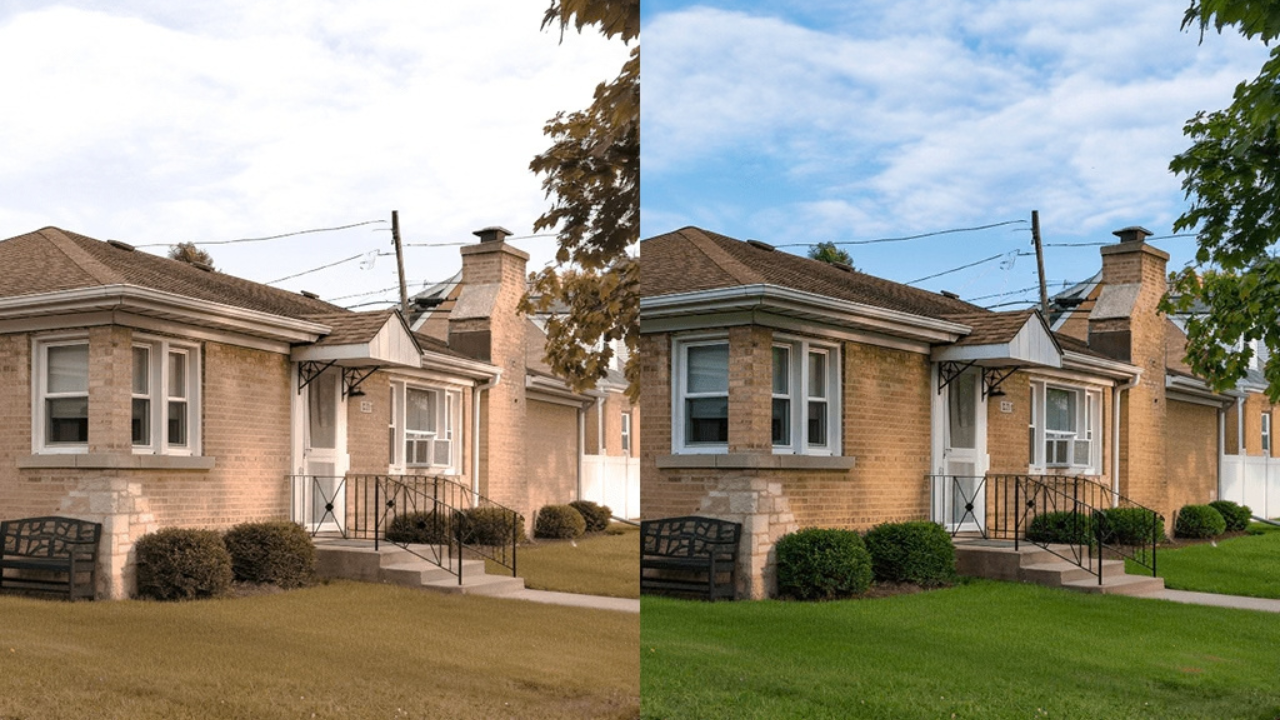
Professional real estate photo editing means trained editors work on your files with proven methods. You get a cleaner, more natural, and more consistent set of photos, not just a brighter one.
Skilled, natural results. Pro editors know when to stop. They fix light and color without making the home look fake. Window views are clear. Walls are straight. Whites stay white.
Consistency. Every photo in the set matches in color and tone. That makes the listing feel polished and trustworthy.
Advanced techniques. Twilight edits, sky replacement, object removal, and virtual staging need specialized skills. Pros do these every day, so the results look real.
Quality control. Good agencies check each image before delivery. Many offer free revisions if something is off.
Speed at scale. A team can return a full set in 12 to 24 hours, even in busy weeks. That helps you list faster and get ahead of the market.
Your time back. You shoot, upload, and move on. Editing no longer eats your evenings.
If you are a photographer, this also protects your brand. Clients judge you by the final images, not by how hard you worked on them.
Professional vs DIY: Side by Side
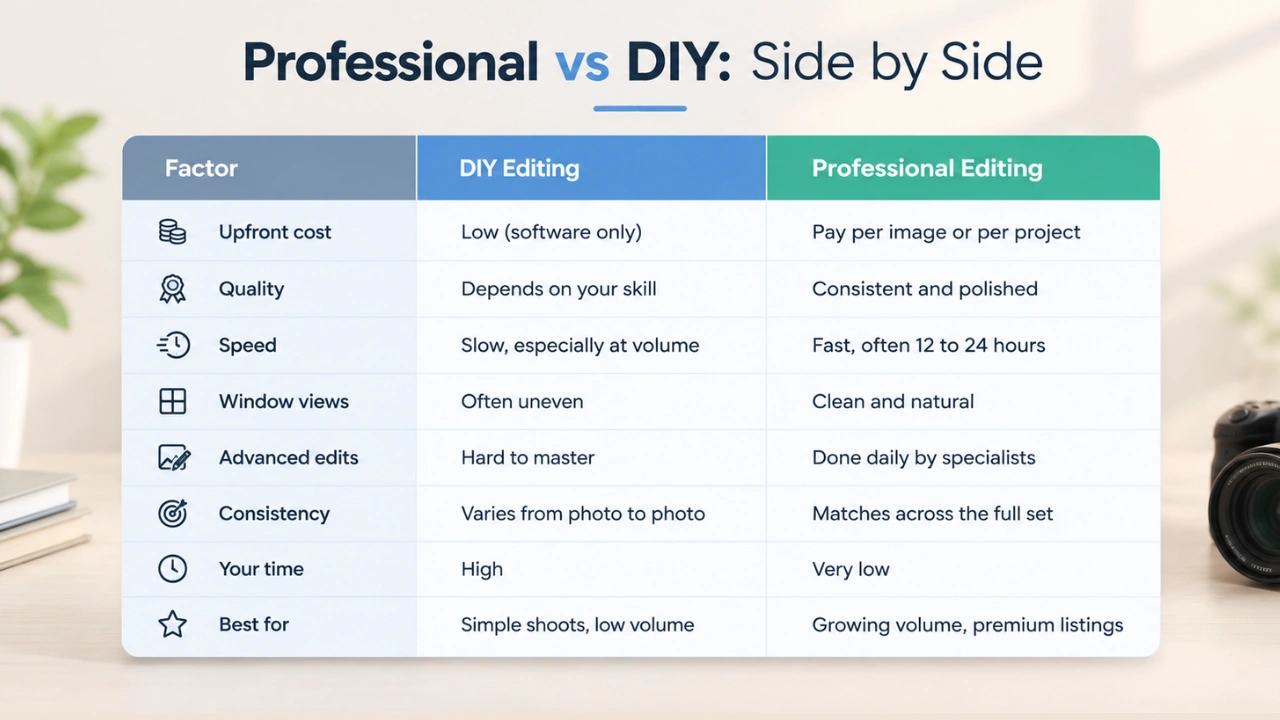
The Real Cost: DIY vs Professional
Price is where most people start, so let’s look at it fairly.
DIY costs. Software may run you a small monthly fee. But the bigger cost is time. Say you spend three hours editing one listing. If your time is worth even a modest hourly rate, that “free” edit is not free. Add the learning curve, a better monitor, and the cost of mistakes, and DIY gets more expensive than it looks.
Professional costs. Most services charge per image. Basic edits often cost a small amount per photo, while complex jobs like twilight conversion or virtual staging cost more. Prices vary by provider, so ask for a sample and a clear quote before you commit.
Now think about the other side. A listing that sits for weeks costs the seller money and can hurt your reputation. If better photos help a home get more attention early, the editing fee is small next to that. For a high-value property, it is one of the cheapest ways to improve first impressions.
A simple rule works well. If editing one listing takes you more than an hour, and a pro can do it for less than what your hour is worth, outsourcing wins.
When DIY Makes Sense
DIY is a fair choice when:
You list only a few homes per month.
Your shots are well lit and well framed.
The property is simple and needs light edits only.
You enjoy editing and want to learn.
You are just starting out and the budget is tight.
When to Hire a Professional
Hiring out is the smarter move when:
You handle many listings each week.
You shoot bright windows and dark interiors that need blending.
You need twilight, sky replacement, or virtual staging.
The property is high-end and every detail counts.
You want a fast turnaround without losing quality.
You are a photographer who wants to grow without working all night.
Notice what these lists have in common. DIY fits low volume and simple jobs. Professional editing fits volume, complexity, and high stakes.
The Hybrid Approach: What Many Smart Agents Do
You do not have to pick one side forever. Many agents and photographers use a mix.
They handle quick, basic fixes themselves, like cropping and small brightness changes. Then they send the important work to a pro, like HDR blending, window pulls, twilight, or virtual staging. Some send only the hero shots, the front exterior and the main living area, since those images drive the most clicks.
This keeps costs down while protecting the photos that matter most. It also lets you test a provider on one listing before sending more.
How to Choose a Real Estate Photo Editing Service
If you decide to outsource, not every provider is equal. Look for these signs.
A strong real estate portfolio. Real estate editing is different from fashion or product work. Ask for before and after samples of homes.
A free test edit. Good providers let you try a few photos first.
Clear turnaround times. Ask what happens on rush jobs and weekends.
Consistent style options. You should be able to share a preference so every batch matches your look.
A fair revision policy. Revisions should be part of the deal.
Simple pricing. Look for a clear price list with no hidden fees.
Easy file handling. You should be able to upload RAW, bracketed, or JPEG files with no trouble.
Honest editing standards. A trusted editor will not push you to hide flaws that could mislead buyers.
Expert Photo editing post-production Agencies like Clipping Area, which has handled photo editing for real estate, ecommerce, and marketing clients worldwide since 2014, are built for this kind of steady, repeatable work. Whoever you pick, run a small test first.
Tips If You Choose DIY
If you edit yourself, these habits will lift your results fast.
Shoot well first. Good editing cannot save a bad shot. Use a tripod, keep the camera level, and turn on the lights.
Shoot brackets. Take three to five exposures per room so windows and shadows can be blended cleanly.
Shoot RAW. RAW files hold more detail and give you room to fix light and color.
Fix white balance first. Get the whites right before touching anything else.
Go easy on saturation. A little goes a long way.
Straighten verticals. Doors and walls should stand tall and straight.
Use presets, then tweak. A good preset gives you a steady base across the set.
Compare all photos together. View the full gallery on one screen to check that colors match.
Review AI auto tools closely. They save time, but they can flatten light or add odd artifacts.
Stay honest. Clean up clutter and light. Do not hide real flaws.
Frequently Asked Questions
Is professional real estate photo editing worth it?
For most busy agents and photographers, yes. It saves hours, gives steady quality, and helps listings look their best online. If you list rarely and already shoot well, DIY may be enough.
How long does real estate photo editing take?
A beginner may need two to four hours for a set of 25 photos. A professional team can often deliver in 12 to 24 hours, and rush options may be faster.
Can I use AI tools instead of a professional editor?
AI tools are fine for quick fixes like brightness. But they often struggle with window views, color balance, and natural looks. For the best results, review every image or use a pro for your key shots.
What is the most important edit for real estate photos?
Balanced light and clean window views. If the room is bright, the colors are true, and the windows show the outside, the photo already looks professional.
Is virtual staging allowed?
Often yes, but rules vary. Many MLS boards and regions expect a clear label. Check your local rules before publishing.
How many photos should I edit per listing?
Most listings do well with 20 to 40 images, depending on the size of the home. Focus first on the front exterior, living area, kitchen, and main bedroom.
Final Thoughts: What Really Works
DIY editing is not wrong. It is a good starting point, and it works for simple shoots and small workloads. But it has limits. Time, skill, and consistency become real problems as your listings grow.
Professional real estate photo editing gives you cleaner windows, matched colors, natural results, and your time back. It costs money, but it often pays for itself through faster listings and stronger first impressions.
For most agents and photographers, the best path is simple. Learn the basics. Edit small jobs yourself if you like. Then bring in a pro for volume, tricky edits, and premium listings.