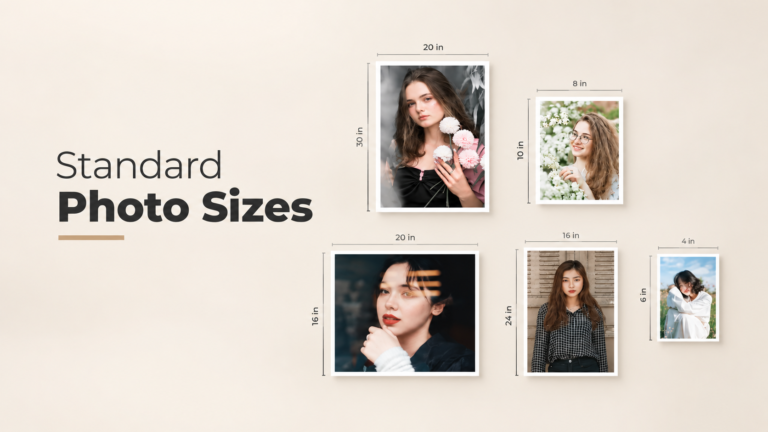
You took a great photo. Now you want to print it, frame it, or post it online. Then the questions start. Will it fit the frame? Will it look blurry? Why did the print shop cut off someone’s head?
The answer almost always comes back to standard photo sizes. Once you understand how sizes, ratios, and pixels work together, you stop guessing. Your prints come out sharp, your frames fit, and your online images load clean on every screen.
This guide covers it all in plain language. You will find print sizes, frame sizes, pixel charts, aspect ratios, social media sizes, and ecommerce image specs. Bookmark it. You will come back to it.
Key Takeaways (Quick Answers)
- The most common photo print size is 4×6 inches. It matches the 3:2 shape of most camera sensors, so very little gets cropped.
- For sharp prints, aim for 300 PPI. Multiply each inch by 300 to get the pixels you need. A 4×6 print needs 1200 x 1800 pixels.
- Aspect ratio matters more than size. If your photo’s ratio does not match the print, something gets cropped.
- Standard frame sizes include 4×6, 5×7, 8×10, 11×14, 16×20, and 24×36 inches.
- For Instagram, use 1080 x 1350 pixels (4:5) for feed posts and 1080 x 1920 pixels (9:16) for Stories and Reels.
- For online stores, use square images of at least 2000 x 2000 pixels so zoom works well.
What Are Standard Photo Sizes?
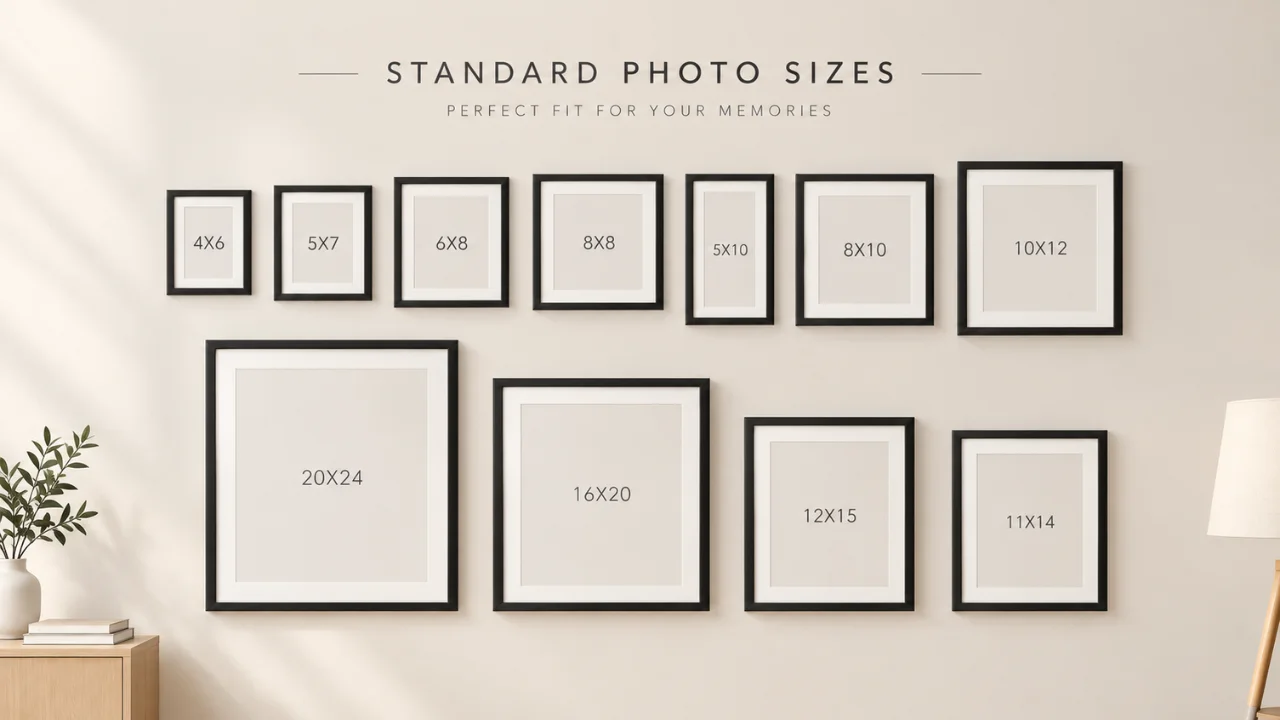
Standard photo sizes are the set print and display dimensions that labs, frame makers, and digital platforms all use. Think of them as a shared language. When you order a 5×7 print, every lab knows the exact size. When you buy a 5×7 frame, it fits.
Here is the catch. There is no single “standard” size. The right size depends on where your photo will live:
- On a wall or desk: print sizes in inches or centimeters
- In a frame: frame and mat opening sizes
- On a screen: pixel dimensions and aspect ratios
- On a product page: platform rules for size, background, and zoom
Each one has its own logic. Let’s walk through them one at a time.
Three Terms You Need to Know First
Before the charts, get these three ideas clear. They make everything else easy.
1. Print Size
This is the physical size, written as width x height in inches (or cm). A 4×6 print is 4 inches by 6 inches.
2. Aspect Ratio
This is the shape of the image, not its size. It shows how width relates to height. A 4×6 print and a 12×18 print are different sizes, but they share the same 3:2 shape. That means one can scale up to the other with no cropping.
3. Resolution (PPI and DPI)
PPI means pixels per inch. It tells you how many image pixels fill each inch of the print. DPI means dots per inch and refers to the printer’s ink dots. People often use the two words as the same thing. For printing, just remember one number: 300 PPI gives sharp, high-quality prints. 150 to 200 PPI is fine for large prints viewed from a distance.
Simple formula: Print inches x 300 = pixels needed.
Standard Photo Print Sizes Chart
This is the core photo size chart. It shows common print sizes in inches and centimeters, their aspect ratio, and the pixels needed at 300 PPI.
| Print Size (inches) | Size (cm, approx.) | Aspect Ratio | Pixels at 300 PPI | Common Use |
|---|---|---|---|---|
| 2 x 2 | 5 x 5 | 1:1 | 600 x 600 | US passport and visa photos |
| 2.5 x 3.5 | 6.4 x 8.9 | 5:7 | 750 x 1050 | Wallet photos |
| 3.5 x 5 | 8.9 x 12.7 | 7:10 | 1050 x 1500 | Small prints, cards |
| 4 x 6 | 10 x 15 | 2:3 | 1200 x 1800 | Standard snapshot prints |
| 5 x 7 | 13 x 18 | 5:7 | 1500 x 2100 | Gifts, desk frames, cards |
| 8 x 10 | 20 x 25 | 4:5 | 2400 x 3000 | Portraits, wall frames |
| 8.5 x 11 | 21.6 x 27.9 | 17:22 | 2550 x 3300 | Letter size prints, flyers |
| 11 x 14 | 28 x 36 | 11:14 | 3300 x 4200 | Wall art, mid-size portraits |
| 12 x 18 | 30 x 45 | 2:3 | 3600 x 5400 | Small posters |
| 16 x 20 | 40 x 50 | 4:5 | 4800 x 6000 | Large portraits, gallery walls |
| 18 x 24 | 45 x 60 | 3:4 | 5400 x 7200 | Posters |
| 20 x 30 | 50 x 75 | 2:3 | 6000 x 9000 | Large wall art |
| 24 x 36 | 60 x 90 | 2:3 | 7200 x 10800 | Full posters |
Tip: For prints 16×20 and larger, 150 to 200 PPI usually looks great because people view them from a few feet away. A 24×36 poster at 150 PPI needs 3600 x 5400 pixels, which most modern cameras can handle.
The Most Popular Print Sizes Explained
4×6 Photo Size
The 4×6 is the classic print size and the most ordered size worldwide. It has a 3:2 ratio, which is the same shape most DSLR and mirrorless cameras shoot. So your full photo fits with almost no cropping. Use it for albums, scrapbooks, and quick prints. Outside the US, the metric version is 10 x 15 cm.
5×7 Photo Size
A 5×7 is a step up. It feels more like a “display” print. It is popular for gifts, desk frames, and greeting cards. The ratio is 5:7, which is a bit squarer than 3:2. So when you print a camera photo at 5×7, you lose a thin strip from the long side. Check your crop before ordering.
8×10 Photo Size
The 8×10 is the go-to size for portraits, school photos, and headshots. Its 4:5 ratio is much squarer than a camera’s 3:2. That means a full camera image will lose about an inch from the long side when printed at 8×10. Leave extra space around your subject when you shoot.
11×14 and 16×20
These are wall-ready sizes. They work for living room art, gallery walls, and statement portraits. The 16×20 shares the same 4:5 ratio as the 8×10, so a photo cropped for one fits the other perfectly.
Square Sizes
Square prints such as 5×5, 8×8, 10×10, 12×12, and 20×20 have a 1:1 ratio. They look clean and modern. They suit Instagram-style images, product photos, and grid walls.
Panoramic Sizes
Panoramic prints like 5×15, 8×24, 10×30, and 12×36 are long and narrow (usually 1:3). They show off wide landscapes, cityscapes, and big group shots.
Aspect Ratios Made Simple
Aspect ratio is the number one reason prints get cropped in ways you did not expect. Here are the ratios you will meet most often.
| Aspect Ratio | Shape | Matching Sizes | Where It Shows Up |
|---|---|---|---|
| 1:1 | Square | 8×8, 12×12, 1080 x 1080 px | Instagram, product photos |
| 3:2 | Classic rectangle | 4×6, 8×12, 12×18, 20×30 | DSLR and mirrorless cameras |
| 4:3 | Slightly squarer | 6×8, 9×12, 18×24 | Smartphones, Micro Four Thirds cameras |
| 5:4 | Near square | 8×10, 16×20 | Portrait prints and frames |
| 7:5 | Medium rectangle | 5×7 | Gift prints, cards |
| 16:9 | Widescreen | 1920 x 1080 px | Monitors, TVs, YouTube, website banners |
| 9:16 | Tall vertical | 1080 x 1920 px | Stories, Reels, TikTok |
| 3:1 | Panoramic | 8×24, 12×36 | Landscape panoramas |
Why Your Phone Photos Crop Differently
Most smartphones shoot at 4:3, not 3:2. So when you print a phone photo at 4×6, the lab trims the top and bottom. If you want the full frame, choose a 4:3 size like 6×8 or 9×12. Or crop it yourself before you upload so you control what stays in.
Standard Picture Frame Sizes
Frames follow the same standard sizes as prints. The key thing to know is the difference between a frame with a mat and one without.
A mat is the border board between the photo and the frame. It gives your photo space to breathe and looks more finished. When you use a mat, the frame is bigger than the photo.
Frame and Mat Size Guide
| Frame Size | Photo Size With Mat | Best For |
|---|---|---|
| 5 x 7 | 4 x 6 | Desk and shelf |
| 8 x 10 | 5 x 7 | Gifts, side tables |
| 11 x 14 | 8 x 10 | Portraits, hallway walls |
| 12 x 16 | 8 x 12 | Camera-ratio prints |
| 16 x 20 | 11 x 14 | Living room walls |
| 18 x 24 | 12 x 18 | Poster-style art |
| 24 x 36 | 20 x 30 | Statement pieces |
Mat window tip: Mat openings are usually cut about 1/4 inch smaller than the photo on each side. This holds the print in place. So keep important details away from the very edge.
How to Pick the Right Frame Size
- Measure the wall space first. A small print on a big wall looks lost.
- Think about viewing distance. Above a sofa, go for 16×20 or larger. On a desk, 5×7 is perfe ct.
- Match the ratio. A 3:2 camera photo fits 8×12 or 12×18 frames without cropping.
- Plan gallery walls on paper. Cut paper templates in your frame sizes and tape them to the wall before you drill.
Standard Photo Sizes for ID and Documents
Official photos have strict rules. A wrong size can get your application rejected.
| Document | Size | Notes |
|---|---|---|
| US passport and visa | 2 x 2 in (51 x 51 mm) | Plain white or off-white background |
| UK, EU, and Schengen visa | 35 x 45 mm | Light plain background |
| Canada passport | 50 x 70 mm | Check current head size rules |
| Bangladesh passport (e-passport) | Usually captured at the office | Check the latest DIP rules |
Rules change from time to time, so always check your government’s official page before printing. Background removal and clean color correction are often the difference between a photo that passes and one that gets sent back.
Digital Photo Sizes for Websites
On screens, inches do not matter. Only pixels and file size matter. Too small and your images look soft. Too big and your page loads slowly, which hurts your rankings and your sales.
| Website Image Type | Recommended Size (px) | Ratio |
|---|---|---|
| Full width hero banner | 1920 x 1080 to 2560 x 1440 | 16:9 |
| Blog featured image | 1200 x 630 | about 1.91:1 |
| In-content blog image | Match your content width (often 800 to 1200 wide) | Any |
| Thumbnail | 300 x 300 to 600 x 600 | 1:1 |
| Logo | 250 x 100 (export at 2x for sharp retina display) | Varies |
| Open Graph share image | 1200 x 630 | 1.91:1 |
Web Image Best Practices
- Use WebP or AVIF for smaller files with the same quality. Keep JPG as a backup.
- Keep most images under 200 KB. Hero images can go a little higher.
- Export at 2x for retina screens when the image is small, like logos and icons.
- Write clear alt text. It helps search engines, AI tools, and screen reader users understand your image.
- Name files with words, not numbers. “white-leather-sneaker-side-view.webp” beats “IMG_4521.jpg”.
Social Media Image Sizes (2026)
Each platform has its own preferred sizes. Here are the ones that work well right now. Platforms do update their layouts, so give them a quick check every few months.
| Platform | Post Type | Size (px) | Ratio |
|---|---|---|---|
| Square feed post | 1080 x 1080 | 1:1 | |
| Portrait feed post | 1080 x 1350 | 4:5 | |
| Stories and Reels | 1080 x 1920 | 9:16 | |
| Feed image | 1080 x 1350 or 1200 x 630 | 4:5 or 1.91:1 | |
| Cover photo | 851 x 315 | about 2.7:1 | |
| X (Twitter) | In-feed image | 1600 x 900 | 16:9 |
| X (Twitter) | Header | 1500 x 500 | 3:1 |
| Feed image | 1200 x 627 or 1080 x 1350 | 1.91:1 or 4:5 | |
| Standard pin | 1000 x 1500 | 2:3 | |
| YouTube | Thumbnail | 1280 x 720 | 16:9 |
| TikTok | Video and photo | 1080 x 1920 | 9:16 |
Quick win: The 4:5 portrait format (1080 x 1350) takes up more screen space in mobile feeds than square or landscape. More space means more attention.
Ecommerce Product Image Sizes
For online stores, image size directly affects sales. Shoppers want to zoom in, see texture, and trust what they are buying.
| Marketplace | Recommended Size | Key Rules |
|---|---|---|
| Amazon | 2000 x 2000 px or larger | Pure white background (RGB 255, 255, 255) for the main image, product fills about 85% of the frame, zoom works from 1000 px on the longest side |
| Shopify | 2048 x 2048 px | Square images keep collection pages neat |
| eBay | 1600 px on the longest side | Minimum 500 px, larger is better |
| Etsy | 2000 px on the shortest side | Landscape or square crops well in thumbnails |
| WooCommerce | 1000 x 1000 px or larger | Keep all product images the same ratio |
Why Consistency Wins
When every product on a page has the same size, same background, and same margins, your store looks professional and trustworthy. When images are mixed sizes with different shadows and backgrounds, shoppers notice, even if they can’t say why. Clean background removal, consistent cropping, and matched shadows fix this fast.
Real Estate Photo Sizes
Property photos are mostly viewed on listing sites and phones. Shoot and deliver in landscape.
- Recommended: 2048 x 1365 px (3:2) or 1920 x 1080 px (16:9)
- MLS uploads: Many systems accept around 2048 px wide. Check your local MLS limits.
- Print brochures: Keep a 300 PPI version for flyers and feature sheets.
Bright, straight, and color-accurate images matter most here. Vertical lines should be straight, windows should show the view, and colors should look natural. That is where professional real estate photo editing pays for itself.
How to Choose the Right Photo Size: A Simple 5-Step Method
Not sure which size to use? Follow these steps every time.
- Decide where the photo will live. Wall, frame, website, social feed, or product page.
- Pick the aspect ratio for that place. Use the tables above.
- Check your pixels. For print, multiply inches by 300. For digital, use the platform size.
- Crop before you upload. Don’t let a lab or an app crop for you. You know what matters in the shot.
- Export the right format. JPG or TIFF for print, WebP or JPG for web, PNG when you need transparency.
Common Mistakes That Ruin Prints
Enlarging a Small File
Software can stretch a 1000 px image to poster size, but it cannot invent real detail. The result looks soft or blocky. Start with the largest file you have and scale down, not up.
Ignoring the Ratio
Printing a 3:2 photo at 8×10 cuts off part of the image. If you don’t plan for it, you may lose feet, hands, or the top of a head.
Printing Straight From Social Media
Instagram and Facebook compress your images. A downloaded Instagram photo is usually only 1080 px wide. That is barely enough for a decent 4×6 and far too small for an 8×10. Always print from your original file.
Wrong Color Mode
Screens use RGB. Many commercial printers use CMYK. Bright blues and greens on screen can print duller. Ask your printer which color profile they want, and do a test print for important jobs.
Skipping Basic Edits
Dust spots, color casts, and crooked horizons are easy to miss on a phone. They are very obvious on a 16×20 print. A quick retouch before printing saves money and reprints.
How to Resize Photos Without Losing Quality
You don’t need to be a designer to resize well. Keep these rules in mind:
- Always work on a copy. Keep your original file safe.
- Lock the aspect ratio (the chain icon in most tools) so the image doesn’t stretch.
- Use the crop tool with a preset ratio, like 4:5 or 3:2, to frame the shot first.
- Then resize to the exact pixel size you need.
- Sharpen lightly at the end, especially for print and after downsizing.
- Save in the right format: high quality JPG or TIFF for print, WebP for web.
For one or two photos, Photoshop, Lightroom, or a free tool like GIMP works fine. For hundreds or thousands of product photos, you need a consistent process, and that is where an editing partner helps.
Need Perfectly Sized, Print-Ready Images? Meet Clipping Area
Knowing standard photo sizes is step one. Getting every image cropped, cleaned, and color-matched to that size is the real work. That is what we do every day.
Clipping Area is a premium post-production and photo retouching agency based in Dhaka, Bangladesh, serving clients worldwide since 2014. We work with ecommerce brands, fashion labels, photographers, real estate agencies, and marketing teams who need large volumes of images delivered clean, consistent, and ready to use.
We are a complete image editing solution provider. Our services include:
- Clipping Path: Hand-drawn paths for sharp, accurate product cutouts.
- Background Removal: Pure white, transparent, or custom backgrounds that meet Amazon, Shopify, and marketplace rules.
- Image Masking: Clean selections for hair, fur, lace, and other fine edges.
- Ghost Mannequin: The invisible mannequin effect that makes apparel look 3D and premium.
- Ecommerce Image Editing: Cropping, resizing, alignment, and margin setting so every product matches across your store.
- Real Estate Photo Editing: HDR blending, sky replacement, window pulls, and vertical correction.
- Jewelry Retouching: Dust removal, metal cleanup, and stone sparkle that shows true detail.
- Product Retouching: Scratch, dust, and reflection removal with natural shadows.
- Color Correction: Accurate, true-to-life color so returns go down and trust goes up.
- Shadow Creation, Photo Resizing, Photo Restoration, Video Editing, 3D Rendering, and AI creative services.
Send us your photos and your target sizes, whether that’s 2000 x 2000 for Amazon, 1080 x 1350 for Instagram, or 300 PPI for a 16×20 print. We return files that fit, every time.
Frequently Asked Questions
What is the most common standard photo size?
The 4×6 inch print is the most common photo size. It matches the 3:2 shape of most camera sensors, so it prints with very little cropping.
How many pixels do I need for a 4×6 print?
For a sharp 4×6 print at 300 PPI, you need 1200 x 1800 pixels. Most phones and cameras capture far more than that.
What size is a 5×7 photo in pixels?
A 5×7 photo needs 1500 x 2100 pixels at 300 PPI for high-quality printing.
What resolution do I need for an 8×10 print?
You need 2400 x 3000 pixels for an 8×10 at 300 PPI. That’s about 7.2 megapixels.
Is 72 DPI good for printing?
No. 72 DPI is an old screen standard and will look blurry in print. Use 300 PPI for small and medium prints and at least 150 PPI for large posters.
What frame size do I need for an 8×10 photo?
Use an 8×10 frame with no mat, or an 11×14 frame with an 8×10 mat opening for a more finished look.
Why does my photo get cropped when I print it?
Your photo’s aspect ratio doesn’t match the print size. For example, a 3:2 camera photo printed at 8×10 (4:5) loses part of its long side. Crop it yourself first to control what stays.
What is the best image size for Instagram?
Use 1080 x 1350 pixels (4:5) for feed posts and 1080 x 1920 pixels (9:16) for Stories and Reels.
What size should ecommerce product photos be?
Aim for square images of at least 2000 x 2000 pixels. This meets Amazon’s zoom requirement and works well on Shopify and most other platforms.
What is the difference between PPI and DPI?
PPI (pixels per inch) refers to the pixels in your digital image. DPI (dots per inch) refers to the ink dots a printer lays down. For everyday printing, people use them as the same thing, and 300 is the number to remember.
Final Thoughts
Standard photo sizes are not complicated once you know the three basics: print size, aspect ratio, and resolution. Match the ratio to where the photo will live, check that you have enough pixels, and crop before anyone else does it for you.
Keep the charts in this guide handy. Whether you are framing a family portrait, building a product page, or planning a social campaign, you now know exactly what size to use and why.
And when you have hundreds of images to prepare, you don’t have to do it alone. Clipping Area can handle the cropping, cleanup, and color so every photo fits perfectly, in print and on screen.