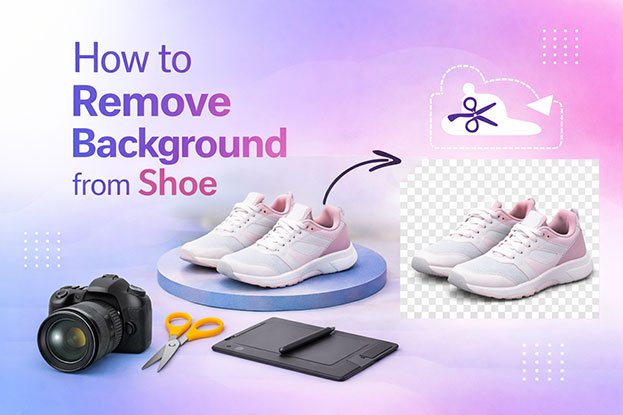
Remove background from shoe product photos is a crucial step in preparing footwear images for ecommerce. Online shoppers cannot touch or try on products, so product images must present shoes clearly and professionally. A clean background helps customers focus on the footwear while building trust in the brand.
Footwear brands selling through ecommerce platforms such as Amazon or Shopify often require product images with a pure white or clean background. These platforms prioritize visual consistency because it improves the browsing experience and allows customers to compare products easily.
However, many footwear brands struggle with product photos that have messy, uneven, or inconsistent backgrounds across their catalog. Without proper background removal, shoe images may look unprofessional and reduce customer confidence in the product.
Why Clean Backgrounds Matter in Footwear Ecommerce
A clean background is not just about aesthetics. It directly affects how customers perceive the product and how marketplaces display the listing.
1. Better Product Visibility
When shoe images have cluttered backgrounds, customers may struggle to see product details clearly. A clean background highlights the shape, color, and design of the footwear.
This is especially important for products such as:
-
sneakers
-
sports shoes
-
formal leather shoes
Customers often compare several products at once, and a clean background helps your product stand out.
2. Marketplace Image Requirements
Many ecommerce marketplaces require standardized backgrounds for product listings.
For example, Amazon requires the main product image to use a pure white background (RGB 255,255,255).
If product photos do not meet these requirements, listings may experience:
-
lower search visibility
-
reduced click-through rates
-
potential listing rejection
3. Improved Catalog Consistency
Footwear brands often manage large product catalogs with multiple colors, styles, and sizes. If each product image has a different background tone or shadow, the catalog can appear unprofessional.
Consistent backgrounds ensure that all product images look uniform across the entire catalog.
This visual consistency builds brand credibility and improves the overall shopping experience.
4. Higher Conversion Rates
Clean and professional product images can directly influence purchasing decisions.
When customers see footwear images with a clear background, they can easily evaluate:
-
the shape of the shoe
-
material texture
-
color accuracy
-
design details
Clear product presentation reduces hesitation and increases confidence in the purchase.
Common Background Problems in Shoe Product Photography
Even professional photography setups can produce background issues that need editing.
Typical problems include:
-
uneven white backgrounds
-
shadows spilling into the background
-
visible studio elements
-
wrinkles in background paper
-
inconsistent lighting across images
These issues are common in footwear photography because shoes have complex shapes and shadows.
Professional background removal techniques help correct these problems and produce clean ecommerce-ready images.
Why Background Removal Is Essential for Bulk Footwear Catalogs
Footwear brands frequently release seasonal collections with dozens or even hundreds of products. Editing each image manually without a structured workflow can create inconsistencies.
Bulk background removal ensures that:
-
every product image has the same background tone
-
shadows appear consistent across products
-
catalog presentation remains professional
For ecommerce brands managing large catalogs, background removal is not just a design step—it becomes a critical part of the product image production workflow.
Common Background Problems in Shoe Product Photography
Even when footwear products are photographed in a professional studio, background issues often appear in the final images. Shoes have complex shapes, curved surfaces, and shadows that make it difficult to achieve a perfectly clean background directly during the photoshoot.
Because of these challenges, many ecommerce brands rely on background removal and image editing to prepare their product photos for online stores.
Below are the most common background problems that appear in shoe product photography.
Uneven White Background
One of the most common problems in footwear product images is an uneven white background. Instead of appearing completely white, the background may look slightly gray or show different shades across the image.
This usually happens because of:
-
inconsistent studio lighting
-
shadows falling onto the background
-
camera exposure settings
For ecommerce platforms such as Amazon, the main product image must use a pure white background. If the background is not completely white, the image may not meet platform guidelines.
Professional background correction ensures that the background is consistent and meets ecommerce standards.
Shadows Spilling into the Background
Shoes naturally cast shadows because of their height and shape. During photography, these shadows can extend onto the background and create darker areas behind the product.
While some shadow is necessary to keep the product looking realistic, excessive or uneven shadows can make the background look messy.
Common shadow issues include:
-
dark shadows behind the shoe
-
multiple shadow directions
-
uneven shadow intensity
Editing helps balance shadows so the product looks grounded while maintaining a clean background.
Visible Studio Elements
Sometimes small studio elements accidentally appear in product photos. These may include:
-
edges of the backdrop
-
lighting equipment reflections
-
background stands
-
floor textures
Even minor distractions in the background can reduce the professional appearance of a product image. Removing these elements ensures that customers focus only on the footwear.
Wrinkles and Texture in Background Paper
Many footwear photoshoots use white paper or fabric backdrops. Over time, these backdrops can develop wrinkles, folds, or surface textures that become visible in high-resolution images.
These imperfections can create shadows and uneven patterns that distract from the product.
Background editing smooths these areas and restores a clean, uniform surface.
Inconsistent Background Across Product Catalogs
Footwear brands often photograph products in different sessions or studios. As a result, background brightness and color can vary across images.
For example:
-
one product may have a slightly gray background
-
another may appear warmer or cooler in tone
-
shadows may look different between images
When customers browse multiple products in a catalog, these differences become obvious.
Maintaining a consistent background across all product images is essential for creating a professional ecommerce catalog.
Why These Problems Are Difficult to Avoid During Photography
Many brands assume background problems can be fixed during the photoshoot. While good lighting and studio setup help reduce issues, it is difficult to eliminate them entirely.
Shoes create complex shadows and reflections, especially with materials like leather, rubber, or glossy surfaces.
Because of this, background removal and image editing remain essential steps in preparing footwear images for ecommerce.
Professional Methods to Remove Background from Shoe Product Photos
Once background problems are identified, the next step is applying professional editing techniques to create clean, ecommerce-ready product images. For footwear brands selling online, background removal must be precise so that the shoe looks natural while the background appears perfectly clean and consistent.
Below are the most effective methods used to remove backgrounds from shoe product photos for ecommerce catalogs.
1. Clipping Path for Precise Background Removal
The most reliable technique for footwear product images is the clipping path method. In this process, editors manually draw a precise path around the edges of the shoe to separate the product from the background.
This technique works especially well for footwear because shoes often include complex shapes such as:
-
curved soles
-
shoelaces
-
textured materials
-
layered design elements
By carefully tracing the product outline, editors can remove the original background and replace it with a clean white or transparent background.
Clipping paths ensure that even fine details like stitching and edges remain sharp and natural.
2. Background Replacement with Pure White
After the shoe is separated from its original background, the next step is placing it on a clean background suitable for ecommerce.
Many platforms require product images with a pure white background (RGB 255,255,255). This is particularly important for marketplaces such as Amazon, where product listings must follow strict image guidelines.
Using a pure white background helps:
-
improve product visibility
-
create consistency across product catalogs
-
meet marketplace image requirements
-
make product thumbnails stand out in search results
A consistent background also makes it easier for customers to compare multiple footwear products.
3. Shadow Correction and Enhancement
Removing the background should not make the product appear as if it is floating. Natural shadows help anchor the shoe and maintain realism.
Professional editors carefully adjust shadows to ensure they appear soft and consistent.
This may include:
-
soft drop shadows under the shoe
-
subtle contact shadows to ground the product
-
balancing shadow direction across images
Maintaining consistent shadows across the entire catalog creates a more professional presentation.
4. Color and Lighting Adjustment
After background removal, color and lighting adjustments are often necessary to maintain the natural appearance of the shoe.
Editors may adjust:
-
brightness and contrast
-
color balance
-
highlights and shadows
-
material texture clarity
These adjustments ensure that the product image accurately reflects the real color and design of the footwear.
5. Consistency Across Bulk Product Images
Footwear brands often release large collections with multiple product styles and color variants. When editing large numbers of images, maintaining consistency becomes essential.
Professional workflows ensure that every product image follows the same standards for:
-
background brightness
-
shadow softness
-
color accuracy
-
product alignment
Consistent images across a catalog help build trust and strengthen the brand’s visual identity.
Final Thoughts
Removing the background from shoe product photos is a critical step in preparing footwear images for ecommerce. Clean, consistent backgrounds allow customers to focus on the product while helping brands meet marketplace requirements.
For footwear brands selling online, professionally edited product images can lead to:
-
improved product visibility
-
stronger brand credibility
-
higher conversion rates
-
better catalog consistency
By using techniques such as clipping paths, background replacement, shadow correction, and color adjustment, footwear brands can ensure their product images are optimized for modern ecommerce platforms.
High-quality product images not only meet technical requirements but also create a more compelling shopping experience for customers.
Case Study: Improving Ecommerce Shoe Listings with Professional Background Removal
Client Overview
A growing footwear brand selling sneakers and sports shoes through Amazon and Shopify approached us with a problem. Their product catalog contained more than 450 SKUs, and each shoe had multiple product images.
However, the images were photographed in different sessions, which caused inconsistent backgrounds across their catalog.
The Problem
Their shoe product photos had several issues:
-
background color varied between images
-
visible wrinkles in studio backdrop
-
shadows spilling onto the background
-
inconsistent lighting across product variants
-
distracting reflections on glossy shoe materials
These problems created an unprofessional appearance across the product catalog.
As a result, the brand experienced:
-
lower click-through rates on marketplace listings
-
inconsistent catalog presentation
-
reduced customer confidence when comparing products
The Solution
We applied a structured footwear image editing workflow to standardize their product images.
The process included:
-
precise clipping path background removal
-
replacement with a pure white ecommerce background
-
shadow balancing to maintain natural realism
-
color correction to ensure accurate product appearance
-
batch editing workflow for catalog consistency
Each image was optimized to meet ecommerce platform requirements while maintaining natural product detail.
Results
After updating the product images, the brand saw measurable improvements within two months:
-
24% increase in product click-through rate
-
17% improvement in conversion rate
-
consistent appearance across the entire footwear catalog
-
improved customer confidence when browsing products
The brand’s product pages looked cleaner, more professional, and easier for customers to evaluate.
Frequently Asked Questions: Removing Background from Shoe Product Photos
1. Why do ecommerce shoe product photos need a white background?
White backgrounds help customers focus on the product and make catalogs look consistent. Many marketplaces also require white backgrounds for product listings.
2. What background color is required for Amazon shoe product images?
The main product image must have a pure white background (RGB 255,255,255). This ensures product images look consistent across search results and listing pages.
3. What is the best method to remove background from shoe product photos?
The most accurate method is the clipping path technique, where editors manually trace the product edges and remove the original background. This method preserves fine details such as laces, stitching, and shoe textures.
4. Can background removal affect the quality of shoe product images?
If done incorrectly, it can cause jagged edges or unnatural shadows. Professional editing maintains natural shadows and sharp edges so the shoe looks realistic.
5. Why do some shoe product photos look gray instead of white?
This usually happens because of uneven lighting or shadows during photography. Background correction during editing ensures the final image has a consistent pure white background.
6. How many images should a shoe product listing include?
Most ecommerce platforms allow several product images. Brands often include:
-
front view of the shoe
-
side profile
-
sole detail
-
close-up of materials
-
lifestyle images showing the shoe worn
Multiple images help customers better understand the product.
7. Is background removal necessary for bulk footwear catalogs?
Yes. Large catalogs require consistent backgrounds so that product pages look professional. Without consistent editing, catalogs can appear disorganized and reduce customer trust.
8. How does background removal improve ecommerce sales?
Clean product images make it easier for customers to evaluate products quickly. Clear visuals increase confidence in the product and often lead to higher conversion rates.
9. Can automated tools remove backgrounds from shoe photos?
Automated tools can remove simple backgrounds, but they often struggle with complex product edges, laces, and shadows. Professional editing produces more precise results.
10. How long does background removal take for bulk shoe product images?
The time depends on the number of images and complexity of the shoe design. Professional editing teams often use structured workflows to process large catalogs efficiently.
Need Help with Footwear Product Image Editing?
If your footwear product photos need clean backgrounds, consistent shadows, or bulk catalog editing, professional photo editing can save time and ensure high-quality results.
Send us a few sample shoe images and see how professionally edited product photos can improve the appearance of your ecommerce catalog.