A good product photo can be ruined by the wrong backdrop. A navy shirt on a dark blue wall loses its shape. A white mug on white paper loses its edges. That is why learning how to choose the perfect background color for product photography is one of the most useful skills for any photographer, ecommerce seller, or brand.
Background color is not decoration. It controls product visibility, contrast, color accuracy, brand consistency, and how clean your ecommerce images look. This guide gives you a step-by-step method, color-by-color advice, comparison tables, a Photoshop workflow, and a checklist you can use on your next shoot.
What Is a Background Color in Product Photography?
A product photography background is the surface or space behind and under the product. The background color is simply the color of that surface, such as white, gray, black, beige, or a brand color.
Photographers use different colors because each one changes how the product reads. Some colors make edges sharp. Some add mood. Some keep the focus on small details.
There are two ways to get a background color:
- Physical background: paper, fabric, vinyl, or acrylic placed behind the product during the shoot.
- Digital background: the original background is removed in editing software and replaced with a new color.
Many ecommerce images use both. The product is shot on a simple backdrop, then cleaned or replaced in post-production.
Why Does Background Color Matter in Product Photography?
The background decides how easily a shopper can see what you are selling. In practice, it affects several things:
- Visibility: the product should be the first thing the eye lands on.
- Contrast: a clear difference between product and background defines the edges.
- Detail: stitching, texture, and labels are easier to inspect on a calm background.
- Brand identity: repeated colors make a store or feed feel connected.
- Catalog consistency: matching backgrounds make a category page look organized.
- Platform requirements: some marketplaces set rules for the main product image.
No single background guarantees more sales. A suitable one removes distractions so the product can be judged fairly.
How to Choose the Perfect Background Color for Product Photography
Work through these six steps in order. Each one narrows the choice.
Step 1: Identify the Product Color
Start with the product’s main color, because the background has to work against it.
- White products need light gray, a soft color, or white with a visible shadow.
- Black products read well on white, light gray, or mid gray.
- Red, blue, green, and yellow products are safest on neutrals. A muted complementary color can work for campaigns.
- Metallic products reflect whatever surrounds them, so keep the background plain.
- Transparent products such as glass need gradients or backlighting to show their outline.
- Multicolor products look calmest on white or gray.
Step 2: Consider Contrast
A light product needs a darker background. A dark product needs a lighter one. When the two are similar, the edges blur and the product looks flat. Contrast is what draws the outline.
Step 3: Consider Brand Identity
Look at your logo, packaging, website design, and social media feed. A background that echoes those colors makes product images feel like part of the brand. Pick one or two brand backgrounds and reuse them across campaigns.
Step 4: Consider the Selling Platform
Where the image will appear changes the answer.
- Marketplaces: Amazon’s published guidelines call for a pure white background on the main product image. Other marketplaces have their own rules, so read the current image requirements before shooting.
- Your own store (Shopify or a custom site): you set the standard. White or light gray is a common best practice, not a rule.
- Social media and ads: colored and lifestyle backgrounds are common because the image must stand out in a feed.
- Catalogs: consistency matters more than any one color.
Step 5: Consider Lighting
Light changes how a background color looks. A white backdrop turns gray if it is underexposed. Warm bulbs make it look yellow. That shift is called color temperature, and white balance is the camera setting that corrects it.
Also watch for shadows and reflections. A bright colored backdrop can bounce its color onto a shiny product.
Step 6: Consider the Product Category
Apparel, jewelry, cosmetics, electronics, shoes, furniture, food, home decor, and luxury goods are shot differently. A sofa needs floor context. A ring needs a clean surface that does not fight the metal. The category table below covers each one.
Best Background Colors for Product Photography
White Background
White is the most widely used product photo background. It is neutral, keeps attention on the product, and suits most marketplaces and catalog pages. Most colored products work well on it.
Its limits are real. White products can disappear, and a pure white background can feel plain for brand storytelling.
Black Background
Black background product photography gives a dramatic, premium look. It suits jewelry, watches, perfume, glassware, and some electronics.
Dark products are the challenge. You need rim lighting (light from behind or the side that traces the edges) to separate the product from the black.
Gray Background
Gray is the quiet all-rounder. Light gray works for white and pale products. Mid or dark gray suits bright or metallic items. Gray background product photography also makes color casts easier to spot and correct.
Beige and Cream Backgrounds
Beige adds warmth without strong color. It fits skincare, home decor, leather goods, and natural or handmade products. Watch that the warmth does not shift the product’s true color.
Pastel Backgrounds
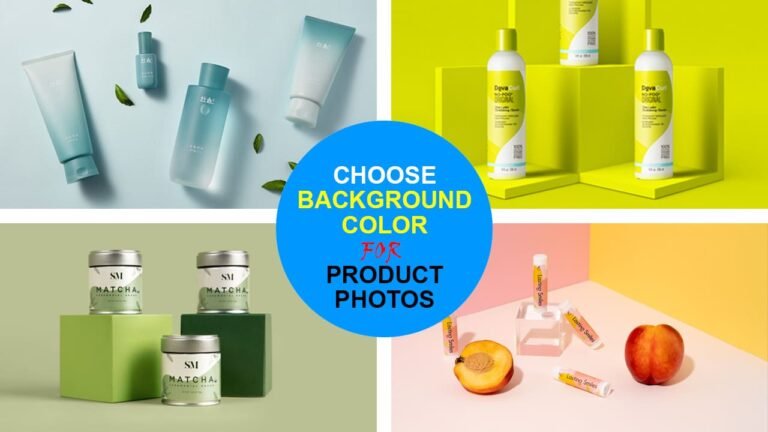
Soft pink, blue, green, lavender, and peach suit cosmetics, baby products, stationery, and social content. They work when the product is clearly darker or more saturated. They distract when the product is also pale or pastel.
Bold and Bright Colors
A bright colored background can work for fashion, youth-focused brands, social media content, and promotional campaigns. The risk is that the background becomes the subject. Use bold colors with simple products, and keep a neutral version for the product page.
Gradient Backgrounds
A gradient background shifts gradually from one tone to another, such as light gray to mid gray. Brands use it to add depth, especially for electronics and glass. Keep the transition soft and the tones close. Strong multi-color gradients pull attention away from the product.
Background Color Selection Guide by Product Color
Use this table as a starting point, not a fixed rule. Always test one frame before shooting the full set.
| Product Color | Suitable Background Options | Why It Works | What to Avoid |
|---|---|---|---|
| White | Light gray, soft pastel, white with shadow | Edges stay visible | Flat pure white with no shadow |
| Black | White, light gray, mid gray | Strong light and dark contrast | Black without rim lighting |
| Red | White, gray, cream | Neutral keeps red accurate | Pink, orange, or bright green |
| Blue | White, light gray, warm beige | Warm neutrals balance cool blue | Similar blues |
| Green | White, cream, soft gray | Keeps green natural | Yellow-green tones |
| Yellow | Gray, white, soft blue | Gray gives yellow definition | Cream or pale yellow |
| Orange | White, gray, muted teal | Clean separation | Red or yellow |
| Purple | White, light gray, soft cream | Keeps purple rich | Blue or magenta |
| Brown | Cream, white, light gray | Warm tones stay connected | Dark brown or tan of the same value |
| Metallic | Gray, black, soft gradient | Controls reflections | Bright colors that reflect in the metal |
| Transparent | Gradient gray, black, backlit white | Shows outline and thickness | Busy or textured surfaces |
| Multicolor | White, light gray | Does not compete with the pattern | Any saturated color |
Best Background Color by Product Category
| Product Category | Recommended Backgrounds | Important Considerations |
|---|---|---|
| Clothing | White, light gray | Keep fabric color accurate. Ghost mannequin images need a uniform background |
| Jewelry | White, black, gray gradient | Metal and stones reflect the surroundings |
| Shoes | White, light gray | Keep a contact shadow so the shoe looks grounded |
| Cosmetics | White, pastel, beige | Packaging color and brand palette lead the choice |
| Electronics | White, dark gray, gradient | Glossy screens show reflections |
| Watches | Black, gray, white | Polished cases need controlled lighting |
| Furniture | White, light gray, room setting | Buyers want to judge scale |
| Home decor | Beige, cream, lifestyle | Warm tones suggest a real home |
| Food | White, wood tones, muted colors | The food must look natural and appetizing |
| Beauty products | Pastel, white, cream | Soft colors suit social content |
| Accessories | White, gray, brand color | Small items need strong edge definition |
| Luxury products | Black, deep neutral, cream | Simple and restrained usually reads as premium |
These recommendations shift with the product’s own color, material, branding, and where the image will be used. A black leather bag and a white canvas bag are both accessories, but they need different backgrounds.
White Background vs Colored Background for Ecommerce
| Feature | White Background | Colored Background |
|---|---|---|
| Product visibility | High for most products, weak for white items | Depends on contrast with the product |
| Brand flexibility | Neutral, limited personality | Strong brand expression |
| Marketplace use | Widely accepted, required for some main images | Often limited to secondary images |
| Catalog consistency | Easy to keep uniform | Harder, since exact color must match every time |
| Lifestyle feel | Low | Higher |
| Creative campaigns | Limited | Well suited |
| Editing requirements | Clean cutout and pure white | Cutout plus color matching and realistic shadows |
Neither option is better in every case. Many stores use white for product pages and colored backgrounds for banners, ads, and social posts. The right choice depends on the platform, product, brand, and purpose of the image.
How Contrast Affects Product Photography
Contrast is the visible difference between the product and what surrounds it. It comes in a few forms:
- Light vs dark: the strongest and most reliable type.
- Warm vs cool: an orange product on a cool gray stands apart even at similar brightness.
- Complementary colors: opposites on the color wheel, such as blue and orange, create energy. Mute one of them so they do not clash.
- Similar colors: a tone-on-tone look can be stylish, but edge visibility drops.
White product + white background: the edges can vanish. Fix it with side lighting that creates a soft shadow along one edge, a light gray backdrop, or dark cards placed just out of frame to add a thin dark line to the edges.
Black product + black background: texture and shape become hard to see. Add rim light, lift the background to dark gray, or switch to a light background.
Background Color and Color Accuracy
The background should never make the product look like a different color. This matters most in ecommerce, where the buyer cannot see the item in person and a product that arrives in a different shade than the photo can disappoint them.
Several things cause color problems:
- Color casts: a saturated backdrop reflects its color onto the product, especially on white, glossy, or metallic surfaces.
- White balance: a wrong setting tints the whole image warm or cool.
- Exposure: overexposure washes colors out, and underexposure makes them muddy.
- Monitor differences: an uncalibrated screen can mislead you during editing.
Shoot a gray card or color checker in the first frame of each session. Then apply the same color correction to every image in the set so the results stay consistent.
Background Color and Shadows
Shadows tell the viewer that the product sits on a real surface. Without one, a cutout product can look like it is floating.
- Natural shadow: captured during the shoot and kept in editing.
- Soft shadow: a gentle, blurred edge from diffused light. It suits most catalog images.
- Hard shadow: a crisp edge from direct light. It is popular for bold social content.
- Drop shadow: added in editing, behind or below the product.
- Contact shadow: the thin dark line where the product touches the surface.
Shadows show clearly on white and light backgrounds and almost disappear on black. On colored backgrounds, a shadow should be a darker version of the background color, not flat gray.
Keep the original shadow when it is clean and even. Rebuild it in editing when it is uneven, colored by a cast, or different from the rest of the catalog.
Background Color for Different Photography Styles
| Style | Typical Background | Notes |
|---|---|---|
| White-background product photography | Pure white | The standard for marketplace listings |
| Studio product photography | White, gray, black, solid color | Fully controlled lighting |
| Lifestyle product photography | Real setting | The scene’s colors should support the product |
| Flat lay photography | Solid color or textured surface | Shot from above, so the surface is the background |
| Ghost mannequin photography | White or light gray | A uniform background keeps apparel listings consistent |
| Editorial product photography | Bold colors, gradients, props | Mood comes first |
| Social media product photography | Brand colors, pastels | Built to stand out in a feed |
Plain or lifestyle? Use a plain background when the buyer needs to inspect the product. Use a lifestyle background when the buyer needs to understand scale, use, or mood. Most product pages benefit from both.
How to Create a Consistent Background Across a Product Catalog
Consistency is what makes a store with hundreds or thousands of images look professional. When every thumbnail shares the same background, shoppers compare products instead of noticing the differences between photos.
Write a short style guide and apply it to every image:
- One background color, defined by an exact value such as a hex code.
- The same lighting direction and brightness.
- The same crop, margin, and product position.
- The same shadow style.
- The same image dimensions and aspect ratio.
- The same color profile, usually sRGB for web use.
- A quality check of every batch against a reference image before upload.
Physical Background vs Digital Background
| Method | Advantages | Limitations | Best Use |
|---|---|---|---|
| Paper backgrounds | Smooth, affordable, many colors | Tears and marks easily | Studio shots of small and medium products |
| Fabric backgrounds | Reusable, portable | Wrinkles and texture show | Lifestyle and soft-look images |
| Acrylic backgrounds | Glossy surface with natural reflections | Scratches and shows dust | Cosmetics, jewelry, bottles |
| Vinyl backgrounds | Durable and easy to wipe clean | Can glare under strong light | Food, messy products, frequent use |
| Digital background replacement | Any color, perfectly uniform | Needs a clean cutout | Large catalogs and color variations |
| Photoshop editing | Full control over color, shadow, and edges | Takes skill and time | Final cleanup of any image |
Physical backgrounds give natural shadows and reflections. Digital backgrounds give exact, repeatable color. A common workflow is to shoot on white or gray, then finish digitally.
How to Change Product Background Color in Photoshop
This is a general workflow. The exact steps depend on the product and how complex its edges are.
- Open the original image and duplicate the layer so the original stays untouched.
- Select the product. Use the Pen Tool for hard edges, or the Object Selection Tool or Quick Selection Tool for a faster start.
- Refine soft edges in Select and Mask.
- Create a layer mask to hide the existing background without deleting it.
- Add a new solid color layer below the product and choose the new color.
- Match the lighting. Use Curves or Levels so the product’s brightness suits the new background.
- Preserve or rebuild a realistic shadow, painting with a soft Brush Tool on a separate layer if needed.
- Remove leftover color from the old background along the edges with Hue/Saturation or Color Balance.
- Check color accuracy against the real product or a reference shot.
- Review at 100% zoom, then export in the size and format your platform needs.
Background Removal and Background Replacement
These terms are related but not the same.
- Background removal isolates the product from its original background.
- Background replacement places the isolated product on a new color or scene.
- Clipping path is a hand-drawn vector outline made with the Pen Tool. It suits hard-edged products such as boxes, bottles, and shoes.
- Image masking handles soft or complex edges that a path cannot follow.
- AI-assisted background removal makes the selection automatically, usually as a first pass.
Clean edges matter because a new background color exposes every flaw. A white fringe that was invisible on white becomes obvious on navy.
The hardest areas are hair, fur, glass, transparent objects, jewelry chains, fine fabric such as lace, product straps, and small accessories.
Common Background Color Mistakes
| Mistake | Why It Causes Problems | Better Approach |
|---|---|---|
| Color too similar to the product | Edges disappear | Add contrast in brightness or hue |
| Too many background colors | Catalog looks disorganized | Limit to one or two |
| Ignoring brand consistency | Images feel unrelated | Follow a style guide |
| Harsh, saturated colors | Distract and cause color casts | Use muted tones |
| Incorrect lighting | Background color shifts between shots | Fix exposure and white balance first |
| Visible cutout edges | Product looks pasted on | Refine the mask and remove fringing |
| Unnatural shadows | Product floats or looks fake | Match the shadow to the light direction |
| Inconsistent backgrounds | Whites and grays vary across the catalog | Use exact color values |
| Over-editing | Product no longer matches reality | Edit for accuracy, not perfection |
| Low-quality backgrounds | Creases, dust, and stains show | Clean or replace the surface |
| Ignoring marketplace requirements | Listings can be rejected | Check the image rules first |
How to Choose Background Color for Product Photography on a Budget
Small businesses, new sellers, and home studios do not need expensive gear.
- Use white poster board or a roll of white paper, curved from the table up the wall to hide the horizon line.
- Shoot near a large window and bounce light back with white foam board.
- Buy a few sheets of colored craft paper to test brand colors cheaply.
- On a smartphone, lock exposure and white balance so the background stays the same between shots.
- Start with white or light gray. Both are the easiest to edit and replace later.
AI and Background Color Editing
AI-assisted tools can remove a background, replace it, change its color, and clean up small flaws in seconds. They are useful for simple products with clear edges and for quick social content.
They have limits. Common problems include rough or incorrect edges, lost detail in fine hair and fabric, poor handling of transparent products and reflections, fake-looking shadows, and occasional changes to the product itself. Results can also vary from image to image, which is a problem in a large catalog.
For professional ecommerce catalogs, a human check is still worthwhile. Many teams use AI for the first pass and manual editing for the final quality.
DIY vs Professional Product Photo Editing
| Factor | DIY Editing | Professional Editing |
|---|---|---|
| Cost | Low cash cost, high time cost | Paid per image or per project |
| Time | Slow at first, faster with practice | Frees your time for shooting and selling |
| Consistency | Hard to hold across many sessions | Guided by a fixed style guide |
| Complex products | Difficult without masking skills | Handled with manual paths and masks |
| Large catalogs | Becomes a bottleneck | Built for bulk work |
| Quality control | Self-checked | Usually a separate review step |
| Advanced masking | Steep learning curve | Routine work |
DIY editing is often enough for a small catalog of simple, hard-edged products. Professional post-production starts to save time when the catalog grows, the products are complex, or every image must match exactly.
How Professional Photo Retouching Helps With Background Colors
Clipping Area is a Post-Production Photo Retouching Agency. The work covers the editing steps described in this guide, for photographers, ecommerce businesses, online retailers, and DTC brands.
Professional post-production can help with:
- Background removal and background replacement
- Clipping path and image masking for clean edges
- Product retouching and color correction
- Natural, drop, and contact shadow creation
- Catalog consistency across bulk product image editing
- Ecommerce image preparation for specific platform requirements
If you want to see how your own product images would look on a consistent background, you can test it on a few files first.
Get a Free Sample | Get a Free Quote
Practical Background Color Selection Checklist
- What is the product’s main color?
- Is there enough contrast between product and background?
- Is the product easy to see at thumbnail size?
- Does the background fit the brand and match the website?
- Is the color suitable for the selling platform?
- Does the lighting work with the background?
- Are shadows visible and natural?
- Is the product color accurate?
- Will the same background work across the whole catalog?
- Does the background distract from the product?
- Does the final image look professional?
Quick Answers to Common Questions
What is the best background color for product photography?
There is no single best color. White is the most common choice for ecommerce because it is neutral and widely accepted. The best background is the one that contrasts with the product, keeps its color accurate, and fits the brand and platform.
Is white the best background for product photos?
White is the safest choice for most product pages and marketplaces. It is not ideal for white or very pale products, or for campaigns that need a stronger brand feel.
What background makes products stand out?
A background that contrasts with the product in brightness or hue. Light products stand out on darker backgrounds, and dark products stand out on lighter ones.
What background color should I use for black products?
White, light gray, or mid gray. Use a black background only with rim lighting that outlines the product.
What background color should I use for white products?
Light gray or a soft pastel. If white is required, use lighting and a soft shadow to define the edges.
What background is best for ecommerce product photography?
A pure white or light gray solid background for main listing images, with lifestyle or colored images as supporting shots.
Can I change the background color in Photoshop?
Yes. Select the product, apply a layer mask, and add a solid color layer underneath. Then adjust the edges, shadow, and color.
How do I make all product photo backgrounds consistent?
Use one exact color value, the same lighting setup, and the same crop and shadow style. Check each batch against a reference image.
Frequently Asked Questions
What background color is best for jewelry photography?
White and light gray suit catalog listings. Black or a dark gradient suits diamonds and polished metal in promotional images.
What background color is best for clothing photography?
White or light gray is standard for apparel listings. Colored backgrounds are common for lookbooks and social content.
Does a product photo background have to be pure white?
Only where a platform requires it. On your own store, off-white or light gray is acceptable if it is consistent.
Is gray better than white for product photos?
Gray is better for white and pale products. White is better when a marketplace requires it.
Can I use more than one background color in my store?
Yes, but keep a system. For example, one neutral for product pages and one brand color for campaigns.
Why does my white background look gray in photos?
The background is underexposed. Add light to the background or raise the exposure, then correct it in editing.
Why does my product look tinted after shooting on a colored background?
The background reflected its color onto the product. Move the product further from the backdrop or correct the cast in editing.
Should I shoot on a colored backdrop or change the color later?
Shoot on the real color when you want natural shadows and reflections. Change it digitally when you need exact matching across many images.
Are gradient backgrounds good for ecommerce?
They can work for hero images and banners. Solid backgrounds are easier to keep consistent on listing pages.
Do I need a clipping path to change a background color?
For hard-edged products, a clipping path gives the cleanest result. Soft edges such as hair or fur need image masking instead.