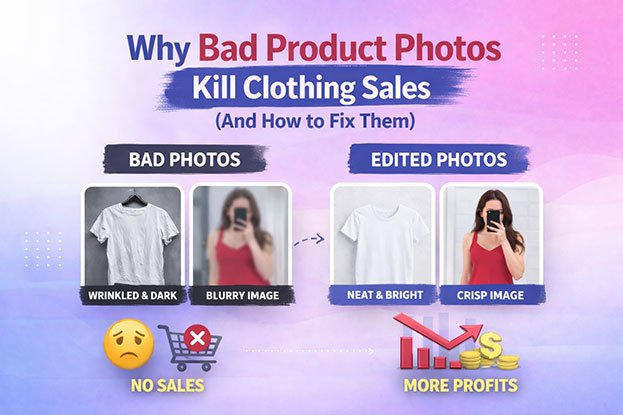
You’ve got a great product. The fabric feels good, the fit is right, and the price is fair. Traffic is coming in from ads, search, and social. But people land on the product page, look around for a few seconds, and leave.
Nine times out of ten, the problem isn’t the shirt. It’s the photo of the shirt.
In a physical store, a shopper can touch the fabric, hold the garment up to the light, and check the stitching. Online, the image is all they have. It has to do the job of the fitting room, the sales assistant, and the product label all at once. When the photo falls short, the shopper fills the gap with doubt. And doubt rarely ends in a checkout.
This guide breaks down why clothing product photos fail to convert, what specifically makes them look unprofessional, and how professional photo editing turns average images into ones that actually sell.
Why Shoppers Hesitate on Clothing Product Pages
Clothing is one of the hardest categories to sell online. Buyers aren’t only asking “Do I like this?” They’re asking harder questions:
- Will this color look the same when it arrives?
- Is the fabric thin or thick?
- How will it fall on my body?
- Does this brand look trustworthy enough to handle a return?
A good product photo answers these questions before the shopper even thinks to ask them. A weak one raises new questions.
Think about the last time you shopped for a jacket online. You probably zoomed in on the zipper, checked the collar, and flipped between images to see the back. If one photo looked darker than the others, or the jacket looked crumpled, you likely wondered what else was being hidden. That small moment of suspicion is where many sales are lost.
This is also why apparel sees high return rates compared with many other categories. When the photo doesn’t match what arrives, the customer sends it back. Poor images cost you twice: once in lost sales, and again in returns from people who bought based on a misleading picture.
What Makes Apparel Product Images Look Unprofessional
Most clothing photos don’t fail because of one big mistake. They fail because of several small ones that add up. Here are the issues we see most often in the images brands send us.
Colors That Don’t Match the Real Product
This is the biggest problem in fashion ecommerce, and the most expensive one.
Camera sensors, studio lights, and screen settings all shift color. A dusty rose top can photograph as bright pink. A navy blazer can look black. An olive green can drift toward brown.
The shopper orders what they saw. The package arrives with something different. Now you have a return, an annoyed customer, and possibly a bad review that says “color is nothing like the photo.” That one line can scare off the next ten buyers.
Wrinkles, Lint, and Loose Threads
Garments get handled a lot before a photoshoot. They’re folded, shipped, unpacked, and moved between racks. Even with steaming, small creases, dust, pet hair, lint, and loose threads show up clearly under studio lights and high-resolution cameras.
At normal viewing size, these flaws may look minor. But shoppers zoom in. When they see a stray thread on a “premium” shirt, it quietly lowers the perceived quality of the whole brand.
Busy or Uneven Backgrounds
A background should disappear. When it doesn’t, it pulls attention away from the product.
Common background problems include grey-looking “white” sweeps, visible floor lines, shadows from light stands, uneven lighting from one side to the other, and clutter at the edge of the frame. On a category page with dozens of products, these small differences make the whole grid look messy.
Flat, Lifeless Garment Shapes
Clothing needs shape to look appealing. A dress laid flat on a table can look like a piece of fabric instead of something you’d want to wear. Clothes on hangers often droop at the shoulders and bunch at the waist. Mannequin shots show the shape well, but the mannequin itself can look cheap and distracting.
The shopper wants to imagine the garment on their own body. A shapeless image makes that very hard.
Poor Lighting and Harsh Shadows
Bad lighting hides detail. Too dark, and textures like knit patterns, denim weaves, or embroidery disappear. Too bright, and white or pale garments lose their edges and look blown out. Hard shadows can make one side of a garment look like a different shade entirely.
Fabric texture is a big part of how people judge quality online. If lighting flattens it, the product looks cheaper than it is.
Inconsistent Cropping and Framing
One product fills the frame. The next sits small in the middle with lots of empty space. Another is cut off at the hem. Some are shot slightly from above, others straight on.
Each photo might be acceptable alone. Side by side on a collection page, the store looks disorganized, like products were uploaded by five different people over three years. Which, often, they were.
Low Resolution or Heavy Compression
Some brands shoot well but lose quality during export or upload. Images get compressed until the fabric looks blotchy, or resized so small that zoom is useless. Others upload huge files that slow down the page, which creates a different problem because slow pages lose visitors before the images even load.
How Image Quality Shapes the Buying Decision
Shoppers make fast judgments. Before they read your product description, check the price, or look at size charts, they’ve already formed an opinion from the main image.
That first impression affects three things.
Trust. Clean, consistent, accurate images signal a serious, established business. Messy images make people wonder whether the store is reliable, whether shipping will be slow, and whether returns will be a hassle. Fair or not, shoppers judge the whole company by its photos.
Perceived value. The same t-shirt can look like a $12 item or a $45 item depending on how it’s presented. Sharp detail, true color, and a clean shape all support a higher price. Wrinkled, dim photos push the perceived value down, which forces brands to compete on discounts instead.
Confidence to buy. Every unanswered question is a reason to wait. When images clearly show color, texture, fit, and details from multiple angles, the shopper feels they know what they’re getting. That confidence is what moves someone from “maybe later” to “add to cart.”
Here’s a simple real-world example. Two online stores sell nearly identical linen shirts at similar prices. Store A shows the shirt on a crisp white background, with accurate color, visible fabric texture, and consistent front, back, and detail shots. Store B shows a slightly grey background, a creased collar, and a color that shifts between images. Most shoppers pick Store A without thinking too hard about why. The images made the decision for them.
The Hidden Cost of Inconsistent Product Images
Consistency doesn’t get as much attention as quality, but it matters just as much for clothing brands.
Your storefront is viewed as a whole. When a shopper opens a collection page, they see a grid. If every image has the same background tone, the same framing, the same product size, and the same shadow style, the page feels calm and premium. The eye moves easily from item to item.
When images are inconsistent, the page feels noisy. Shoppers find it harder to compare products. Some items look better than others simply because of how they were shot, not because they’re better products. Your bestsellers may be hiding behind poor photos while weaker items get the attention.
Inconsistency also hurts brand identity. Big fashion brands are recognizable from a single product thumbnail. That comes from a strict, repeatable visual style. Smaller brands that want to grow need the same discipline, especially when they sell across their own website, Amazon, social shops, and wholesale catalogs at the same time.
The problem usually grows quietly. A brand starts with one photographer. Then a new season is shot by someone else. Then a supplier sends their own images. Then an intern shoots a few restocks on a phone. A year later, the catalog has four different looks. Fixing that later takes far more work than keeping it consistent from the start.
How Professional Photo Editing Fixes Each Problem
Here’s the good news. Most of these problems don’t require a reshoot. A skilled editor can fix them in post-production, often across hundreds of images at a time. Here’s how each issue is handled.
Background Removal and Replacement
Background removal separates the garment from whatever it was shot against. Editors use a technique called a clipping path, which means drawing a precise outline around the product by hand so edges stay clean and natural. For tricky edges like fur, fringe, or fuzzy knits, they use masking, which preserves fine details that a simple outline would cut off.
Once isolated, the product can be placed on pure white, a brand color, or any background you need. For marketplaces like Amazon, which require a pure white background for main product images, this step is essential for keeping listings compliant.
Color Correction and Color Matching
Color correction adjusts the image so the garment matches the real product. A good editor works from the physical sample or a reference swatch, not guesswork. They fix white balance, adjust specific color ranges, and make sure the navy looks navy.
Color matching goes one step further. It keeps the same color consistent across every image of that product, including front, back, detail, and model shots. It also keeps color variants accurate relative to each other, so the “sage” and “mint” options don’t look identical.
This single service can make a real difference to return rates, because customers receive what they expected.
Garment Cleanup and Retouching
Retouching removes the small flaws that make clothing look cheap. That includes lint, dust, hair, loose threads, small stains, stray pins and clips, and distracting wrinkles.
The key word is “distracting.” Good retouching doesn’t make fabric look like plastic. Linen should still look like linen, with its natural texture. Denim should keep its character. A skilled retoucher knows the difference between a creased mistake and the natural fall of the fabric, and only removes what shouldn’t be there.
Ghost Mannequin Editing
Ghost mannequin editing, sometimes called invisible mannequin or hollow man editing, gives clothing a 3D shape without showing the mannequin.
Here’s how it works. The garment is photographed on a mannequin, then photographed again inside-out or from the back to capture the inner neckline and label area. The editor removes the mannequin and combines the images, so the final photo shows the garment as if it’s being worn by an invisible person.
The result shows fit and structure clearly while keeping the focus 100% on the product. It’s one of the most popular techniques in apparel ecommerce because it gives shoppers a much better sense of how the garment will look on their own body, without the cost of booking models for every product.
Shape, Symmetry, and Fit Adjustments
Even on a mannequin, clothes can hang unevenly. One sleeve sits higher. A hem tilts. A collar opens more on one side.
Editors can straighten hems, balance sleeves, smooth out bunching at the waist, and correct shape so the garment looks the way it’s designed to look. These are small changes, but they make a big difference in how polished the product appears.
Natural Shadow Creation
A product floating on a pure white background can look flat or pasted on. Adding a soft, natural shadow underneath or behind the garment gives it depth and makes it feel grounded and real.
Editors can create drop shadows, reflection shadows, or keep and clean up the original shadow from the shoot. The important part is doing it the same way on every image in the collection.
Consistent Cropping, Alignment, and Sizing
This is where a storefront starts to look professional as a whole. An editor sets a fixed template: product size in the frame, margin on each side, vertical alignment, and output dimensions. Every image in the catalog follows it.
When all products sit at the same size and position, your collection pages look clean and your brand looks established, even if the photos came from different shoots.
Platform-Ready Formatting
Each sales channel has its own requirements. Your website, Amazon, Shopify, Zalando, Etsy, Instagram Shopping, and Google Shopping may all need different sizes, ratios, or backgrounds.
A good editing team exports each image in the right format, size, and compression level for every platform you use. Your images stay sharp without slowing your pages down.
A Real-World Example: Fixing a Seasonal Catalog
Let’s walk through a typical situation.
A mid-sized clothing brand launches a spring collection of 150 products. The photos were shot over three days by two photographers. Day one was shot in the morning with good light. Day three ran late, and the studio got warmer and dimmer.
When the images come in, the problems are clear. Whites from day three look slightly yellow. Some items were shot on a mannequin, others on hangers. Framing varies between the two photographers. A few garments have creases from shipping, and several knits have visible lint.
A reshoot would take another week and delay the launch. Instead, the brand sends the images for professional editing with a simple brief: pure white background, ghost mannequin for tops and dresses, color matched to physical samples, consistent 1:1 crop with the product filling the same share of the frame, and soft natural shadows.
The edited set comes back looking like it was shot in a single session. Color is accurate across variants. Every top shows a clear 3D shape. The collection page looks calm and premium. The launch goes out on schedule.
This is the practical value of editing. It doesn’t just make individual photos prettier. It rescues timelines, controls quality across multiple shoots, and protects the brand’s look.
When Should a Clothing Brand Outsource Photo Editing?
Some brands handle editing in-house, and that can work at a small scale. But there are clear signs it’s time to bring in a professional team.
Your volume is growing. Editing 20 images a month is manageable. Editing 500 or 2,000 is a full-time job. If product uploads are falling behind or new stock sits waiting for photos, editing has become a bottleneck.
Your team is doing it on the side. When a marketing manager or store owner spends hours in Photoshop, that’s time taken away from campaigns, customers, and growth. Skilled time is expensive when it’s spent on repetitive work.
Your images still look inconsistent. If you’ve tried to fix things internally and the catalog still looks uneven, it usually means the process lacks a fixed standard or the skills for advanced work like ghost mannequin and precise color matching.
You sell on multiple platforms. Managing different image requirements for each marketplace takes time and attention. One mistake can mean a suppressed listing.
You have seasonal peaks. Many fashion brands have huge launches a few times a year and quiet periods in between. Hiring full-time editors for peaks doesn’t make financial sense. Outsourcing lets you scale up and down as needed.
You need fast turnaround. A professional editing team working across time zones can often edit overnight, so images shot today are ready tomorrow.
For many brands, outsourcing costs less than hiring in-house, and the quality is usually higher because the editors work on clothing images every day.
What to Look for in a Professional Photo Editing Partner
Not every editing service is right for apparel. Clothing has its own challenges, and you want a partner who understands them. Here’s what to check before you commit.
Real Apparel Experience
Ask for samples of clothing work specifically. Look at ghost mannequin edits closely, especially necklines, inner labels, and sleeve openings. These areas reveal skill quickly. Poor work shows jagged joins, mismatched inner fabric, or unnatural shapes.
Color Accuracy Process
Ask how they handle color. A good partner will ask for reference samples, swatches, or notes about the real product color. If they don’t mention color matching at all, that’s a warning sign.
Hand-Done Work Where It Matters
Automated tools are useful for speed, but they often struggle with fine fabric edges, sheer materials, and complex details. Ask whether clipping paths and masking are done by hand, especially for products where edge quality matters.
Consistency at Scale
It’s easy to edit five images well. It’s harder to edit 5,000 images in the same style. Ask how they keep results consistent across large batches and multiple editors. Look for teams that use written style guides and quality checks.
Free Trial
A trustworthy partner will let you test their work before you pay. Send a few of your hardest images, not your easiest ones. That will show you what they can really do.
Clear Turnaround and Communication
Find out standard turnaround times, rush options, and how revisions work. You want a team that responds quickly and fixes issues without arguments.
Data Security
Your unreleased collections are valuable. Ask how files are stored, transferred, and protected, and whether they’ll sign an NDA if needed.
Fair, Transparent Pricing
Pricing should be clear and based on the complexity of the work. Be careful with prices that seem too low. They often come with rushed work, weak quality checks, or hidden revision charges.
How Clipping Area Helps Clothing Brands Sell More
Clipping Area has been working with ecommerce brands, fashion labels, photographers, and online retailers since 2014. Our team edits clothing and apparel images every day, so we understand the details that make fashion photos convert.
We handle the full range of apparel editing work, including:
- Clipping path and background removal
- Ghost mannequin and invisible mannequin editing
- Color correction and product color matching
- Garment retouching, wrinkle cleanup, and dust removal
- Shadow creation and reflection effects
- Consistent cropping, alignment, and marketplace formatting
- Model and fashion photo retouching
Every project follows your style guide, so your catalog looks consistent across every shoot, season, and sales channel. Whether you send 20 images or 20,000, we keep the same standard.
We also offer a free trial, so you can send us your toughest clothing images and judge the results for yourself before placing an order. If your product photos are holding back your sales, we’d be glad to show you what professional editing can do.
Frequently Asked Questions
Can editing fix clothing photos without a reshoot?
In most cases, yes. Background, color, wrinkles, lint, shape, shadows, and framing can all be corrected in post-production. A reshoot is usually only needed if the image is badly out of focus or missing key angles.
What is ghost mannequin editing?
It’s a technique that removes the mannequin from clothing photos while keeping the garment’s 3D shape. The result looks like the clothing is being worn by an invisible person, which helps shoppers understand fit.
Why does my clothing look a different color online?
Camera settings, lighting, and screen differences all shift color. Professional color correction matches the image to the real product so customers get what they expect.
Does photo editing really reduce returns?
Accurate color and clear detail help customers make better-informed choices. When the product that arrives matches the photo, there’s less reason to send it back.
How long does professional clothing photo editing take?
It depends on volume and complexity, but many projects are delivered within 24 to 48 hours. Rush options are often available for launches.
Is outsourcing photo editing expensive?
It’s usually cheaper than hiring and training an in-house editor, especially for brands with seasonal peaks. You pay only for the images you need.
Final Thoughts
Your clothing might be excellent, but online shoppers can only judge it through a screen. When the photos are dull, inconsistent, or inaccurate, people don’t see the quality you worked hard to create. They see risk, and they leave.
The fix is often simpler than brands expect. Clean backgrounds, true color, sharp detail, clear shape, and a consistent style across every product can completely change how your store is perceived. You don’t always need a new photographer or a bigger budget. You need the images you already have to be edited with care and skill.
If your product pages are getting traffic but not sales, start with your images. Look at them the way a new customer would. Then ask whether they’re really doing your products justice.
And if they aren’t, Clipping Area can help. Send us a few images for a free trial and see the difference professional clothing photo editing makes.