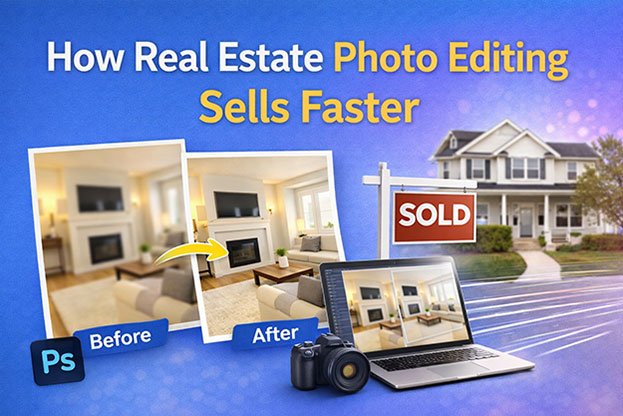
Most buyers see a home on a screen before they ever walk through the door. They scroll the listing photos, check the kitchen, look at the bedrooms, and decide in a few seconds whether the property deserves a closer look. That is why real estate photo editing matters. A skilled photographer captures the space. Careful post-production then fixes dark rooms, color casts, crooked lines, and blown-out windows so the images look clear, balanced, and consistent. Professional editing can help create a cleaner and more compelling listing presentation. It cannot fix a poor price or a slow market, and it does not guarantee a quick sale. So what does editing actually change, and where should it stop? The sections below answer both questions.
Why Property Photos Matter in Online Listings
Listing photos are often the first contact a buyer has with a property. Before anyone books a viewing, they form an early impression from the images.
Good property photos do several jobs at once:
- They show the layout and flow between rooms.
- They reveal features such as natural light, flooring, finishes, and outdoor space.
- They help buyers compare homes quickly while browsing online property listings.
- They set buyer expectations for what they will see in person.
Poor images work against the listing. A dark living room can hide a fireplace. A yellow color cast can make new white cabinets look dated. A blurry, tilted exterior shot can make a well-kept home look careless.
Photos never work alone, though. Buyers also weigh price, location, school district, square footage, the listing description, and dozens of personal factors. Strong property listing images support that information. They do not replace it.
What Is Real Estate Photo Editing?
Real estate photo editing is the post-production process of correcting and enhancing property photographs while preserving an accurate representation of the home.
It happens after the shoot, usually in tools like Adobe Lightroom and Photoshop. Common tasks include:
- Exposure correction and brightness adjustment
- Contrast adjustment
- Color correction and white balance
- HDR blending of multiple exposures
- Perspective correction for vertical lines
- Sky replacement
- Window view enhancement
- Removal of temporary objects
- Shadow and highlight adjustment
- Sharpening and noise reduction
- Cropping and resizing for listing platforms
The key difference is between enhancing an image and changing the property. Brightening a dim bedroom improves the photograph. Removing a water stain from the ceiling changes what a buyer thinks they are getting. Professional real estate photo retouching stays on the first side of that line.
How Real Estate Photo Editing Helps Homes Sell Faster
Short answer: Real estate photo editing can improve how a listing looks and how easily buyers understand a property. Better presentation may encourage more interest in viewing the home, but editing alone cannot control how fast a home sells.
Here is how editing can support the process from photography to buyer attention to viewing interest.
1. Creates a Stronger First Impression
The lead photo usually appears as a thumbnail in search results. A clean, well-exposed exterior with straight lines and natural color looks professional. That may help the listing earn a click instead of a scroll-past.
2. Makes Property Features Easier to See
Cameras often struggle with mixed light. Exposure and color correction can bring out details that were lost in shadows, like crown molding, hardwood grain, or a tiled backsplash.
3. Improves Consistency Across the Listing
When every photo shares similar brightness, color temperature, and style, the gallery feels like one property. Mismatched images can look like they came from different homes or different days.
4. Helps Exterior Photos Look More Balanced
A flat gray sky, harsh shadows, or dull siding can weaken the front view. Sky replacement, exposure balance, and color correction can make the exterior look closer to how it appears on a pleasant day.
5. Improves Interior Image Quality
Interiors mix window light, ceiling lights, and lamps. That creates uneven brightness and color casts. HDR editing, white balance correction, and shadow recovery help rooms look evenly lit and true to color.
6. Reduces Visual Distractions
A trash bin in the driveway, a car parked in front, or cords on a counter pull attention away from the home. Removing temporary items keeps the focus on the property.
7. Creates Better Visual Flow
Buyers often move through a gallery like a virtual walkthrough. Consistent, well-cropped images help them follow the home from entry to kitchen to backyard without visual jolts.
8. Supports Professional Branding
Agents and agencies who publish consistently clean images build a recognizable standard. Sellers notice it when choosing an agent, and buyers notice it when browsing.
These are potential benefits. They improve presentation. They do not guarantee more offers, higher prices, or faster closings.
Before and After: What Professional Editing Actually Changes
Before Editing
Straight-from-camera property photos commonly show:
- Dark interiors and blocked shadows
- Dull, flat colors
- Yellow casts from bulbs or blue casts from daylight
- Crooked or converging vertical lines
- Gray, washed-out skies
- Distracting temporary objects
- Uneven exposure from room to room
- Windows that are pure white with no view
- Heavy shadows in corners and under cabinets
After Editing
Appropriate editing produces:
- Balanced exposure across the frame
- Natural, believable colors
- Straight walls and door frames
- Cleaner, realistic skies
- Consistent look across the gallery
- Visible details in windows, shadows, and finishes
The goal is to improve the photograph, not to redesign the property.
Real Estate Photo Editing Services That Matter Most
Color Correction
Light sources have different color temperatures. Tungsten bulbs push images yellow. Shade and overcast daylight push them blue. White balance correction neutralizes these casts so white walls look white and wood looks like wood.
Exposure Correction
Exposure correction adjusts brightness and tonal balance. It lifts dark areas, tames bright ones, and makes the room readable without looking washed out.
HDR Real Estate Photo Editing
Photographers often shoot several bracketed exposures of the same frame, one dark, one normal, one bright. HDR blending combines them so the window view and the interior are both properly exposed. Good HDR looks natural. Poor HDR looks gray, halo-filled, or cartoonish.
Perspective Correction
When a camera tilts up or down, vertical lines lean inward. Perspective correction straightens walls, door frames, and cabinet edges so rooms look stable and architectural.
Sky Replacement
When the shoot day is overcast, a gray or blown-out sky can be swapped for a clear, natural one. The new sky should match the direction of light and shadows in the scene.
Window View Enhancement
Windows often turn pure white in interior shots. Editors can restore the actual outside view by blending a darker exposure. The view shown should be the real one from that window.
Object Removal
Editors can remove temporary distractions such as cars, garden hoses, trash cans, personal photos, or cords. Permanent features stay.
Image Retouching
Small refinements include removing dust spots from the lens, fixing minor scuffs on a freshly painted wall, or cleaning lens flare. These are cosmetic touches, not repairs.
Image Resizing and Optimization
Each MLS and listing portal has its own size and format requirements. Correctly sized, compressed images load faster and display without awkward cropping.
Why Dark or Poorly Exposed Property Photos Can Hurt Presentation
Common exposure problems include:
- Rooms that look gloomy even when they are bright in person
- Shadows that hide corners, closets, or ceiling details
- Blown-out windows with no visible view
- Uneven brightness where one half of a room is bright and the other is dark
- Architectural details lost in flat, murky tones
A dark photo does not mean a home will not sell. But it may undersell the space. Exposure correction helps the image reflect how the room actually feels when you stand in it.
Why Color Accuracy Matters
Buyers use photos to judge materials and finishes. Inaccurate color can mislead without anyone intending it. Accuracy matters most for:
- Wall paint colors
- Flooring (oak versus cherry is a real difference)
- Cabinets and countertops
- Furniture and fixtures
- Lawns, trees, and landscaping
- Brick, siding, and roofing
Oversaturation is a common mistake. Neon-green grass and electric-blue pools look artificial and can damage trust when buyers arrive in person. Realistic color is the goal.
Why Consistency Across Listing Photos Matters
A typical property listing may include the exterior, living room, kitchen, bedrooms, bathrooms, backyard, garage, and community amenities. These images should look like one coherent set.
Keep these consistent across the gallery:
- Exposure level
- Color temperature
- Contrast
- Saturation
- Cropping and aspect ratio
- Perspective and vertical alignment
- Overall editing style
Image consistency makes a listing easier to browse and helps it feel professionally produced.
How Professional Editing Can Improve Interior Photos
- Living rooms: Balance window light with interior brightness and straighten vertical lines so the room feels open and accurate.
- Kitchens: Correct color casts on white cabinets, reveal countertop texture, and reduce glare on stainless appliances.
- Bedrooms: Lift shadows in corners and closets and keep bedding colors true.
- Bathrooms: Control reflections on mirrors and glass, correct tile color, and remove toiletries left on counters.
- Home offices: Remove cable clutter and brighten desk areas without changing the room’s size.
- Basements: Recover detail in low-light spaces and neutralize the mixed color from fluorescent or LED fixtures.
- Garages: Brighten the space and remove temporary items so buyers can judge actual storage and parking room.
- Luxury interiors: Preserve the texture of stone, wood, and metal finishes with careful, subtle color and tonal work.
In every case, the room stays the same size, layout, and condition.
How Professional Editing Can Improve Exterior Photos
Exterior editing typically covers:
- Sky replacement for dull or blown-out skies
- Color correction on siding, brick, and roofing
- Exposure balance between bright sky and shaded facade
- Modest landscaping enhancement, such as evening out patchy lawn color
- Perspective correction so the house stands straight
- Removal of temporary objects like vehicles or bins
- Shadow balance for harsh midday light
- Architectural alignment of rooflines and columns
Exterior edits should keep the home believable. If a buyer drives by after seeing the photos, the house should look like the same house.
What Real Estate Photo Editing Should NOT Do
This is where trust is built or lost. Ethical editing should not:
- Enlarge rooms or stretch images to fake extra space
- Remove permanent defects such as cracks, stains, or damage
- Change the property layout
- Alter permanent fixtures, like swapping an old countertop for a new one
- Change paint colors without clear disclosure
- Add fake lawns, trees, or gardens
- Hide significant conditions, such as power lines, a neighboring structure, or a busy road
- Create lighting that does not exist, like a sunny sky casting shadows the wrong way
- Make a poor property look fundamentally different
Photo enhancement improves how accurately and clearly a photo shows the property. Property misrepresentation changes what the property appears to be. Misrepresentation can disappoint buyers at the showing, damage an agent’s reputation, and may break MLS rules or local advertising regulations. When edits like virtual staging or paint changes are used, labeling them clearly is standard good practice.
Does Professional Editing Make a Home Sell Faster?
Direct answer: Professional photo editing can improve how a property listing is presented, but it cannot guarantee that a home will sell faster.
Selling speed depends on many factors:
- Asking price
- Location
- Local market conditions
- Property condition
- Available inventory
- Buyer demand
- Time of year
- Overall marketing
- Agent strategy
- Financing and interest rates
- Individual buyer preferences
A perfectly edited overpriced home can sit. A modestly photographed, well-priced home in a hot market can go fast. Still, clear and accurate images are one part of the marketing a seller can control. They help buyers understand the property before visiting, which makes them a sensible part of a broader strategy.
Real Estate Photography vs Real Estate Photo Editing
| Aspect | Real Estate Photography | Real Estate Photo Editing |
|---|---|---|
| Main focus | Capturing the property | Correcting and refining the capture |
| Key elements | Camera, lens, composition, lighting, angles, property preparation | Correction, enhancement, consistency, retouching, post-production |
| When it happens | On site | After the shoot |
| What it controls | Framing, bracketed exposures, staging | Color, exposure blending, lines, cleanup, export |
The two work together. Editing cannot rescue a badly composed shot, and a great shot still benefits from careful post-production. The best results come from good capture plus consistent editing.
DIY vs Professional Real Estate Photo Editing
| Factor | DIY Editing | Professional Editing |
|---|---|---|
| Tools | Lightroom, Photoshop, mobile apps | Same tools, plus established workflows |
| Skill needed | Learning curve for HDR, masking, perspective | Experienced real estate editors |
| Time | Your hours per listing | Frees your time for shoots and clients |
| Consistency | Can vary between listings | Standardized style and quality control |
| Volume | Harder to scale | Built for bulk processing |
| Cost | Software subscription plus time | Per-image or package fees |
DIY may suit agents with a few listings a year, photographers who enjoy editing, or anyone with simple, well-lit shoots.
Outsourcing may be practical for photographers shooting several homes a week, agencies with many listings, builders marketing whole developments, and vacation-rental managers updating large portfolios. Neither option is always better. It depends on volume, skill, and how you value your time.
AI-Assisted Real Estate Photo Editing in 2026
AI tools are now common in property photo editing. They include:
- AI sky replacement
- Automatic masking of windows, walls, and skies
- AI color correction
- AI object removal
- Automated HDR blending
- Batch processing and one-click enhancement
Advantages: speed, lower effort on simple images, and quick turnaround on large batches.
Limitations:
- Masks that bleed into window frames or rooflines
- Object removal that leaves smudges or invents odd textures
- Warped or bent architectural lines
- Unnatural or oversaturated colors
- Poor handling of mirrors, glass, and reflections
- Inconsistent results across a single gallery
AI-assisted editing means a human editor uses AI for speed, then checks and fixes the output. Fully automated editing publishes whatever the software produces. For professional property images, human quality control still matters, because a single warped wall or fake-looking sky can undermine the whole listing.
How Much Does Real Estate Photo Editing Cost?
There is no single industry rate. Prices vary by provider and job. Main cost factors include:
- Number of images
- Editing complexity
- Interior versus exterior work
- HDR blending requirements
- Sky replacement
- Perspective correction
- Object removal
- Turnaround time (rush jobs usually cost more)
- Bulk volume
- Revision requirements
Common pricing models:
- Per image: simple and predictable for small jobs
- Per project: a set fee for a full property shoot
- Bulk package: reduced rates for larger batches
- Monthly arrangement: ongoing volume at agreed terms
The best way to know actual cost is to request a quote based on your own images and requirements.
How to Choose a Real Estate Photo Editing Company
Use this checklist when comparing providers:
- Real estate experience: Do they specialize in property images?
- Before-and-after samples: Are results natural rather than overprocessed?
- Color accuracy: Do whites look white and woods look real?
- Consistency: Do sample galleries look uniform?
- Turnaround: Can they meet your listing deadlines?
- Communication: Are they responsive and clear?
- Revision policy: Are corrections included?
- File formats: Do they accept RAW and bracketed files?
- Delivery method: Is file transfer simple and reliable?
- Quality control: Does a person review every image?
- Bulk capacity: Can they handle busy seasons?
- Sample editing: Will they edit a trial batch?
Start by sending a small batch. It is the fastest way to judge quality, style, and communication before committing to larger projects.
Real Estate Photo Editing With Clipping Area
Clipping Area is a post-production photo retouching agency. The team supports real estate photographers, agents, agencies, property marketers, builders, and vacation-rental businesses who need dependable editing without adding in-house workload.
Services include real estate photo editing and real estate photo retouching, color correction, exposure correction, HDR real estate photo editing, perspective correction, sky replacement, window view enhancement, object removal, image enhancement, and bulk real estate image editing.
The focus is natural, accurate results that keep each property recognizable, with consistent treatment across every gallery.
Get a Free Sample: send a small batch of property images and review the edits before deciding. Get a Free Quote: share your volume, turnaround needs, and editing requirements for pricing based on your actual work.
How to Build a Consistent Real Estate Photo Editing Workflow
A repeatable workflow keeps quality steady, whether you edit in-house or outsource:
Photography → File Organization → Editing Brief → Exposure/Color Correction → HDR → Perspective → Sky/Object Editing → Quality Control → Final Export → Delivery
This matters most for agencies, busy photographers, property managers, and high-volume listings, where small inconsistencies multiply fast.
Workflow checklist:
- Name files by property and room
- Keep bracketed exposures grouped
- Write a short editing brief (style, sky preference, items to remove)
- Save a reference image for your preferred look
- Review every image before export
- Export in the sizes each platform requires
Real Estate Photo Editing Checklist
Before publishing a property listing, check:
- Is exposure balanced?
- Are colors natural?
- Is white balance correct?
- Are architectural lines straight?
- Are windows handled naturally?
- Is the sky realistic?
- Are distracting temporary objects removed appropriately?
- Are shadows and highlights balanced?
- Are images consistent?
- Does the edited image accurately represent the property?
- Are image dimensions suitable for the listing platform?
- Has the final image been reviewed before publishing?
Frequently Asked Questions
1. How does real estate photo editing help sell homes?
Real estate photo editing improves the clarity, color, and consistency of listing photos. That helps buyers see features, understand layout, and form a clear first impression online. Better presentation may encourage more interest in viewing a property, but it works alongside pricing, location, and marketing rather than replacing them.
2. Can real estate photo editing make a home sell faster?
It cannot guarantee a faster sale. Selling speed depends on price, location, market conditions, property condition, demand, and agent strategy. Editing improves how the listing looks and how easily buyers understand the home. That makes it a useful part of marketing, not a promise of speed.
3. What does professional real estate photo editing include?
It usually includes exposure correction, color correction, white balance, HDR blending, perspective correction, sky replacement, window view enhancement, removal of temporary objects, light retouching, sharpening, noise reduction, cropping, and resizing. The exact scope depends on the shoot and the listing platform’s requirements.
4. Why are professional property photos important?
Buyers often see photos before anything else. Professional photos show layout, light, and finishes clearly, set accurate expectations, and help a listing stand out while buyers browse. Poor photos can hide useful features or make a well-kept home look less appealing than it really is.
5. Does photo editing make a property look better?
Yes, when done properly. Editing corrects problems cameras create, such as dark rooms, color casts, and tilted lines. The result looks closer to how the home appears in person. Good editing improves the photograph without changing the property’s size, layout, or condition.
6. What is HDR real estate photo editing?
HDR editing blends several photos taken at different exposures into one image. It lets both a bright window view and a darker interior appear properly exposed. Done well, it looks natural and even. Done poorly, it can look gray, flat, or surrounded by halos.
7. Can real estate editors remove unwanted objects?
Yes. Editors can remove temporary items like cars, trash bins, cords, hoses, and personal photos. They should not remove permanent features or defects, such as cracks, power lines, or damage, because that can mislead buyers about the property’s actual condition.
8. Can sky replacement be used in property photos?
Sky replacement is widely used when a shoot day is overcast or the sky is blown out. The new sky should look natural and match the scene’s light direction and shadows. It improves the photo’s appeal without changing anything about the home itself.
9. Should real estate photos be heavily edited?
No. Heavy editing, like oversaturated grass or stretched rooms, looks artificial and can disappoint buyers at showings. The best property photos are corrected and balanced, not transformed. Aim for images that look like the home on a good day.
10. How much does real estate photo editing cost?
Costs vary by provider, number of images, complexity, HDR needs, sky replacement, object removal, turnaround time, and volume. Common models include per-image, per-project, bulk package, and monthly pricing. Request a quote using your own images for accurate figures.
11. Should real estate agents outsource photo editing?
It depends on volume and time. Agents with a few listings may manage editing themselves. Agents, photographers, and agencies with regular listings often outsource to save time and keep results consistent. Testing a small batch first helps you decide.
12. How do I choose a real estate photo editing company?
Look for real estate experience, natural before-and-after samples, color accuracy, consistent results, reliable turnaround, clear communication, a fair revision policy, and human quality control. Send a small trial batch before committing to larger projects.
Conclusion
Professional real estate photo editing improves how a property is presented online. It balances exposure, corrects color, straightens lines, and keeps a gallery consistent, so buyers can understand the home before they visit. That clearer presentation is one part of a broader selling strategy that also depends on price, condition, location, and the market.
The rule that matters most is accuracy. Enhance the photograph, never misrepresent the property.
If you want consistent, natural-looking edits for your listings, Clipping Area can help. Send a small batch to Get a Free Sample, or share your requirements to Get a Free Quote.