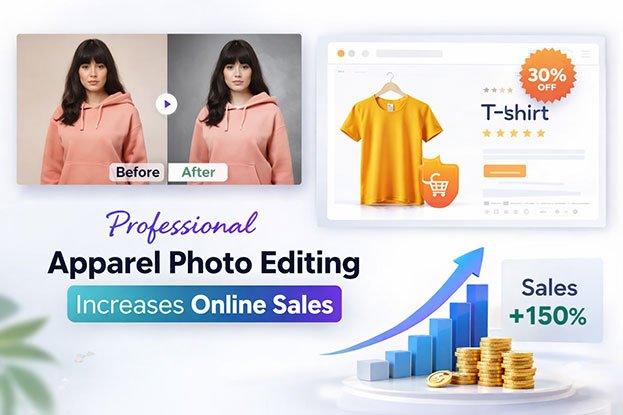
A shopper finds a linen shirt she likes. The main photo looks slightly yellow, the second looks grey, and the third shows a mannequin neck poking out of the collar. She can’t tell which color is real, so she closes the tab and buys from another store. This happens every day in fashion ecommerce. Online buyers can’t touch the fabric, check the stitching, or try the garment on. They depend on your images to make a decision. That is where Professional Apparel Photo Editing Increases Online Sales. In this guide, you’ll learn what apparel image editing includes, how it can support buyer confidence and online sales, which image problems hurt product pages, and when it makes sense to outsource the work.
Why Product Images Matter So Much for Apparel Ecommerce
Clothing is one of the most visual product categories online. A buyer choosing a phone charger reads specifications. A buyer choosing a dress looks at color, shape, drape, texture, and fit, and almost all of that information comes from photos.
Product images do the job a fitting room and a store shelf would normally do. They show:
- Color: the exact shade of the garment
- Shape: how the piece is cut and how it hangs
- Texture: whether the fabric is smooth, ribbed, knitted, or brushed
- Fit: how the garment sits on a body
- Details: buttons, zippers, seams, pockets, and prints
When images are unclear, buyers fill the gaps with doubt. Is this navy or black? Is the fabric thin? Will the collar look like that in real life? Doubt slows decisions and can lead to abandoned carts or returns.
Consistency matters too. Imagine a customer viewing three versions of the same shirt. If each image has a different background, crop, brightness, and color tone, the products may feel less reliable even when the garments are identical.
Editing alone does not sell a product. But clear, accurate, consistent images can make products easier to evaluate, and that is a real part of the buying decision.
What Is Professional Apparel Photo Editing?
Professional apparel photo editing is the process of correcting, cleaning, and preparing clothing product photos so they show the garment clearly, accurately, and consistently for ecommerce, catalogs, and marketing.
It usually includes several tasks:
- Background removal and clipping paths: separating the garment from the original background with clean, precise edges.
- Image masking: handling soft or complex edges like fur, lace, mesh, and frayed hems that a simple path can’t capture.
- Color correction, exposure, and white balance: making colors match the real garment and fixing images that are too dark, too bright, or tinted.
- Wrinkle removal and fabric cleanup: reducing creases, lint, and loose threads while keeping natural fabric texture.
- Shape correction: straightening uneven hems, sleeves, and collars so the garment looks balanced.
- Shadow creation: adding natural drop, reflection, or original shadows so products don’t look like they float.
- Ghost mannequin editing: removing the mannequin and rebuilding the inner neck or back so the garment looks three-dimensional.
- Model photo retouching and skin retouching: cleaning minor blemishes and distractions while keeping skin and body proportions real.
- Dust and spot removal: cleaning sensor dust, marks, and small stains.
- Cropping, resizing, and sharpening: setting consistent dimensions, margins, and resolution for websites and marketplaces.
- Final quality control: checking every file against the brand’s standards before delivery.
Each step solves a specific problem buyers notice, even if they couldn’t name it.
How Professional Apparel Photo Editing Can Support Online Sales
This is the core of the topic. Editing works by removing obstacles between the shopper and the product. Here are ten practical ways it can help.
1. Creates a Stronger First Impression
Most shoppers see the product image before they read a single word of the description. On category pages, the thumbnail is often the only thing that decides whether someone clicks.
A clean, well-lit image with no distractions tells the shopper the store is organized and the product is worth a closer look. A dim, cluttered photo can suggest the opposite, even if the garment is excellent. Professional editing gives every product a fair first impression through clear visibility, balanced light, and a consistent style.
2. Makes Clothing Details Easier to See
Details often separate a premium garment from a cheap one. Buyers want to see:
- Fabric texture and weave
- Stitching and seams
- Buttons, zippers, and hardware
- Collar construction and pockets
- Prints and patterns
Good editing brings these forward through careful sharpening, local contrast, and clean exposure. The goal is visibility, not invention. If the stitching is double-needle, the image should show double-needle stitching. It should never add detail the product doesn’t have.
3. Improves Color Accuracy
Color is one of the most common reasons clothing gets returned. When a buyer orders “sage green” and receives something closer to grey, trust drops fast.
Color problems usually come from:
- Incorrect white balance
- Poor or mixed lighting (daylight plus warm studio bulbs, for example)
- Camera settings and sensor differences
- Different editors using different styles
- Over-editing for a “pop” look
Professional color correction matches the image to the physical garment, often using a reference sample or a color card shot during the session. It also keeps variants accurate against each other, so the red, burgundy, and rust versions of a sweater look clearly different, the way they do in real life.
4. Removes Distracting Backgrounds
A garment photographed in a studio corner or a warehouse often carries clutter: light stands, floor marks, uneven backdrops. These pull attention away from the product.
Background removal places the garment on a clean white or neutral background. This matters for three reasons:
- It keeps the focus on the product.
- Many marketplaces, including Amazon, have main-image background requirements.
- It creates a consistent brand look across the whole catalog.
Edge cleanup is the part that separates good work from poor work. Rough, jagged, or haloed edges look cheap at close zoom.
5. Creates Consistency Across Product Pages
When a shopper scrolls a category page, they see dozens of products side by side. If every image has a different crop, brightness, and background, the store looks disorganized.
Professional editing keeps these elements consistent:
- Background color
- Crop and margins
- Image dimensions
- Lighting and exposure
- Color tone
- Product position and alignment
- Shadow style
A consistent grid makes an online clothing store look professional and makes browsing easier. It also makes the brand look more established.
6. Makes Apparel Look Cleaner Without Making It Unrealistic
Real garments arrive at photo shoots with problems: shipping wrinkles, lint, loose threads, small marks, uneven light on dark fabrics. Editing cleans these up.
But there is a clear line between professional retouching and over-retouching. Over-retouched clothing looks plastic. Wrinkles in cotton disappear completely, knit texture turns smooth, and the garment looks like a 3D render. When the product arrives, the buyer sees something different and feels misled.
Good apparel image retouching removes what wasn’t meant to be there (shipping creases, dust, threads) and keeps what belongs to the garment (natural drape, fabric grain, soft folds).
7. Supports Ghost Mannequin Product Presentation
Ghost mannequin photography shows a garment in its worn shape without a visible model or mannequin. The garment is shot on a mannequin, then shot again inside-out or from the back to capture the inner neck and label area. Editors combine the images and remove the mannequin.
Brands use this style because it shows fit and structure while keeping focus on the product. It also costs less than model shoots for large catalogs.
Ghost mannequin photo editing needs careful work. The inner neck must line up with the collar, the inside fabric should match in color and light, and the shadows inside the garment must look natural. Poor masking leaves mannequin edges, mismatched necklines, or flat, cut-out-looking garments. Done well, the result looks like the garment is being worn by an invisible person.
8. Improves Model and Lifestyle Apparel Images
Model images help shoppers picture how clothing fits a real body. Editing can help by:
- Balancing exposure and skin tones
- Removing stray hairs, temporary blemishes, and background distractions
- Cleaning lint and creases on the clothing
- Correcting minor lighting issues
- Keeping color consistent across a full shoot
The rule is simple: keep people and garments real. Skin should keep texture. Body proportions should not be reshaped. Fabric should fit the way it actually fits. Realistic model retouching supports trust. Heavy reshaping can backfire when customers receive the product.
9. Makes Product Images Work Better on Mobile
A large share of fashion shopping happens on phones. On a small screen, weak images get weaker. A loose crop wastes space. A busy background competes with the product. Low contrast hides details.
Mobile-ready apparel images should be:
- Clear at small sizes
- Tightly and consistently cropped
- Easy to read at a glance
- Correctly sized so they load quickly without losing quality
- Free from unnecessary distractions
Editing handles all of these during cropping, resizing, and export.
10. Helps Customers Compare Products More Easily
Shoppers often compare before they buy: two jackets, three colors of one dress, four fits of jeans. Comparison only works when images follow the same rules.
When every product sits on the same background, at the same scale, with the same lighting and accurate color, shoppers can quickly compare colors, styles, garment shapes, and variants. That makes the whole product-page experience smoother and can help buyers decide with more confidence.
Common Apparel Image Problems That Can Hurt Ecommerce Performance
Here are the problems we see most often, why they matter, and how professional editing fixes them.
1. Poor lighting
Why it matters: Dark or uneven light hides color and detail.
Solution: Exposure correction, shadow and highlight recovery, and local brightening.
2. Incorrect colors
Why it matters: Wrong colors can lead to disappointment and returns.
Solution: White balance correction and color matching to the physical sample.
3. Distracting backgrounds
Why it matters: Clutter pulls attention from the product and can break marketplace rules.
Solution: Background removal with a clipping path or mask, placed on white or a brand color.
4. Visible wrinkles
Why it matters: Shipping creases make garments look careless or low quality.
Solution: Wrinkle reduction that keeps natural folds and fabric texture.
5. Uneven cropping
Why it matters: Products look randomly placed and the grid looks messy.
Solution: Fixed crop templates with consistent margins and alignment.
6. Inconsistent image sizes
Why it matters: Mixed dimensions cause layout shifts and uneven thumbnails.
Solution: Batch resizing to the exact platform specifications.
7. Poor masking
Why it matters: Jagged or haloed edges look cheap on zoom.
Solution: Precise clipping paths and hair or fabric masking for soft edges.
8. Artificial-looking retouching
Why it matters: Plastic-looking garments reduce trust.
Solution: Restrained retouching that keeps texture and realism.
9. Weak fabric detail
Why it matters: Buyers can’t judge material quality.
Solution: Careful sharpening and local contrast on texture areas.
10. Low image resolution
Why it matters: Blurry zoom views frustrate detail-focused shoppers.
Solution: Proper export settings and resolution checks for zoom features.
11. Poor shadow treatment
Why it matters: Garments without shadows can look flat or pasted.
Solution: Natural drop shadows or preserved original shadows.
12. Visible mannequin parts
Why it matters: Mannequin necks and stands distract and look unfinished.
Solution: Ghost mannequin editing with a rebuilt inner neck.
13. Dust and unwanted marks
Why it matters: Small marks look like product defects.
Solution: Spot healing and cleanup across every file.
14. Different visual styles across products
Why it matters: A catalog that looks like it came from five studios feels less trustworthy.
Solution: A written style guide applied by the same editing team every time.
Before and After: What Professional Apparel Editing Should Actually Change
Before editing, a typical raw apparel photo may have:
- A distracting studio or floor background
- Uneven or dim lighting
- Shipping wrinkles
- Colors that don’t match the real garment
- A visible mannequin neck or stand
- Loose, off-center cropping
- Dust, lint, or small marks
After professional editing, it should have:
- A clean background
- Balanced exposure
- Natural fabric appearance
- Accurate colors
- Clean edges
- Consistent composition
- A professional, catalog-ready look
What should not change is the product itself. The shape, color, fabric, and details must stay true. Editing presents the garment at its best. It should never describe a different garment.
Professional Apparel Photo Editing vs DIY Editing
| DIY Editing | Professional Editing |
|---|---|
| Time-consuming | Structured workflow |
| Basic corrections | Advanced retouching |
| Limited consistency | Consistent output |
| Manual effort | Scalable production |
| May require training | Experienced editors |
| Difficult for large batches | Suitable for bulk projects |
DIY editing can work well for a small store with a few new products a month and an owner who knows Photoshop or Lightroom. It gives full control and costs only time.
Professional editing makes more sense when volume grows, quality standards rise, or turnaround gets tight. The right choice depends on your image volume, required quality, in-house skills, budget, and deadlines. Neither option is right for every business.
When Should Fashion Brands Outsource Apparel Photo Editing?
Outsourcing apparel photo editing may make sense when you have:
- Large product catalogs with hundreds or thousands of SKUs
- Frequent launches or seasonal collections that create sudden spikes in volume
- Marketplace listings that must meet strict image rules
- Limited in-house editing staff or no dedicated editor
- Tight deadlines before a launch or sale
- A need for consistent standards across different photographers or studios
For example, a brand launching a 300-piece spring collection may need every image edited within a week. A single in-house designer would struggle. An editing team can split the work while following one style guide.
Keeping editing in-house can still be practical when volume is small and steady, when the brand needs very fast same-day changes, or when a skilled editor is already on staff. Many brands use a mix: in-house for quick tasks, outsourced for bulk work.
What to Look for in an Apparel Photo Editing Company
Before choosing a partner, check these points:
- Apparel experience: Clothing needs different skills than jewelry or electronics.
- Portfolio quality: Zoom in on edges, collars, and fabric texture.
- Natural retouching: Garments should look real, not plastic.
- Color accuracy: Ask how they match colors to the physical product.
- Clipping path quality: Edges should be clean at full size.
- Ghost mannequin experience: Check necklines and inner fabric closely.
- Bulk capability: Can they handle your peak-season volume?
- Turnaround time: Confirm standard and rush options.
- Quality control: Ask who checks files before delivery.
- File format support: PSD, PNG, JPEG, TIFF, and layered files as needed.
- Communication: Clear, responsive contact saves time.
- Revision policy: Know how corrections are handled.
- File handling: Ask how your images and data are stored and protected.
- Transparent pricing: Prices should be clear per image or per task.
Most important: request a small free sample batch before sending a large project. Send your hardest images, such as dark fabrics, lace, and ghost mannequin shots. The sample shows real quality better than any portfolio.
How Clipping Area Helps Fashion and Ecommerce Brands
Clipping Area is a post-production photo retouching agency. We work with fashion labels, apparel retailers, ecommerce brands, and photographers who need clean, consistent, ready-to-publish product images.
Our apparel-related services include:
- Apparel photo editing and clothing photo editing
- Fashion product photo editing
- Ghost mannequin photo editing
- Background removal and clipping path
- Product image retouching
- Color correction
- Image cleanup and dust removal
- Shadow creation
- Bulk image editing
- Ecommerce photo editing
Our approach is practical. We follow your brand guidelines, keep garments realistic, and apply the same standards across every file, whether you send 20 images or 2,000. The finished images are prepared for ecommerce websites, online clothing stores, fashion catalogs, marketplaces, product listings, and social media campaigns.
Want to see how your images would look? Get a Free Sample with a few of your own photos before committing to a full project.
A Practical Apparel Image Quality Checklist
Use this before publishing any product image:
☐ Product is clearly visible
☐ Background is clean
☐ Colors look accurate
☐ Fabric details are visible
☐ Wrinkles are controlled
☐ Edges are clean
☐ Cropping is consistent
☐ Images have consistent dimensions
☐ Shadows look natural
☐ No unwanted mannequin parts are visible
☐ Product proportions remain realistic
☐ Image resolution is appropriate
☐ Product variants look consistent
☐ Final images match brand guidelines
Does Better Apparel Photo Editing Guarantee More Sales?
No. No image editing technique can guarantee more sales on its own.
Online sales depend on many factors:
- Product quality and pricing
- Brand trust and reviews
- Product-market fit
- Shipping and return policies
- Website speed and experience
- Product descriptions
- Customer service
- Marketing
- Product images
Images are one part of that system. What professional apparel image editing can do is improve how products are presented and reduce visual uncertainty. When shoppers can see the true color, the real fabric, and the actual shape, they have fewer reasons to hesitate. That supports the buying decision without replacing everything else a business needs to get right.
Frequently Asked Questions
What is professional apparel photo editing?
Professional apparel photo editing is the correction and preparation of clothing product photos for online use. It includes background removal, color correction, wrinkle cleanup, ghost mannequin editing, cropping, and resizing so garments look clear, accurate, and consistent.
How does apparel photo editing help ecommerce brands?
It helps brands present products clearly and consistently. Clean backgrounds, accurate colors, and visible details can make products easier to evaluate and may increase buyer confidence on product pages.
Can professional photo editing increase clothing sales?
It can support sales, but it cannot guarantee them. Better images can reduce doubt and improve the shopping experience, while price, product quality, reviews, and marketing also affect results.
What does apparel photo editing include?
Common tasks include clipping paths, background removal, color and exposure correction, wrinkle and dust removal, ghost mannequin editing, shadow creation, model retouching, cropping, resizing, and final quality checks.
How much does apparel photo editing cost?
Cost depends on image complexity, the number of edits, volume, and turnaround time. A simple background removal costs less than a ghost mannequin composite with color matching. Request a quote with sample images for accurate pricing.
Should fashion brands outsource photo editing?
Outsourcing makes sense for large catalogs, seasonal launches, marketplace sellers, and teams without in-house editors. Small stores with low, steady volume may manage well in-house.
What is ghost mannequin photo editing?
Ghost mannequin photo editing removes the mannequin from clothing photos and rebuilds the inner neck or back area. The result shows the garment in a natural, worn shape without a visible model or form.
How can I make clothing product images look professional?
Start with good lighting and a steamed garment, then edit for accurate color, a clean background, consistent crops, natural shadows, and visible fabric detail. Apply the same style to every product.
Conclusion
Apparel shoppers can’t touch or try on clothes online, so product images carry most of the buying decision. Professional apparel photo editing can improve that decision process by showing accurate color, clean backgrounds, visible fabric detail, and a consistent look across every product page.
The best editing stays honest. It removes shipping wrinkles, dust, and distractions while keeping the garment’s real shape, texture, and color. Consistency across variants and categories makes a store easier to browse and more trustworthy to buy from.
For growing brands with large catalogs, frequent launches, or tight deadlines, outsourcing can help maintain quality without slowing down production. Clipping Area helps fashion and ecommerce brands prepare polished, realistic apparel images at any volume. Send a few of your photos and Get a Free Sample to see the difference before your next launch.