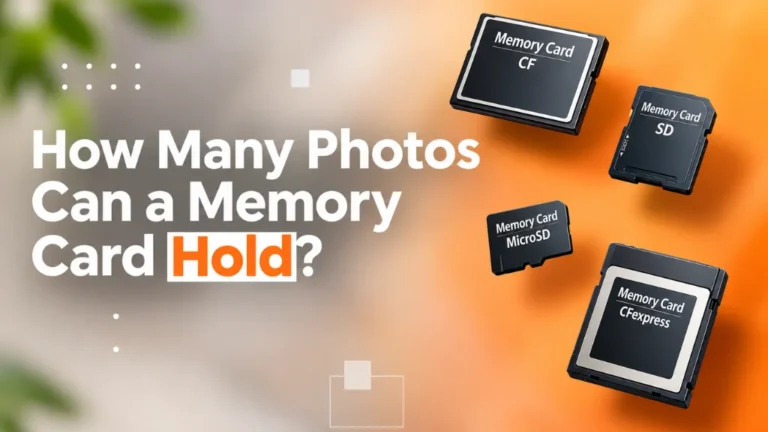
So, how many photos can a 32GB memory card hold? The short answer is about 3,000 to 7,500 JPEG photos, or around 500 to 2,000 RAW photos. The real number depends on your camera’s megapixels and the file format you shoot in. A 24MP camera shooting JPEG will fit roughly 3,300 photos on a 32GB card. Switch that same camera to RAW, and you get closer to 1,000.
That is a big gap. And it is the reason so many photographers run out of space in the middle of a shoot.
We work with photographers, ecommerce brands, and studios every day at Clipping Area. We see thousands of image files come through our post-production pipeline each week. So we know how file size affects not just your memory card, but your whole workflow, from shooting to retouching to delivery.
In this guide, you will learn exactly how much a 32GB SD card holds, why the number changes, how to work it out for your own camera, and when 32GB is enough (and when it is not).
Quick answer at a glance:
- Smartphone (12MP, HEIC): about 14,000+ photos
- Entry-level camera (24MP, JPEG): about 3,300 photos
- Entry-level camera (24MP, RAW): about 1,000 photos
- High-resolution camera (45MP, RAW): about 540 photos
- RAW + JPEG together (24MP): about 760 photos
All figures are approximate. Real results shift with scene detail, ISO, and your camera’s settings.
Why a 32GB Card Does Not Give You a Full 32GB
A 32GB memory card gives you about 29.7GB of usable space, not 32GB. This surprises a lot of people the first time they format a new card.
There are two simple reasons for this.
1. Card makers and computers count differently. Card makers count 1GB as 1,000,000,000 bytes. Your computer and camera count 1GB as 1,073,741,824 bytes. So 32 billion bytes shows up as roughly 29.8GB on your screen. Nothing is missing. It is just a different way of counting.
2. The file system takes a small slice. When you format the card in your camera, it sets up a file system (usually FAT32 for 32GB cards). That system needs a little room to keep track of your files.
Put those together, and you can plan on about 29.5GB to 29.8GB of real storage. Throughout this guide, we use 29,700MB as the usable figure for our math.
SDHC vs SDXC: where 32GB fits
A 32GB card sits at the top of the SDHC class. SDHC cards range from 4GB to 32GB and use the FAT32 format. Cards of 64GB and up are SDXC and use exFAT.
Why does this matter? FAT32 has a 4GB limit per single file. That is no problem for photos, since even the largest RAW files are well under 200MB. But if you also shoot long video clips, your camera will split them into smaller chunks on a 32GB card.
Almost every camera made in the last fifteen years supports SDHC. So a 32GB card is one of the most widely compatible options you can buy.
What Decides How Many Pictures Fit on a 32GB Card
File size decides everything. The smaller each photo is, the more photos fit. Five things control how big each file gets.
1. Megapixels (resolution)
More megapixels means more detail, and more detail means bigger files. A 45MP photo holds almost twice the pixel data of a 24MP photo. So it takes up almost twice the space.
2. File format: JPEG, HEIC, or RAW
This is the biggest factor of all.
- JPEG files are compressed. The camera throws away data you probably will not miss. Files are small and ready to share.
- HEIC (used on most modern phones) is compressed even more. It looks about the same as JPEG at roughly half the size.
- RAW files keep all the data the sensor captured. They are 3 to 4 times larger than JPEGs, but they give you far more room to edit later.
3. JPEG quality setting
Most cameras let you pick Fine, Normal, or Basic JPEG. Fine gives the best quality and the largest files. Basic files can be less than half the size, but you lose detail.
4. RAW compression
Many cameras offer uncompressed, lossless compressed, and compressed RAW. Lossless compressed RAW keeps every bit of quality and still saves 30 to 50% of space. For most people, it is the smart choice.
5. What is in the picture
This one surprises people. A photo of a busy forest or a crowded street holds more detail than a photo of a clear blue sky. Busy scenes create bigger files. High ISO shots also add noise, and noise makes files larger too. So two photos from the same camera can differ in size by 30% or more.
32GB Memory Card Photo Capacity Chart
A 32GB card holds about 3,300 JPEGs or 990 RAW files from a typical 24MP camera. Use the tables below to find your own number. All figures are approximate and based on 29,700MB of usable space.
By megapixels (JPEG vs RAW)
| Camera resolution | Avg. JPEG size | JPEG photos on 32GB | Avg. RAW size | RAW photos on 32GB |
|---|---|---|---|---|
| 12MP | 4MB | ~7,400 | 15MB | ~1,980 |
| 16MP | 5MB | ~5,900 | 20MB | ~1,480 |
| 20MP | 7MB | ~4,200 | 25MB | ~1,190 |
| 24MP | 9MB | ~3,300 | 30MB | ~990 |
| 33MP | 12MB | ~2,480 | 40MB | ~740 |
| 45MP | 16MB | ~1,860 | 55MB | ~540 |
| 61MP | 22MB | ~1,350 | 75MB | ~400 |
RAW sizes above assume lossless compressed RAW. Uncompressed RAW can be close to double these numbers, which cuts your photo count roughly in half.
By device type
| Device | Typical setting | Approx. file size | Photos on 32GB |
|---|---|---|---|
| Smartphone (12MP) | HEIC | 2MB | ~14,800 |
| Smartphone (12MP) | JPEG | 3.5MB | ~8,500 |
| Smartphone (48MP) | ProRAW / DNG | 75MB | ~400 |
| Drone (20MP) | JPEG + DNG | 33MB | ~900 |
| APS-C camera (24MP) | RAW + JPEG Fine | 39MB | ~760 |
| Full-frame camera (45MP) | RAW + JPEG Fine | 71MB | ~420 |
A note on RAW + JPEG
Many photographers shoot both formats at once. You get a quick JPEG for previews and a RAW file for serious editing. It is a great safety net, but it eats space fast. You are storing two files for every click, so expect about 20 to 25% fewer shots than RAW alone.
How to Calculate Your Own 32GB Photo Count
Divide your usable card space by your average file size. That is all it takes. Here is the simple formula:
\text{Photos} = \frac{\text{Usable space (MB)}}{\text{Average file size (MB)}}For a 32GB card, the usable space is about 29,700MB.
Step-by-step
- Take 10 test shots in the format you normally use. Shoot a mix of scenes, both simple and busy.
- Copy them to your computer and check each file size.
- Find the average. Add up all the sizes and divide by 10.
- Divide 29,700 by that average.
Example: Your 10 test shots average 28MB each in RAW.
29,700 ÷ 28 = about 1,060 photos.
The faster way: just ask your camera
Most cameras show a “shots remaining” number on the screen or top panel. Put in an empty, freshly formatted card, and that number is your answer. Keep in mind that cameras often play it safe. You may end up with 5 to 15% more shots than the counter first shows.
Leave some breathing room
We suggest you never plan to fill a card to the last megabyte. Keep about 5% free. A nearly full card can slow down writing speed, and you do not want your camera to stop at the one moment that matters.
Is a 32GB Memory Card Enough for Your Shoot?
A 32GB card is enough for most casual shooting and short product sessions, but it runs tight for weddings, events, and high-resolution RAW work. Here is how it plays out in real life.
Travel and everyday photography
If you shoot JPEG on a 20 to 24MP camera, 32GB gives you 3,000 to 4,000 photos. That covers a week-long holiday for most people. If you shoot RAW, bring two cards so you are never stuck.
Ecommerce product photography
A typical product shoot needs 4 to 8 angles per item. Shooting RAW at 24MP, a 32GB card holds about 990 frames. That is enough for 120 to 200 products in one session, which suits most small and mid-size catalogs. Ghost mannequin shoots need more frames per item (front, back, inside neck), so plan for fewer products per card.
Fashion and portrait sessions
Fashion shooters often fire bursts to catch the right pose or expression. A 2-hour session can easily produce 800 to 1,500 RAW frames. On a 45MP body, a single 32GB card fills up in under an hour. Carry at least two or three cards.
Weddings and events
Most wedding photographers take 2,000 to 4,000 shots in a day. A 32GB card is not enough on its own. Use larger cards, or use a camera with two card slots so every shot is saved twice.
Real estate photography
Real estate shooters often take 3 to 7 bracketed exposures per angle for HDR. A 30-angle property can mean 150 to 200 RAW files. A 32GB card can handle 4 to 6 properties before you need to offload.
Wildlife and sports
Fast action means long bursts at 10 to 30 frames per second. You can fill a 32GB card in minutes. For this kind of work, bigger and faster cards are a must.
Tips to Get the Most From Your 32GB SD Card
The best way to stretch a 32GB card is to pick the right format and use more than one card. These habits come from years of handling photographers’ files.
Pick the right file format for the job
Shoot RAW when the images will be edited, retouched, or printed large. Shoot JPEG when you need quick, ready-to-share photos. Do not shoot RAW + JPEG unless you really need both.
Use lossless compressed RAW
If your camera offers it, turn it on. You keep full quality and save a big chunk of space.
Check the card speed, not just the size
Space is only half the story. Speed matters too, especially for RAW bursts. Look for these labels on the card:
- UHS-I U3 or V30: good for most stills and 4K video
- UHS-II V60 or V90: best for fast bursts and high-resolution cameras
A slow card makes your camera’s buffer fill up. Then the camera pauses while it writes, and you miss the shot.
Use several smaller cards instead of one giant card
Many pros prefer two 32GB cards over one 64GB card. If one card fails, you lose half a shoot, not all of it. It is a simple way to spread the risk.
Format in the camera, not on the computer
Always format a card in the camera you will use it in. This sets up the right file structure and lowers the risk of errors.
Back up right away
Copy your photos to two places (for example, a computer and an external drive or cloud) before you format the card again. Memory cards are for capturing, not for long-term storage.
After the Shoot: Why File Format Matters for Editing
The format you choose on your memory card decides how much an editor can do with your photos later. This is where storage and post-production meet.
At Clipping Area, we have been editing images for photographers, ecommerce brands, and agencies since 2014. Here is what we see every day.
RAW files give editors more to work with
A RAW file holds far more color and light data than a JPEG. That extra data makes a real difference in:
- Color correction: matching a product’s true color across a whole catalog
- Photo retouching: smoothing skin or fabric without harsh, patchy edges
- Recovering highlights and shadows: saving bright windows in real estate shots or dark folds in clothing
- Background removal and clipping path: cleaner edges around hair, fur, and fine details
A JPEG can still be edited well. But when the light was tricky or the colors were off, RAW gives our team the room to fix it properly.
Bigger files, bigger handoff
More RAW files means more gigabytes to send. A full 32GB card of RAW images is too large for email. Most of our clients upload through cloud links such as Google Drive, Dropbox, or WeTransfer. Name your files clearly and group them by product or shoot. It speeds up turnaround and avoids mix-ups.
Cull before you send
A 32GB card can hold over 1,000 RAW shots, but you rarely need all of them edited. Pick your best frames first. You save upload time, and you only pay to edit the photos you will actually use.
Let a team handle the volume
Shooting is the fun part. Editing hundreds of product photos, one by one, is not. Clipping Area offers clipping path, ghost mannequin, background removal, photo retouching, color correction, and ecommerce and real estate photo editing. Our team works with RAW, JPEG, TIFF, and PSD files, and returns images ready for your website, marketplace, or print.
Want to see the difference on your own images? Send us a few test photos, and our editors will show you what they can do.
Frequently Asked Questions
How many photos can a 32GB memory card hold in JPEG?
About 3,300 JPEG photos from a 24MP camera, or about 7,400 from a 12MP camera. Higher-resolution cameras hold fewer.
How many RAW photos fit on a 32GB SD card?
About 990 RAW photos from a 24MP camera, and about 540 from a 45MP camera. Uncompressed RAW cuts these numbers roughly in half.
How many phone pictures can 32GB hold?
A 12MP phone saving HEIC photos can store around 14,000 pictures on 32GB. In JPEG, it is closer to 8,500.
Why does my 32GB card only show 29GB?
Card makers count 1GB as 1 billion bytes, while computers count it as about 1.07 billion. The file system also uses a little space. That leaves about 29.7GB usable.
Is 32GB enough for a wedding?
No, not on its own. Most weddings produce 2,000 to 4,000 photos. Use bigger cards or several 32GB cards, ideally in a dual-slot camera.
Is 32GB enough for product photography?
Yes, for most sessions. A 24MP camera shooting RAW fits about 990 frames, enough for 120 to 200 products at 4 to 8 angles each.
How many photos can a 64GB card hold compared to 32GB?
Roughly double. A 64GB card holds about 6,600 JPEGs or 2,000 RAW files from a 24MP camera.
Does shooting RAW affect photo editing quality?
Yes. RAW files keep more color and light data, so editors can correct colors, recover details, and retouch with cleaner results.
Final Thoughts
A 32GB memory card holds about 3,300 JPEGs or 990 RAW photos from a typical 24MP camera. Your exact number depends on megapixels, file format, and what you shoot. For travel and product sessions, 32GB works well. For weddings, sports, and high-resolution RAW work, carry more cards.
And once your card is full, the real work begins. If you need help turning those RAW files into polished, ready-to-sell images, the team at Clipping Area is ready to help.