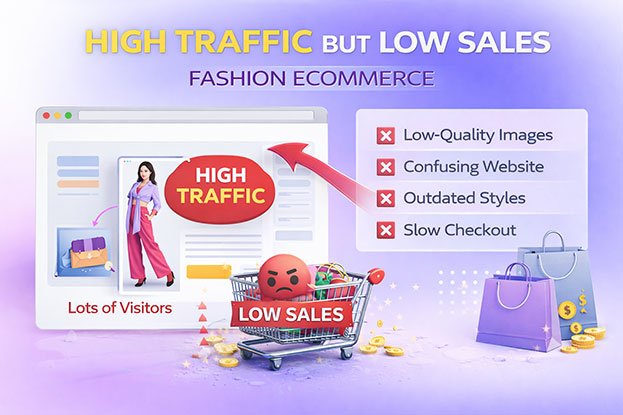
Your analytics show thousands of visitors. Your ads get clicks. Your Instagram posts drive traffic. But when you check orders at the end of the week, the number barely moves. This is the classic high traffic low sales fashion ecommerce problem, and it frustrates brands of every size. e When a fashion store has high traffic but low sales, the problem is rarely traffic alone. Somewhere between the first click and the checkout button, shoppers lose interest, lose trust, or lose clarity about the product. In this guide, you’ll learn how to find where visitors drop off, which problems most often cause the gap (including weak product images), and what you can practically fix first..
High Traffic but Low Sales in Fashion eCommerce: What’s Really Wrong?
Your analytics show thousands of visitors. Your ads get clicks. Your Instagram posts drive traffic. But when you check orders at the end of the week, the number barely moves. This is the classic high traffic low sales fashion ecommerce problem, and it frustrates brands of every size. When a fashion store has high traffic but low sales, the problem is rarely traffic alone. Somewhere between the first click and the checkout button, shoppers lose interest, lose trust, or lose clarity about the product. In this guide, you’ll learn how to find where visitors drop off, which problems most often cause the gap (including weak product images), and what you can practically fix first.
What Does “High Traffic but Low Sales” Actually Mean?
High traffic but low sales means many people visit your store, but only a small share of them buy. In ecommerce terms, you have a conversion problem, not only a traffic problem.
A visit is not a sale. Between the two, a shopper has to:
- Land on the right page
- Find a product they like
- Understand the product clearly
- Trust the product and the store
- Accept the price, shipping, and return terms
- Complete checkout without friction
If any step breaks, the purchase stops. Fashion stores face extra pressure because shoppers can’t touch fabric or try on clothing. They rely on images, descriptions, size guides, and reviews to replace the fitting room. When that information is weak, hesitation grows.
The good news: low conversion is usually a set of smaller, fixable problems, not one mystery.
Start Here: Find Where Shoppers Drop Off
Before changing anything, look at your conversion funnel. Guessing wastes time and money. Your ecommerce analytics (Google Analytics 4, Shopify reports, or similar tools) can show where the leak happens.
Check these stages:
- Traffic source: Which channels bring visitors? Paid social, search, email, influencers, marketplaces?
- Bounce rate and engagement: Do visitors leave the landing page quickly?
- Product page views: Do visitors reach product pages at all?
- Add-to-cart rate: Do product page visitors add items to the cart?
- Checkout rate: Do cart users start checkout?
- Purchase rate: Do checkout starters finish?
Each drop-off point suggests different causes:
| Where Shoppers Leave | What It Often Suggests |
|---|---|
| Landing page, quickly | Wrong audience, slow load, mismatch with the ad |
| Product page, without adding to cart | Weak images, unclear details, price, missing sizing info, low trust |
| Cart | Surprise costs, shipping concerns, comparison shopping |
| Checkout | Complicated forms, few payment options, forced account creation |
This one step changes everything. If most people leave at the cart, redesigning product photos won’t solve the main problem. If most leave on product pages, product presentation deserves close attention.
1. The Traffic May Not Match Buyer Intent
Not all traffic is buying traffic. A viral TikTok video may send thousands of curious visitors who have no plan to buy. A broad ad audience may click because of a striking image, then leave when they see the price.
Signs of an intent mismatch:
- High traffic from one channel with almost no add-to-carts
- Very short sessions from social or display ads
- Blog visitors who never visit product pages
What to do: Compare conversion by traffic source. Focus ad spend on the channels where visitors actually engage with products. Make sure ad creative matches the landing page, so a shopper who clicks a red dress lands on that red dress, not a generic homepage.
2. Product Images That Don’t Answer Buyer Questions
For fashion ecommerce, product images carry most of the buying decision. When they fail, shoppers can’t evaluate the product, and many simply leave.
Poor product images can reduce buyer confidence in several ways:
- Dim or uneven lighting hides color and fabric texture.
- Cluttered backgrounds pull focus away from the garment.
- Low resolution makes zoom useless for detail-focused shoppers.
- Too few angles leave questions about the back, sides, or fit.
- Wrinkles, lint, and dust make garments look cheap or used.
- Visible mannequin parts make the listing feel unfinished.
Think about how a shopper reads a product page. They look at the main image, swipe through the gallery, zoom in on the fabric, and only then read the description. If the images already raised doubts, the description has to work much harder.
Low-quality apparel photography is not always the main reason for low sales. But when product page visitors rarely add to cart, images are one of the first places to look.
3. Inconsistent Product Images Across the Store
Imagine browsing a category page where one shirt sits on pure white, the next on grey, the next on a wooden floor. Some are cropped tight, others show empty space. Some look warm, others cool.
Even if the products are good, the store feels disorganized. Inconsistent images can:
- Make the brand look less established
- Make products harder to compare side by side
- Create doubt about quality control in general
Image consistency means the same background, crop, margins, lighting, color tone, and shadow style across the catalog. It is one of the quieter trust signals in fashion ecommerce. Shoppers rarely notice when it’s right. They often notice, even subconsciously, when it’s wrong.
4. Incorrect Product Colors
Color accuracy is critical for clothing. When a buyer orders “olive” and receives something that looks brown, they feel misled. That can lead to returns, negative reviews, and future hesitation from other shoppers who read those reviews.
Color problems usually start during the shoot and get worse during editing:
- Wrong white balance
- Mixed lighting sources
- Heavy filters or “pop” editing
- Different editors using different settings
Even before a purchase, shoppers notice color inconsistency. If the gallery shows three slightly different shades of the same sweater, the buyer can’t trust any of them.
What to do: Match edited images to the physical garment, ideally using a color reference card during the shoot. Check that every variant (black, navy, charcoal) looks clearly different and true to life.
5. Missing Product Details
Fashion buyers want specifics. When information is missing, many won’t guess. They leave.
Common gaps on fashion product pages:
- No close-up of fabric texture or weave
- No clear image of hardware (zippers, buttons, buckles)
- No back view or side view
- No information about fabric composition or weight
- No care instructions
- No model measurements or size worn
Every unanswered question is a small reason to hesitate. A strong fashion product page answers the questions a shopper would ask a sales assistant in a physical store.
6. Weak Product Descriptions
Images show; descriptions explain. A description that only says “Stylish summer top, perfect for any occasion” gives the shopper nothing useful.
Strong fashion product descriptions include:
- Fabric composition and how it feels
- Fit (slim, relaxed, oversized)
- Length and key measurements
- Styling suggestions
- Care instructions
- What makes this item different from similar ones
Write for the buyer, not for search engines. Short paragraphs and scannable bullet points work well, especially on mobile.
7. No Clear Size Guidance
Sizing uncertainty is one of the biggest barriers in online fashion. Shoppers worry about ordering the wrong size, dealing with returns, and wasting time.
Ways to reduce size hesitation:
- A clear size chart with measurements in centimeters and inches
- Model height and the size they’re wearing
- Fit notes (“runs small, consider sizing up”)
- Review filters that show fit feedback
Size guidance works best when paired with good model photography. Seeing how a garment sits on a real body gives shoppers a reference point that a chart alone can’t provide.
8. Pricing That Doesn’t Match Perceived Value
Sometimes the product is fine, but the price doesn’t feel justified by what the shopper sees.
This is where presentation and pricing connect. A premium price needs premium presentation. If a $180 jacket appears in dim, wrinkled, low-resolution photos, shoppers may feel the price is too high because the images don’t show the quality they’re paying for.
What to check:
- Are your prices competitive for your category and audience?
- Do your images and descriptions show why the product is worth the price?
- Are discounts clear and easy to understand?
- Do shipping costs push the total too high?
9. Lack of Trust Signals
New shoppers don’t know your brand. Before they hand over payment details, they look for reasons to trust you.
Important trust signals include:
- Customer reviews with real photos
- Clear return policy that is easy to find
- Secure checkout indicators
- Contact information and responsive customer service
- Professional presentation across the whole site
A store with no reviews, a hidden return policy, and inconsistent images sends mixed signals. Each missing element adds a little more doubt.
Visual trust matters here too. Clean, consistent, accurate product images suggest a brand that pays attention to detail. That impression can carry over to how shoppers expect you to handle their order.
10. Poor Mobile Experience
A large share of fashion shopping happens on phones. A store that works fine on desktop can still fail on mobile.
Common mobile problems:
- Images that are too small, badly cropped, or slow to load
- Buttons too small to tap easily
- Size selectors that are hard to use
- Pop-ups that block the product
- Long, awkward checkout forms
Product images need special attention on mobile. A loose crop wastes screen space. A busy background competes with the garment. Test your store on real phones, not only in desktop browser previews.
11. Slow Website Performance and Poor Image Optimization
Slow pages lose visitors before they see anything. Large, unoptimized images are one of the most common causes of slow fashion product pages.
The balance is tricky. Images need to be high quality for zoom and detail, but light enough to load quickly.
Image optimization basics:
- Resize images to the dimensions your theme actually uses
- Use modern formats like WebP where supported
- Compress without visible quality loss
- Use lazy loading for gallery images below the fold
- Keep consistent dimensions to prevent layout shifts
Good editing and good optimization work together. A clean, well-cropped image compresses better than a cluttered one.
12. Complicated Checkout and Shipping Concerns
Cart abandonment often comes from surprises and friction late in the process.
Common checkout problems:
- Unexpected shipping costs revealed at the final step
- Forced account creation
- Too many form fields
- Limited payment options
- Unclear delivery times
- Complicated or costly returns
What to do: Show shipping costs early. Offer guest checkout. Support popular payment methods for your market. Make your return policy easy to find from the product page and the cart.
13. Weak Calls to Action
Sometimes shoppers are ready, but the page doesn’t guide them. A pale “Add to Cart” button below the fold, or a size selector that must be clicked before the button even appears, can quietly cost sales.
A strong call to action is:
- Visible without scrolling on mobile
- High contrast against the page
- Clear in its wording
- Placed near the price and size selector
14. Weak Product-Market Fit
This is the hardest problem to admit. Sometimes the product simply doesn’t match what the audience wants at that price. No image, description, or checkout improvement fully solves a product-market fit problem.
Signs to watch:
- Good engagement on product pages but very few add-to-carts across many products
- Repeated feedback about price, style, or quality
- Competitors selling similar items much more successfully
Honest customer feedback, surveys, and testing new products can help here.
How to Tell If Your Product Images Are Part of the Problem
Images deserve a closer look if you see these patterns:
- Product pages get views but few add-to-carts
- Shoppers zoom in often but still leave
- Customer questions ask about color, fabric, or fit
- Returns mention “looked different in the photos”
- Reviews mention color or quality not matching expectations
- Your category pages look inconsistent at a glance
You can also run a simple test. Open your five best-selling products and five poorest sellers side by side. Compare lighting, background, crop, color accuracy, and number of angles. Differences in presentation often become obvious quickly.
How Professional Apparel Photo Editing Supports Conversion
Professional apparel photo editing is the process of preparing clothing photos so they show the garment clearly, accurately, and consistently. It won’t fix pricing, shipping, or product-market fit. But it can remove visual uncertainty from product pages.
Key editing tasks that support fashion ecommerce conversion:
- Background removal and clipping path: Places garments on clean, consistent backgrounds with sharp edges.
- Color correction: Matches images to the real garment and keeps variants accurate.
- Wrinkle and dust cleanup: Removes shipping creases and lint while keeping natural fabric texture.
- Ghost mannequin editing: Removes the mannequin and rebuilds the inner neck so garments look three-dimensional.
- Model photo retouching: Balances exposure and removes distractions while keeping skin and body proportions real.
- Shadow creation: Adds natural shadows so products don’t look flat or pasted.
- Cropping and resizing: Keeps every product at the same scale, position, and dimensions.
One warning: over-retouching can hurt trust. When fabric looks plastic or colors look unrealistic, customers may be disappointed on delivery. Good fashion image retouching presents the real product at its best. It never changes what the product is.
A Practical Plan to Fix High Traffic, Low Sales
Work through these steps in order:
- Diagnose the funnel. Find the stage with the biggest drop-off.
- Check traffic quality. Compare conversion by source and adjust spend.
- Audit your top product pages. Look at images, descriptions, size guides, and price.
- Fix image consistency and color accuracy. Start with best-sellers and new arrivals.
- Add missing details. Back views, close-ups, fabric info, model measurements.
- Strengthen trust signals. Reviews, return policy, contact details.
- Test on mobile. Browse and buy on real phones.
- Speed up pages. Optimize images and remove unnecessary scripts.
- Simplify checkout. Show costs early, allow guest checkout.
- Measure again. Compare before and after, one change at a time where possible.
Changing one element at a time makes it easier to see what actually helped.
How Clipping Area Helps Fashion and Ecommerce Brands
Clipping Area is a post-production photo retouching agency. We help fashion labels, apparel retailers, and ecommerce brands prepare product images that are clean, accurate, and consistent across the whole catalog.
Our services for fashion ecommerce include:
- Apparel and clothing photo editing
- Fashion product photo editing
- Ghost mannequin photo editing
- Background removal and clipping path
- Color correction
- Product image retouching
- Model and lifestyle image retouching
- Shadow creation
- Bulk image editing for large catalogs
We follow your brand guidelines and keep garments realistic, so what shoppers see matches what they receive. Images are prepared for your website, marketplaces, catalogs, and social media.
If your product pages get views but not add-to-carts, better images are a sensible place to test. Get a Free Sample with a few of your own product photos and compare the results with your current listings.
Fashion Product Page Conversion Checklist
☐ Traffic source matches the product and audience
☐ Main image is clean, clear, and well lit
☐ Gallery includes front, back, side, and detail shots
☐ Colors match the physical garment
☐ Variants look consistent and clearly different
☐ Backgrounds and crops are consistent across the catalog
☐ Fabric texture is visible on zoom
☐ No wrinkles, dust, or mannequin parts are visible
☐ Description covers fabric, fit, and care
☐ Size guide and model measurements are shown
☐ Price, shipping, and returns are clear
☐ Reviews and trust signals are visible
☐ Page loads quickly on mobile
☐ Add-to-cart button is visible and easy to tap
☐ Checkout is short and supports guest purchase
Can Better Product Images Alone Fix Low Sales?
No. Better images alone cannot guarantee more sales.
A fashion store’s conversion rate depends on traffic quality, product-market fit, pricing, trust, website speed, mobile usability, checkout, shipping, returns, and customer service. Product images are one part of that system.
What better images can do is make products easier to evaluate, reduce doubt about color and quality, and support a more professional shopping experience. For many fashion stores, that is an important piece of the puzzle, especially when product pages get attention but few add-to-carts.
Frequently Asked Questions
Why does my fashion website get traffic but no sales?
Usually because something between the visit and the purchase creates doubt or friction. Common causes include the wrong audience, weak product images, missing size information, unclear pricing, low trust, poor mobile experience, and a complicated checkout.
How do I find out why my ecommerce traffic isn’t converting?
Check your conversion funnel in your analytics tool. Compare bounce rate, add-to-cart rate, checkout rate, and purchase rate. The stage with the biggest drop-off shows where to focus first.
Do product images affect fashion ecommerce conversion?
They can. Fashion shoppers depend on images to judge color, fabric, fit, and quality. Poor or inconsistent images may increase hesitation, while clear and accurate images can make products easier to evaluate.
Can professional photo editing increase clothing sales?
It can support sales but cannot guarantee them. Editing improves presentation and reduces visual uncertainty. Price, product quality, trust, and checkout experience also affect results.
What is a good conversion rate for fashion ecommerce?
It varies widely by traffic source, price point, device, and brand. Instead of chasing a general benchmark, track your own rate over time and compare performance by channel and product.
How can I improve my fashion product pages?
Use clear, consistent images with accurate color, add detail and back views, write specific descriptions, include a size guide, show reviews, make shipping and returns clear, and test the page on mobile.
Should I outsource fashion product photo editing?
Outsourcing can make sense for large catalogs, seasonal launches, marketplace listings, or teams without a dedicated editor. Request a small sample batch first to check quality.
Conclusion
The high traffic low sales fashion ecommerce problem rarely has a single cause. Traffic quality, product pages, pricing, trust, mobile experience, and checkout all shape whether a visitor becomes a buyer. The first step is always diagnosis: find where shoppers drop off, then fix the problems at that stage.
For many fashion stores, product presentation deserves close attention. Clothing shoppers can’t touch or try on what they’re buying, so images must show true color, real texture, clear details, and a consistent look. Weak visuals may not be the only issue, but they can quietly add doubt at the exact moment a shopper is deciding.
Clipping Area helps fashion and ecommerce brands prepare realistic, consistent product images through professional apparel photo editing. Get a Free Sample and see how your product pages could look.