Why Real Estate Photos Look Yellow (And Why Buyers Notice Immediately)
Why Real Estate Photos Look Yellow (And Why Buyers Notice Immediately)
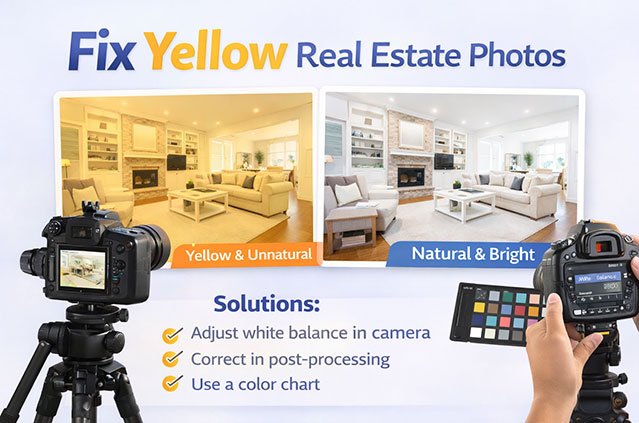
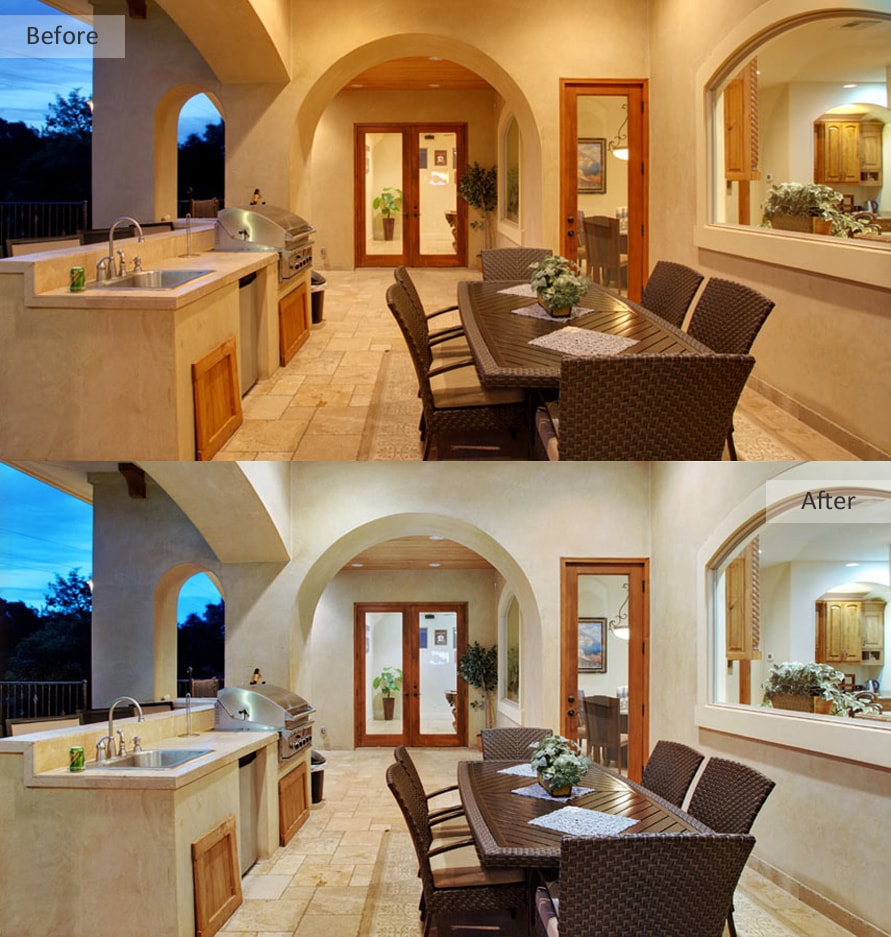
Fix yellow real estate photos to restore clean, accurate colors and make listings more attractive to buyers. Yellow or orange color cast is one of the most common problems in real estate photography, usually caused by mixed lighting conditions and incorrect white balance settings.
While this issue may seem subtle, it has a powerful effect on buyer perception. Yellow-tinted photos make white walls appear dirty, interiors feel poorly lit, and rooms look older or smaller than they really are. Buyers may not consciously identify the problem—but they instinctively avoid listings that don’t look bright, clean, and inviting.
The good news is that yellow color cast can be corrected accurately with proper color correction techniques. In this guide, you’ll learn why real estate photos turn yellow, how professionals fix white balance without making images look cold or artificial, and when professional real estate photo editing delivers the best results for listings.
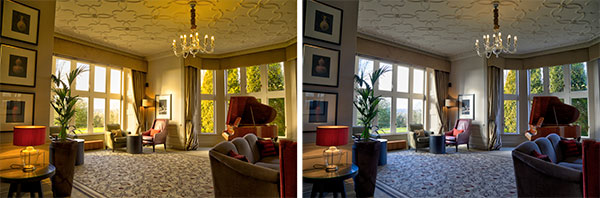
How Yellow Color Cast Changes Buyer Perception
When real estate photos look yellow, buyers often feel something is “off,” even if they can’t explain why. This color issue subtly affects how a property is perceived.
Common visual problems include:
White walls appearing dirty or aged
Kitchens and bathrooms losing freshness
Flooring and cabinets showing inaccurate tones
Rooms feeling darker and less welcoming
These visual cues reduce emotional connection, which directly leads to fewer clicks, saves, and showing requests.
The Main Reasons Real Estate Photos Turn Yellow
1. Mixed Lighting (Most Common Cause)
Most interiors combine:
Daylight from windows
Warm bulbs (tungsten / warm LED)
Cool ceiling or hallway lights
Cameras struggle to balance these temperatures, producing yellow or muddy tones.
2. Auto White Balance Failure
Auto white balance often fails in real estate photography because:
Large white walls confuse the camera
Multiple light sources conflict
The result is inconsistent color from room to room.
3. Evening or Twilight Shooting
Artificial lighting dominates after sunset. Without correction, photos naturally lean yellow or orange.
4. RAW Photos Without Proper Editing
RAW files are designed for editing—not publishing. Without color correction, they usually appear:
Warm
Flat
Inaccurate
Key Takeaway
Yellow real estate photos are not caused by bad photography. They are caused by lighting imbalance and missing color correction. Without fixing this, listings appear less clean, less modern, and less trustworthy.
How Professionals Fix Yellow Real Estate Photos (Color Correction Process)

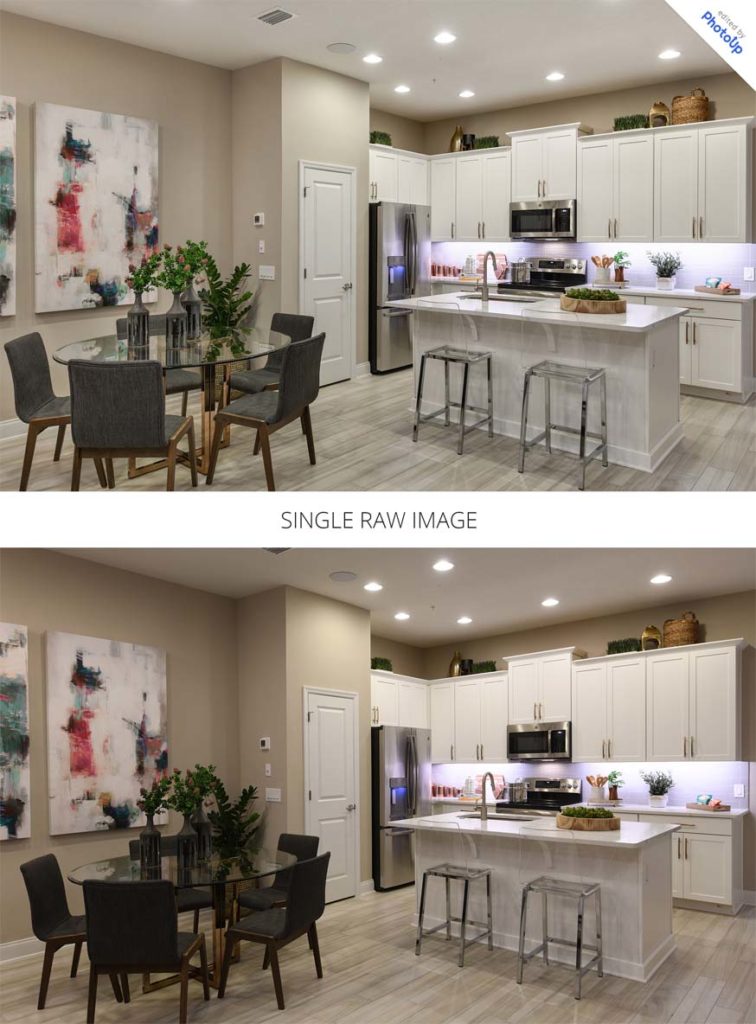

Professional color correction is not about making photos blue or cold. The goal is neutral, accurate, natural color.
Step 1: Identify the Color Cast
Professionals analyze:
Wall neutrality
Ceiling color
Floor tone accuracy
Light source influence
They never apply global fixes blindly.
Step 2: Correct White Balance First
White balance is adjusted so:
Whites look truly white
Colors match real-life appearance
No gray or blue overcorrection occurs
This alone dramatically improves image cleanliness.
Step 3: Selective Color Correction
Instead of correcting everything at once, professionals adjust:
Walls separately
Ceilings separately
Floors and furniture independently
This preserves texture and material realism.
Step 4: Balance Mixed Light Sources
Advanced correction neutralizes:
Warm bulb spill
Cool window dominance
Uneven color across rooms
This step ensures consistency throughout the listing.
Step 5: Final Consistency Check
Editors confirm:
All images match each other
No room looks warmer than another
The property feels cohesive and professional
Why Presets and Auto Tools Fail
One-click tools often:
Overcool images
Turn walls gray or blue
Create inconsistent results
Professional correction is manual, controlled, and image-specific.
Key Takeaway
Professional color correction removes yellow tones while keeping spaces natural and welcoming. The goal is accuracy—not artificial brightness or cold colors.
DIY vs Professional Color Correction (Which Gets Better Results?)


Many agents and photographers try to fix yellow photos themselves. Sometimes it works—but often it creates new problems.
DIY Color Correction (Limitations)
Can work for:
Mild yellow tint
Single images
Simple lighting situations
Common issues:
Overcorrection
Gray or blue walls
Inconsistent colors across listings
Time-consuming trial and error
Professional Color Correction (Why It Works)
Professional real estate photo editing delivers:
Accurate white balance
Natural material colors
Consistency across all images
MLS-compliant results
Fast turnaround
This is especially important for:
MLS, Zillow, Realtor.com listings
Luxury properties
Rentals and Airbnb
Bulk uploads
Real-World Impact
Listings with corrected color tones consistently see:
Higher click-through rates
More saves
Increased showing requests
Buyers describe these homes as:
“Cleaner,” “brighter,” and “more modern.”
The property didn’t change—the color accuracy did.
When Professional Help Makes Sense
Professional color correction is the right choice when:
Photos look consistently yellow
Time is limited
Brand image matters
You need reliable results
Many agents start with a free trial edit to confirm quality before committing.
Final Takeaway
Yellow real estate photos quietly damage listing performance. Correcting color accurately restores cleanliness, realism, and buyer confidence—helping properties attract more attention and sell faster.
Frequently Asked Questions About Yellow Real Estate Photos
Why do real estate photos look yellow or orange?
Real estate photos usually look yellow because of mixed lighting conditions. Interior lights (warm bulbs) combined with daylight from windows confuse the camera’s white balance. Without professional color correction, this results in yellow or orange color casts that make rooms look outdated or dirty.
Can yellow real estate photos be fixed after the photoshoot?
Yes. Yellow real estate photos can be professionally corrected after the shoot. Expert editors adjust white balance, neutralize color casts, and balance mixed lighting to restore clean, natural colors—without making images look blue or artificial.
If you’re unsure how much improvement is possible, you can start with a free trial edit to see the difference before placing an order.
Why does Auto White Balance fail in real estate photography?
Auto White Balance struggles because real estate interiors often contain multiple light sources with different color temperatures. Large white walls and ceilings further confuse the camera, leading to inconsistent color from room to room.
Professional real estate photo editing corrects white balance manually for accurate, consistent results.
Is color correction allowed on MLS, Zillow, and Realtor.com?
Yes. Color correction is fully allowed on MLS, Zillow, and Realtor.com as long as edits are natural and do not misrepresent the property. Professional real estate photo color correction improves lighting and color accuracy while remaining MLS-compliant.
What’s the difference between yellow color correction and overcooling photos?
Proper color correction removes yellow tones while preserving natural warmth. Overcooling pushes images too blue or gray, making rooms feel cold and unrealistic. Professional editors focus on neutral, true-to-life colors—not extreme adjustments.
Why don’t presets or mobile apps fix yellow real estate photos properly?
Presets and apps apply the same correction to every image, which often causes:
Gray or blue walls
Inconsistent colors across rooms
Loss of realism
Professional real estate photo editing uses image-specific adjustments to maintain accurate colors and consistency.
How long does professional color correction for real estate photos take?
Most professional real estate photo editing services deliver color-corrected images within 12–24 hours, depending on volume and complexity. Free trial edits are typically delivered just as quickly.
Is professional color correction worth it for real estate listings?
Yes. Listings with properly color-corrected photos consistently receive more clicks, saves, and showing requests. Clean, accurate colors increase buyer trust and help properties stand out in competitive markets.
Can I try professional real estate color correction before committing?
Yes. We offer a free trial real estate photo color correction, so you can upload sample images and review the results before placing any order. This lets you evaluate quality, accuracy, and consistency with no risk.