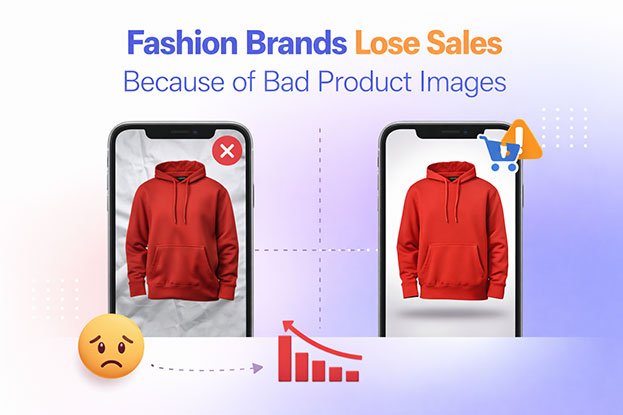
A shopper lands on your product page. She likes the style of the dress, but the photo is slightly dark, the fabric looks flat, the background is gray instead of white, and the color doesn’t quite match the swatch. She can’t tell whether the material is cotton or polyester. She scrolls, hesitates, and opens a competitor’s tab.
Nothing in that moment was dramatic. No error message, no broken checkout. Yet the sale was lost.
This is how bad product images usually hurt fashion brands. Not through one obvious failure, but through a series of small doubts that make buying feel riskier than it should. In fashion ecommerce, where customers cannot touch, try on, or inspect a garment, the image is doing the work of a fitting room, a sales assistant, and a store display all at once.
This guide explains how weak product photography and poor post-production affect shopper confidence, conversions, returns, and brand perception, and what fashion brands can do to fix the problem.
The Real Relationship Between Product Images and Sales
It would be easy to say “bad images cause lost sales” and stop there. The reality is more nuanced, and understanding it helps you fix the right things.
Product images rarely cause a lost sale on their own. Price, shipping costs, sizing, reviews, site speed, and brand awareness all play a role. What images do is shape how a shopper interprets everything else. A strong image makes a $120 jacket look worth $120. A weak one makes the same jacket look like a risk.
Think of product images as a confidence multiplier. When images are clear, accurate, and consistent, they reduce uncertainty and support the purchase decision. When images are poor, they add friction at every step: the click from a category page, the time spent on the product page, the add-to-cart decision, and the likelihood of keeping the item after delivery.
Ecommerce usability research, including long-running studies from groups such as the Baymard Institute, has consistently found that shoppers rely heavily on product imagery to evaluate items online, and that insufficient or unclear images are a common source of hesitation. The effect is strongest in categories where fit, texture, and appearance matter most. Fashion sits at the top of that list.
So the more accurate statement is this: bad product images increase the chance that a shopper doubts the product, the brand, or both. Across thousands of visitors, those doubts add up to measurable losses.
Why Images Matter More in Fashion Than in Most Categories
A shopper buying a phone charger needs to know the connector type and wattage. Specifications do most of the selling. A shopper buying a linen shirt needs to know how the fabric drapes, how thick it is, what the exact shade looks like, how the collar sits, and whether it will look good on their body. Very little of that can be communicated in text alone.
Fashion purchases are driven by:
- Visual appeal: Style is the product. If it doesn’t look desirable, the specs don’t matter.
- Fit and silhouette: Shoppers want to understand shape, length, and proportion.
- Color accuracy: A “sage green” that arrives looking olive is a disappointment.
- Texture and material: Knit, satin, denim, and leather each need to read correctly on screen.
- Emotional connection: People buy clothing partly for how it makes them feel. Images set that tone.
Because the image carries so much of the decision, even small flaws have outsized impact. A dust spot on a phone case photo is a minor issue. A lint-covered black sweater photo makes the garment itself look cheap.
9 Ways Bad Product Images Hurt Fashion Brands
1. They Damage First Impressions
Most shoppers first see your products as thumbnails on a category page, a search result, a marketplace listing, or a social ad. At that size, they judge quickly. A cluttered background, poor lighting, awkward cropping, or a wrinkled garment makes the product easy to skip.
First impressions also shape how the rest of the page is read. If the lead image looks amateur, shoppers tend to approach the description, price, and reviews with more skepticism. A polished lead image does the opposite. It earns attention and a bit of goodwill before the shopper reads a single word.
2. They Weaken Trust and Brand Credibility
Online shoppers are cautious, especially with brands they haven’t bought from before. Images are one of the fastest ways they assess legitimacy.
Blurry photos, inconsistent lighting, visible clamps and pins, or stretched and pixelated images can signal that a business is small, careless, or even untrustworthy. That may be unfair to a brand making genuinely good clothes, but shoppers don’t have another way to judge. For DTC brands and fashion startups without an established reputation, image quality often stands in for brand credibility.
3. They Misrepresent Color, Which Drives Returns
Color is one of the most common reasons fashion items get returned. Shoppers describe it simply: “It looked different in the picture.”
Color problems usually come from:
- Incorrect white balance during the shoot
- Mixed lighting sources creating color casts
- Camera auto-settings shifting tones between shots
- Heavy filters or over-saturation in editing
- Inconsistent color across different angles of the same product
When a product arrives looking noticeably different from its photos, the customer feels misled even if nothing was intentional. That leads to returns, negative reviews, and lower repeat purchase rates. Accurate color correction, matched to the physical garment, is one of the most practical ways to protect margins.
4. They Hide the Details Shoppers Need
Shoppers want to zoom in. They want to see stitching, buttons, zippers, fabric weave, prints, embroidery, and hems. When images are low resolution, poorly focused, or shot only from a distance, those details are lost.
Missing detail creates two problems. First, shoppers who can’t verify quality may assume it’s low. Second, shoppers who buy anyway are more likely to be surprised when the item arrives. Both outcomes cost money.
Detail shots, sharp focus, and high-resolution files that support zoom help shoppers feel they’ve inspected the garment, even from a screen.
5. They Fail to Show Fit and Shape
A flat, crumpled garment photographed on a table tells shoppers very little about how it will look when worn. A garment on a visible plastic mannequin can distract from the product. A model shot with poor posing can hide the cut.
This is where techniques like ghost mannequin (invisible mannequin) photography matter. By photographing the garment on a mannequin and removing it in post-production, brands can show the true 3D shape of a shirt, jacket, or dress, including the inner neckline and back label, without the distraction of a model or mannequin. The result looks clean and professional while still communicating structure and fit.
6. They Make the Catalog Look Inconsistent
Individually acceptable images can still hurt a store if they don’t match each other. Different background shades, varying crop margins, products appearing at different sizes, and inconsistent shadows make a category page look messy.
Inconsistency affects shoppers in subtle ways. It makes browsing harder, makes comparing products less intuitive, and makes the brand feel less established. Leading fashion retailers maintain strict visual standards across thousands of SKUs for exactly this reason. A uniform catalog looks curated. A mixed one looks improvised.
7. They Can Break Marketplace Requirements
For Amazon sellers and brands selling on marketplaces, image quality isn’t just a matter of taste. Many marketplaces have specific requirements for main product images, such as pure white backgrounds, minimum resolutions, and the product filling a large share of the frame. Amazon, for example, requires a pure white background for main images in most categories.
Images that don’t meet these guidelines can be suppressed, rejected, or placed at a disadvantage. Even when listings stay live, noncompliant images tend to look out of place next to competitors who follow the rules. Clean background removal and proper framing help keep listings compliant and competitive.
8. They Underperform in Ads and Social Channels
Fashion brands spend heavily on paid social, shopping ads, and retargeting. The product image is usually the main creative element in those placements. A weak image lowers click-through rate, which can raise acquisition costs and reduce the return on ad spend.
Poor images also limit how assets can be reused. A product shot with a cluttered background is hard to adapt for a Google Shopping feed, an Instagram carousel, a lookbook, and an email campaign. Clean, well-edited images with isolated products can be repurposed across every channel.
9. They Increase Returns and Hurt Reviews
When images set the wrong expectations, the cost doesn’t end at the checkout. Returns in fashion ecommerce are already a significant expense, involving shipping, handling, inspection, restocking, and sometimes write-offs.
Not every return is caused by images. Sizing, quality, and changing preferences all contribute. But returns linked to color mismatch, unexpected texture, or a different look than pictured are partly preventable with better imagery. Fewer “not as pictured” returns also mean fewer negative reviews, which protects conversion rates for future shoppers.
Common Fashion Product Image Mistakes and How to Fix Them
| Mistake | How It Affects Shoppers | Fix |
|---|---|---|
| Off-white or gray backgrounds | Product looks dull, catalog looks inconsistent | Background removal and replacement with pure white or brand color |
| Color casts and wrong white balance | Garment looks different from reality | Professional color correction matched to physical samples |
| Visible mannequins, pins, and clips | Distracting and unpolished | Ghost mannequin editing and cleanup retouching |
| Wrinkles, lint, and loose threads | Product looks cheap or used | Garment retouching and dust removal |
| Uneven cropping and alignment | Category pages look messy | Consistent cropping, margins, and alignment templates |
| Low resolution or soft focus | No zoom, details hidden | Better capture, sharpening, and high-res export |
| Harsh or missing shadows | Product looks flat or pasted on | Natural or drop shadow creation |
| Only one angle | Shoppers can’t evaluate fit or detail | Front, back, side, and detail shots |
| Inconsistent color between variants | Shoppers can’t trust swatches | Color matching across variants |
| Heavy, unrealistic retouching | Product arrives looking different | Natural retouching that preserves fabric texture |
What Good Fashion Product Images Look Like
Strong fashion product imagery isn’t about expensive gear or flashy effects. It comes down to accuracy, clarity, and consistency. Good images typically include:
- A clean, consistent background: Usually pure white for marketplaces and main catalog images, or a defined brand color for DTC stores.
- Accurate color: Matched to the actual garment under neutral lighting.
- Multiple angles: Front, back, side, and at least one close-up of fabric, hardware, or key design details.
- Clear shape: Shown on a model, ghost mannequin, or carefully styled flat lay, depending on the product.
- Natural retouching: Wrinkles, lint, and dust removed without erasing fabric texture or changing the garment’s real appearance.
- Consistent framing: Same crop ratio, margins, and product scale across the catalog.
- Web-ready files: High enough resolution for zoom, compressed for fast loading, and correctly sized for each platform.
- Lifestyle context where it helps: On-model or styled scenes that show how the product fits into real life.
The goal is simple. Shoppers should receive exactly what they saw, and they should feel confident about it before they buy.
Photography vs. Post-Production: Who Fixes What?
Many brands assume that better images start and end with a better camera. Photography and post-production each solve different problems, and both matter.
Photography handles:
- Lighting quality and direction
- Sharp focus and correct exposure
- Styling, steaming, and garment preparation
- Model posing and mannequin setup
- Capturing enough angles and detail shots
Post-production handles:
- Background removal and replacement
- Clipping paths for precise product isolation
- Ghost mannequin compositing
- Color correction and variant matching
- Wrinkle, lint, and dust removal
- Skin and model retouching
- Shadow creation
- Cropping, alignment, and resizing to platform specs
A good photographer reduces the amount of correction needed. But even well-shot images almost always benefit from post-production, because consistency across hundreds or thousands of SKUs is very hard to achieve in camera alone. Post-production is also where many brands with limited budgets can make the biggest improvement, since editing can raise the quality of existing photos without reshooting everything.
How Professional Post-Production Improves Fashion Product Images
Clipping Path and Background Removal
A clipping path creates a precise outline around the product so it can be separated from its background. For fashion items with complex edges, such as fur, lace, fringe, or sheer fabric, precision matters. Rough automated cutouts often leave jagged edges or halos that look cheap at zoom. Hand-drawn clipping paths and careful masking keep edges clean and natural.
Ghost Mannequin Editing
Ghost mannequin editing removes the mannequin and combines the front image with an inside shot of the neckline or back to create a hollow, 3D effect. It’s widely used for shirts, jackets, dresses, hoodies, and knitwear because it shows shape clearly while keeping the focus entirely on the garment.
Color Correction
Professional color correction removes casts, balances whites, and matches the image to the real product. For brands selling one style in multiple colorways, color matching ensures each variant looks accurate and distinct, which reduces confusion and color-related returns.
Garment and Product Retouching
Retouching cleans up the distractions that make clothing look less appealing: creases, lint, dust, loose threads, uneven seams, and stray pins. The key is restraint. Good retouching improves presentation without changing the product, so what the customer receives still matches what they saw.
Model Retouching
For on-model images, retouching can address skin blemishes, stray hairs, and lighting inconsistencies while keeping the model looking natural. Many brands now prefer light, realistic retouching that reflects real bodies and builds trust.
Shadow Creation
A product floating on a flat white background can look pasted on. Natural shadows, reflection shadows, or subtle drop shadows add depth and make products feel grounded and real, especially for footwear, bags, and accessories.
Consistent Cropping, Alignment, and Resizing
Post-production teams can apply consistent templates so every product sits in the same position with the same margins across the catalog. Images are then exported in the right dimensions and formats for Shopify, Amazon, WooCommerce, marketplaces, and social platforms.
A Quick Product Image Audit for Fashion Brands
Before investing in a reshoot or editing overhaul, audit what you have. Open your top-selling category page and your five best-selling product pages, and ask:
- Do all main images share the same background color and shade?
- Do products appear at a similar size and position in the frame?
- Does the color on screen match the physical garment in neutral daylight?
- Can shoppers zoom in and clearly see fabric texture and stitching?
- Does every product have front, back, and at least one detail shot?
- Are there visible mannequins, clips, pins, lint, or wrinkles?
- Do your marketplace images meet each platform’s requirements?
- Do images look sharp and load quickly on mobile?
- Do returns or reviews mention color, texture, or “not as pictured”?
- Would these images look professional next to your top three competitors?
If you answer “no” to several of these, your images are likely creating friction somewhere in the buying journey. Your return reasons and customer reviews are especially useful, because they show where expectations and reality are separating.
When Should Fashion Brands Outsource Photo Editing?
Editing in-house can work for small catalogs. As a brand grows, it often becomes a bottleneck. Outsourcing tends to make sense when:
- You’re launching seasonal collections with hundreds of SKUs on tight deadlines
- Your team spends more time editing than on marketing, merchandising, or growth
- Your catalog looks inconsistent because multiple people or tools handle edits
- You need specialized work like ghost mannequin, complex clipping paths, or color matching across variants
- You sell across several platforms with different image requirements
- You’re a photographer who wants to spend time shooting rather than editing
A professional post-production partner can deliver consistent results at scale, follow a defined style guide, and turn batches around quickly, which helps new products go live sooner.
How Clipping Area Helps Fashion Brands Present Products Better
Clipping Area is a professional post-production photo retouching agency based in Dhaka, Bangladesh, serving fashion brands, ecommerce stores, photographers, and marketing teams worldwide since 2014. Our team focuses on the image work that directly affects how shoppers see your products:
- Clipping path and background removal for clean, marketplace-ready product images
- Ghost mannequin editing for apparel that shows true shape and structure
- Color correction and variant matching so products look the way they arrive
- Apparel and product retouching to remove wrinkles, lint, dust, and distractions naturally
- Model and beauty retouching for polished yet realistic on-model images
- Shadow creation, cropping, and resizing tailored to Shopify, Amazon, and other platforms
- Bulk ecommerce image editing for large catalogs and seasonal launches
We work from your style guide or help you build one, so every image in your catalog follows the same standard. Pricing starts at $0.29 per image, and you can test our quality with 2 free trial edits before committing.
Frequently Asked Questions
Do bad product images directly cause lost sales?
Not on their own. Sales depend on many factors, including price, sizing, reviews, and shipping. Bad images increase shopper doubt about quality, accuracy, and brand credibility, and that doubt makes buying less likely. Better images reduce that friction.
How many images should a fashion product page have?
There’s no fixed number, but most fashion product pages benefit from a front view, back view, side or three-quarter view, one or more detail close-ups, and at least one on-model or lifestyle image. Complex products may need more.
What background is best for fashion ecommerce images?
Pure white is the safest choice for main images, especially on marketplaces like Amazon. DTC brands may use a light brand color, but it should stay consistent across the whole catalog.
Is ghost mannequin better than on-model photography?
Each serves a different purpose. Ghost mannequin images show garment shape cleanly and consistently at lower cost. On-model images show fit, movement, and styling. Many brands use ghost mannequin for main catalog images and on-model shots for lifestyle context.
Can photo editing fix poorly shot product images?
Editing can correct backgrounds, color, wrinkles, lint, cropping, and consistency. It cannot fully fix severe blur, extreme underexposure, or missing angles. For the best results, combine good photography with professional post-production.
Will retouching make my products look unrealistic?
It shouldn’t. Professional retouching should improve presentation while preserving the garment’s real color, texture, and shape. Over-retouching can increase returns, so accuracy should always come first.
Conclusion
Fashion brands don’t usually lose sales because of one terrible photo. They lose sales through accumulated uncertainty: a dull thumbnail that gets skipped, a color that doesn’t look quite right, a fabric that can’t be inspected, a catalog that feels inconsistent, a product that arrives looking different from its picture.
Each of these weakens shopper confidence at a moment when confidence is everything. Online, your product images are the closest thing customers have to holding the garment in their hands.
The good news is that image quality is one of the most controllable parts of your ecommerce experience. Clear photography, accurate color, clean backgrounds, consistent presentation, and natural retouching help shoppers understand what they’re buying and trust that it will match their expectations.
If your product images aren’t doing that yet, start with an audit, fix the biggest issues first, and build a consistent standard your whole catalog can follow.
Ready to see the difference? Send Clipping Area two of your product images and get 2 free trial edits to compare against your current catalog.