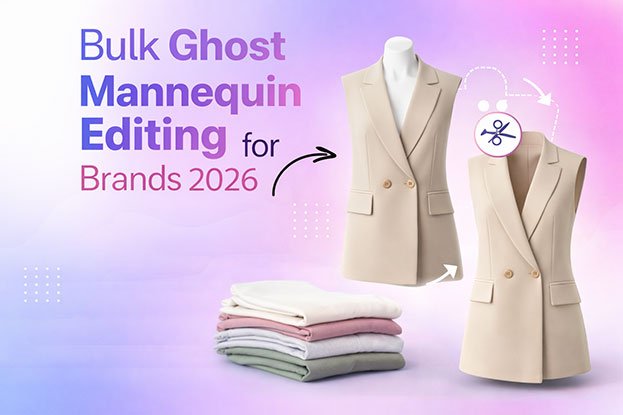
Editing five apparel photos for a product page is a quiet afternoon’s work. Preparing 2,000 images for a seasonal catalog is a production project. That is where Bulk Ghost Mannequin Editing comes in.
When a brand uploads hundreds of garments at once, small differences add up fast. One shirt sits higher in the frame, another has a warmer white background, a third has a neck joint that looks slightly off. On a category page, these differences are easy to spot.
Large clothing catalogs need consistency in background, garment position, cropping, neck joints, color, shadows, image dimensions, and retouching. Bulk editing is not simply running one Photoshop action across every file. It needs a clear workflow, precise instructions, production planning, and quality control.
This guide explains how that workflow runs and how to manage it well.
What Is Bulk Ghost Mannequin Editing?
Short answer: bulk ghost mannequin editing is the process of editing large volumes of clothing photos to remove the mannequin and create a consistent invisible mannequin effect across an entire catalog, using a standardized workflow and quality control.
First, what is ghost mannequin editing?
Ghost mannequin editing makes a garment look as if it is worn by an invisible person. Here is how it works:
- The clothing is photographed on a mannequin so it keeps a natural 3D shape.
- In post-production, the mannequin is removed.
- Visible garment sections are combined, often using a second photo of the inside of the garment.
- Hidden inner areas, such as the back of the collar, may be reconstructed.
- A realistic neck joint is created. This is the visible inside back of the neckline.
- The final image shows the garment’s shape with no mannequin, often called the invisible mannequin effect.
What makes it “bulk”?
Bulk editing applies the same process to a large number of images while keeping every result consistent. It involves:
- Large image volumes: hundreds or thousands of files
- Batch processing: grouping similar garments and repeating steps efficiently
- Consistent editing: the same background, crop, and style on every image
- Standardized instructions: one written brief every editor follows
- Quality control: systematic checks on every batch
- File organization: clear naming and folder structures
- Delivery management: planned, often phased, delivery
Why Do Ecommerce Brands Need Bulk Ghost Mannequin Editing?
Large Product Catalogs
A mid-sized apparel brand can easily carry hundreds of SKUs, each with several colorways and views. Multiply that by front, back, and detail shots, and the image count grows quickly. Editing these one by one without a system leads to delays and uneven results.
Consistent Product Presentation
Shoppers browse clothing in grids. A consistent grid looks organized. An inconsistent one looks unfinished. Bulk workflows keep these elements the same across products:
- Background
- Crop
- Product scale
- Garment position
- Shadows
- Color treatment
- Neck joints
- Image dimensions
Seasonal Collections
Many brands work on a seasonal calendar: spring, summer, fall, winter, and holiday collections, plus new drops between them. Each launch can bring a large batch of new images that need to be ready at the same time.
Ecommerce Catalog Updates
Catalogs change constantly. Brands add new colorways, reshoot products, refresh old images, or adapt photos for new sales channels. A repeatable bulk workflow makes these updates easier to manage.
Consistent editing can improve product presentation and make comparison easier. It does not guarantee higher sales on its own.
How Does Bulk Ghost Mannequin Editing Work?
1. Source Image Collection
The brand provides the original photos. Common formats include JPG, PNG, TIFF, and PSD, and some providers accept RAW files. Not every editing company accepts every format, so confirm before uploading.
Include inner garment shots and link them clearly to their front images.
2. Project Requirements
Before any editing starts, define:
- Background color
- Image size and canvas dimensions
- Crop and margins
- Product position
- Shadow style
- Retouching level
- Color requirements
- File format
- Naming convention
- Delivery method and schedule
3. Sample Editing
A small sample batch, usually a few images covering different garment types, sets the style before full production. It is the cheapest point to catch misunderstandings. Fixing a style issue on five images is easy. Fixing it on 1,500 is not.
4. Bulk Production
Once the sample is approved, production begins:
- Background removal: separating the garment from the studio backdrop
- Masking: a precise, editable way to hide unwanted areas, useful for soft edges
- Clipping paths: hand-drawn vector outlines for clean, firm edges
- Mannequin removal: hiding every visible mannequin area
- Neck-joint creation: combining the inner shot with the front image
- Inner garment reconstruction: rebuilding hidden areas like lining or inner collars
- Edge cleanup: removing halos and rough outlines
- Retouching: cleaning lint, dust, and small flaws
- Color correction: matching the real product color
- Shadow creation: adding a consistent, natural shadow
5. Quality Control
Every batch should be checked before delivery. In large projects, one small error can repeat across dozens of images if it is not caught early.
6. Final Delivery
Delivery should follow the agreed:
- File naming
- Folder structure (for example, by collection, category, or SKU)
- Image dimensions
- File formats
- Delivery method, such as a cloud folder or file transfer service
Bulk Ghost Mannequin Editing vs Single Image Editing
| Single Image Editing | Bulk Editing |
|---|---|
| Small number of images | Large image volume |
| Individual adjustments | Standardized workflow |
| Simple review | Batch quality control |
| Flexible requirements | Consistent specifications |
| Small delivery | Organized large-scale delivery |
A standardized workflow does not mean every image is treated the same way. A hoodie and a blazer can follow the same style guide but still need different masking, different neck-joint work, and different retouching. Good bulk editing combines consistent rules with individual attention to each garment.
How Many Images Can Be Edited in Bulk?
Short answer: there is no universal limit. Bulk projects can range from about 50 images to several thousand.
- 50 images: often a single collection drop or a test batch
- 100 images: a small category or a few colorways
- 500 images: a full seasonal collection for many brands
- 1,000 images: a larger catalog launch or multi-category update
- 5,000+ images: large catalogs, often delivered in phases
Actual capacity depends on image complexity, editing requirements, the production team, workflow, quality standards, deadline, and revision needs. Ask each provider how they would schedule your specific volume.
How Long Does Bulk Ghost Mannequin Editing Take?
Short answer: there is no single turnaround for every bulk project. Timelines depend on image quantity, garment complexity, source image quality, neck-joint work, retouching, color correction, background removal, shadows, quality control, revisions, and rush requirements.
As an illustrative example only, not an industry standard: a few hundred simple t-shirts with light retouching might be completed within a few business days, while several thousand mixed garments with detailed retouching could be delivered in phases over a couple of weeks or longer.
Larger projects can still run efficiently. When garments repeat, instructions are approved, and files are well organized, editors build rhythm and QC follows a fixed checklist. A well-prepared order of 1,000 images can move more smoothly than a disorganized order of 200.
Factors That Affect Bulk Ghost Mannequin Editing
Image Quantity
More images mean more planning. Large volumes are split into batches, assigned to editors, and scheduled for phased delivery.
Garment Complexity
Jackets, coats, suits, dresses, hoodies, and layered garments have more structure, linings, and edges. Each adds masking and reconstruction work.
Source Image Quality
Poor lighting, low resolution, heavy wrinkles, reflections, and busy backgrounds all add correction time. Clean, consistent photography is the biggest single factor you control.
Neck-Joint Requirements
A realistic neck joint needs careful masking, alignment, and blending. Collars, hoods, and turtlenecks take longer than simple round necks. Missing inner shots mean the area must be rebuilt by hand.
Background Removal
Firm edges are quicker to isolate. Knitwear, fleece, fringe, and fuzzy fabrics need soft masking. White garments on white backgrounds are especially tricky.
Retouching
Common retouching tasks include:
- Wrinkle cleanup
- Dust and lint removal
- Fabric cleanup
- Minor imperfections, such as loose threads
- Texture preservation, which means cleaning without making fabric look flat or plastic
Color Correction
Product color must stay accurate. Mixed lighting, many colorways, or matching to physical swatches all increase color work.
Shadow Creation
Shadows help garments look grounded. Keeping the same shadow style across thousands of images takes planning.
Revisions
Changing requirements after production starts can force rework on images already finished. Lock the style before full production.
Quality Control
Final inspection adds a step, but it protects the whole batch from repeated errors.
Bulk Ghost Mannequin Editing for Different Clothing Types
Complexity depends on construction, layers, collars, sleeves, fabric texture, and the source photography. General examples:
- T-shirts: usually straightforward. Focus on the neck joint and sleeve symmetry.
- Shirts: collar points and plackets need precise alignment.
- Polo shirts: ribbed collars and button plackets need care.
- Dresses: long edges, drape, and sheer layers add work.
- Hoodies: the inner hood and drawstrings need attention.
- Sweatshirts: ribbed cuffs and hems should keep their texture.
- Jackets: linings, zippers, and collars increase complexity.
- Coats: heavy structure and lining often take the longest.
- Suits and blazers: lapels, shoulders, and lining need precision.
- Jeans: waistband interior, denim texture, and wash color matter.
- Trousers: waistband and leg symmetry are the main tasks.
- Skirts: waistband and natural flare without stretching.
- Sweaters: knit edges need soft masking.
- Underwear: fine elastic edges and small details need precise masking.
- Layered garments: multiple visible layers must be combined naturally.
These are examples only. Actual editing effort depends on your photos and requested output.
How to Maintain Consistency Across Hundreds or Thousands of Images
Consistency is what separates a professional catalog from a collection of individually edited photos. Standardize:
- Same background: one exact color value
- Same canvas size: identical pixel dimensions
- Same crop: matching margins on all sides
- Same product scale: similar garments take up similar space
- Same garment position: centered the same way
- Same shadow style: one type, one strength
- Same color treatment: accurate and matched across colorways
- Same brightness and contrast: no image noticeably lighter or darker
- Same neck-joint style: agreed per garment type
- Same output format: one format per use case
- Same naming convention: predictable filenames tied to SKUs
Practical tip: use a template file with guides for margins and garment placement. Review finished images in a grid view, not one at a time. Inconsistencies are much easier to spot side by side, and that is how customers will see them.
Quality Control for Bulk Ghost Mannequin Editing
Check every image for:
- Visible mannequin parts
- Broken or rough garment edges
- Poor neck joints
- Missing inner garment areas
- Distorted sleeves
- Incorrect proportions
- Color changes from the original product
- Over-retouched fabric
- Uneven backgrounds
- Incorrect or inconsistent shadows
- Different crops
- Wrong image dimensions
- Wrong file formats
- File naming errors
In large batches, errors tend to repeat. A wrong crop setting or background value can affect hundreds of files. Checking early batches thoroughly helps catch these problems before they spread.
Common Bulk Ghost Mannequin Editing Mistakes
- Inconsistent cropping: garments appear different sizes in the grid, which looks careless.
- Different product positioning: products jump up and down as shoppers scroll.
- Poor neck-joint construction: misaligned or pasted-looking necks break the invisible effect.
- Visible mannequin areas: small slivers at openings look unprofessional.
- Over-retouched fabric: fabric loses texture and looks artificial.
- Incorrect garment colors: products may not match what customers receive.
- Inconsistent shadows: some garments float while others look grounded.
- Jagged edges: rough outlines make garments look cut out.
- Missing garment sections: cut-off tags, straps, or hems remove product information.
- Different background tones: slight gray or warm whites stand out in a grid.
- Incorrect image dimensions: images may display poorly or fail platform requirements.
- Poor file organization: mismatched names cause upload errors and wrong product images.
- Starting bulk production without sample approval: style problems spread across the whole batch.
- Skipping final quality control: errors reach the live store, where they are harder to fix.
How to Prepare Images for Bulk Ghost Mannequin Editing
- Provide high-quality source images with sharp focus and good resolution.
- Keep photography consistent in camera height, distance, and angle.
- Use proper lighting that is even and diffused.
- Organize files by collection or category.
- Use clear filenames, such as
SKU204_navy_front.jpgandSKU204_navy_inner.jpg. - Group similar products so editors can batch them.
- Provide reference images of the finished style.
- Define output dimensions for each channel.
- Confirm file formats before uploading.
- Provide color requirements, including swatches for critical colors.
- Create a style guide that every editor follows.
- Approve sample images before full production.
- Set clear deadlines and mark priority products.
How to Create a Ghost Mannequin Editing Style Guide
A style guide is a short written document that defines how every image should look. Include:
- Background color: the exact value, such as pure white
- Image dimensions: width and height in pixels
- Product scale: how much of the canvas the garment fills
- Product position: centered, with defined top and bottom margins
- Crop: margin rules for each garment type
- Neck-joint appearance: full inner back visible, partial, or none
- Shadow style: natural, soft drop shadow, or none
- Color correction: reference method and tolerance
- Retouching level: light cleanup or detailed retouching
- File format: for each use case
- File naming: a fixed pattern
- Folder structure: how delivered files are organized
With a style guide, different editors, shoots, and seasons can still produce images that look like one catalog. It also reduces back-and-forth questions during production.
Can AI Help With Bulk Ghost Mannequin Editing in 2026?
Short answer: yes, AI can assist parts of the workflow, but human review still matters for quality.
In 2026, AI-assisted tools can help with:
- Automated background removal
- Object and garment detection
- Masking assistance
- Batch processing
- Automated resizing
- Basic image cleanup
- Workflow automation, such as sorting and renaming
Human editors are still important for:
- Complex neck joints
- Layered clothing
- Difficult edges like lace, mesh, and knits
- Fabric details and texture
- Product shape and proportions
- Color accuracy
- Unusual garment structures
- Final quality control
AI is not always faster, better, or more accurate. Results depend on image quality, garment complexity, editing requirements, and how carefully the output is reviewed.
In-House vs Outsourced Bulk Ghost Mannequin Editing
In-House Editing
- Internal control: priorities and changes are handled directly.
- Existing Photoshop skills: valuable if your team already has them.
- Employee availability: editing competes with other work.
- Training: neck joints and complex masking take time to learn.
- Software costs: licenses and capable hardware are needed.
- Workload: large launches can overwhelm a small team.
- Production capacity: limited by team size.
Outsourcing
- Specialized workflows: built around apparel editing.
- Large-volume production: teams can split big batches.
- Flexible capacity: scale up for launches, down between them.
- Quality control: usually part of the service.
- Communication: requires clear briefs and responsive contacts.
- Revision handling: confirm the process and timelines.
- File delivery: agree on methods and structure.
Consider your image volume, launch frequency, internal skills, budget, and how much direct control you need. Some brands combine both, keeping urgent edits in-house and outsourcing large batches.
Bulk Ghost Mannequin Editing Pricing Factors
Pricing varies by provider and project. Common factors include:
- Number of images
- Garment complexity
- Editing level
- Neck-joint work
- Retouching
- Color correction
- Shadow creation
- Rush requirements
- File specifications
- Revisions
- Total volume
- Consistency requirements
Common pricing approaches:
- Per image: a set price per edited file
- Per batch: a price for a defined group of images
- Volume-based pricing: rates that may change as volume increases
- Custom project pricing: quotes based on specific requirements
The most useful comparison is to send the same sample images and brief to each provider and compare both quotes and results.
How to Choose a Bulk Ghost Mannequin Editing Service
- Portfolio quality: look for apparel work, especially complex garments.
- Sample editing: test them on your own images.
- Bulk project experience: ask how they manage large batches.
- Communication: check response times and clarity.
- Quality control: understand what is checked and when.
- Revision process: know how revisions are requested and handled.
- File security: ask how unreleased product images are protected.
- Delivery process: confirm formats, structure, and methods.
- Turnaround expectations: get estimates based on your actual files.
- Pricing transparency: make sure you understand what is included.
- Editing consistency: check that results match across a whole sample batch.
Start with a small test batch before committing to a large project.
Questions to Ask Before Outsourcing Bulk Ghost Mannequin Editing
- Can you handle large image batches? Ask how they split and schedule big orders.
- Can I send sample images first? A sample shows quality before you commit.
- What information do you need before production? A good provider will ask for a detailed brief.
- How do you maintain consistency? Look for style guides, templates, and grid reviews.
- What quality-control process do you use? Ask what is checked and by whom.
- What file formats do you accept? Confirm before you upload.
- What file formats can you deliver? Match these to your platforms.
- How are revisions handled? Ask about the process and timeframe.
- Can you handle urgent projects? Rush availability usually depends on capacity.
- How will the finished files be delivered? Agree on method and folder structure.
- How is pricing calculated? Understand what affects your quote.
- How do you handle complex garments? Ask for examples of coats, suits, or layered items.
- Can you follow a brand-specific editing style? They should work from your style guide.
- How do you manage large product catalogs? Ask about phased delivery and file tracking.
Bulk Ghost Mannequin Editing for Shopify, Amazon, and Ecommerce Websites
Brands often use the same ghost mannequin images across Shopify stores, Amazon listings, WooCommerce sites, fashion websites, marketplaces, and brand catalogs.
Each platform can have its own image requirements, such as background color, minimum dimensions, file size, or product fill. These rules can change, so verify the current requirements for each platform you sell on and include them in your brief. Many brands request separate exports for each channel from the same edited master file.
Bulk Ghost Mannequin Editing for Fashion Brands
Common use cases include:
- New collections: full launches that need every image ready at once
- Seasonal launches: repeated large batches throughout the year
- Product catalog updates: reshoots and refreshed images
- Wholesale catalogs: consistent images for buyers and line sheets
- Online fashion stores: ongoing product additions
- Apparel manufacturers: images supplied to multiple retailers
- Fashion marketplaces: listings that must follow platform rules
- Product variations: the same style in many colorways
A standardized workflow helps brands organize these projects, reduce rework, and keep catalogs consistent. It does not guarantee faster sales or better rankings, but it removes a common source of delays and visual inconsistency.
Clipping Area: Bulk Ghost Mannequin Photo Editing
Clipping Area is a Post-Production Photo Retouching Agency that provides image editing support for ecommerce, apparel, fashion, and product-based businesses. Relevant services include:
- Bulk Ghost Mannequin Editing
- Ghost Mannequin Photo Editing
- Apparel Photo Editing
- Clothing Photo Editing
- Ecommerce Product Photo Editing
- Background Removal
- Clipping Path
- Product Photo Retouching
- Color Correction
- Shadow Creation
- Amazon Image Editing
- Shopify Product Photo Editing
Each project is discussed based on image quantity, garment types, editing requirements, quality expectations, deadline, and output specifications.
Have a large apparel image batch? Send a small sample to Clipping Area to discuss your editing requirements, workflow, and project quote.
Frequently Asked Questions
1. What is bulk ghost mannequin editing?
Bulk ghost mannequin editing is the process of removing mannequins from large volumes of clothing photos and creating a consistent invisible mannequin effect across a catalog. It uses standardized instructions, batch processing, neck-joint work, retouching, and quality control so every image matches the brand’s style.
2. How does bulk ghost mannequin editing work?
The brand sends source images and a style brief. The editor prepares a sample for approval, then runs production: background and mannequin removal, neck-joint creation, retouching, color correction, and shadows. Every batch goes through quality control before organized delivery.
3. How many images can be edited in bulk?
There is no universal limit. Bulk projects range from around 50 images to several thousand. Capacity depends on garment complexity, editing requirements, the provider’s team, quality standards, and deadline. Very large projects are usually delivered in phases.
4. How long does bulk ghost mannequin editing take?
It varies by volume, garment complexity, image quality, retouching level, and revisions. Smaller batches of simple garments may take a few business days, while large mixed catalogs are often delivered in phases. Ask for an estimate after the provider reviews your images.
5. What affects bulk ghost mannequin editing time?
Key factors include image quantity, garment complexity, source image quality, neck-joint requirements, background removal, retouching, color correction, shadow creation, quality control, revisions, and rush requirements. Clear instructions and organized files usually shorten the timeline.
6. Is bulk ghost mannequin editing cheaper than individual editing?
It can be, since some providers offer volume-based pricing. However, cost still depends on garment complexity, retouching level, and other requirements. Compare quotes using the same sample images and brief to see real differences.
7. Can AI help with bulk ghost mannequin editing?
Yes. AI can assist with background removal, garment detection, masking, resizing, and batch processing. Human editors are still important for neck joints, layered garments, difficult edges, color accuracy, and final quality control.
8. How do you maintain consistency across hundreds of images?
Use a written style guide covering background, canvas size, crop, scale, position, shadows, color, and naming. Approve a sample first, use templates with guides, and review finished images in a grid view to spot differences.
9. What clothing types can use ghost mannequin editing?
Most garments can, including t-shirts, shirts, polos, dresses, hoodies, sweatshirts, jackets, coats, suits, blazers, jeans, trousers, skirts, sweaters, underwear, and layered garments. More structured or layered items usually need more editing work.
10. Can I outsource bulk ghost mannequin editing?
Yes. Many brands outsource large batches to editing agencies to handle volume spikes and keep internal teams focused on other work. Start with a small test batch to check quality, communication, and turnaround before sending a full project.
11. What should I provide before starting a bulk project?
Provide source images, inner garment shots, a style guide, reference images, output dimensions, file formats, color references if needed, naming rules, platform requirements, and your deadline with priority products clearly marked.
12. How do I choose a bulk ghost mannequin editing company?
Review apparel portfolios, test sample quality on your own images, and ask about bulk experience, quality control, revisions, file security, delivery, turnaround, and pricing. Choose based on consistent results across the sample, not speed alone.
Conclusion
Bulk ghost mannequin editing is about more than removing mannequins at scale. It is a production process built on clear instructions, sample approval, careful editing, and systematic quality control.
The brands that get the smoothest results usually prepare well: consistent photography, inner garment shots, organized files, and a written style guide. They approve a sample before full production and review finished images the way shoppers will see them, in a grid.
AI tools can speed up parts of the process in 2026, but human review still matters for neck joints, complex garments, and color accuracy. Whether you edit in-house, outsource, or combine both, a post-production partner like Clipping Area can help when volume or complexity grows beyond what your team can comfortably handle.