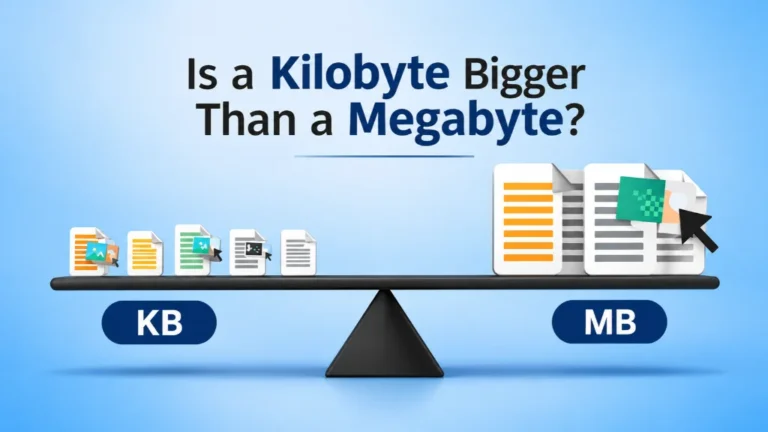
s a kilobyte bigger than a megabyte? No, it is not. A megabyte is much bigger. One megabyte (MB) holds about 1,000 kilobytes (KB). So if you see a file that says 900 KB and another that says 1 MB, the 1 MB file is the larger one.
It is an easy mix-up. Both words start with a prefix and end in “byte.” They look alike on your screen. But the gap between them is huge.
We work with file sizes every single day. At Clipping Area, we edit thousands of product photos for online stores. Clients often ask us why one image is 300 KB and another is 8 MB. They want to know which one is “too big” for their website. This guide answers that question and many more.
By the end, you will know exactly what KB and MB mean, how to convert between them, and how file size affects your photos, your website, and your sales.
Quick Answer: KB vs MB
Here is the short version if you are in a hurry.
- A megabyte is bigger than a kilobyte.
- 1 MB = 1,000 KB (decimal system, used by most storage makers)
- 1 MB = 1,024 KB (binary system, used by some computers)
- A kilobyte is about the size of a short text message or a small icon.
- A megabyte is about the size of a good quality photo or one minute of MP3 music.
Think of it like money. A kilobyte is a penny. A megabyte is a ten dollar bill. Both are money, but one is worth a lot more.
Start Small: What Is a Byte?
To understand KB and MB, we need to start with the smallest piece. That piece is called a bit.
A bit is a single 1 or 0. It is the basic language of every computer. On its own, one bit cannot do much.
When you group 8 bits together, you get a byte. One byte can store a single letter, like “A” or “z.” So the word “photo” takes about 5 bytes.
Every bigger unit, from kilobyte to terabyte, is just a larger pile of bytes.
What Is a Kilobyte (KB)?
A kilobyte is about 1,000 bytes. The word “kilo” means thousand, just like a kilometer is 1,000 meters.
Kilobytes are used for small files. Here are a few things that usually fit in a few kilobytes:
- A plain text email with no attachments (around 2 to 10 KB)
- A small website icon or favicon (1 to 5 KB)
- One page of plain text in a document (2 to 4 KB)
- A tiny thumbnail image (10 to 50 KB)
You will often see KB on web graphics, logos, and compressed product thumbnails.
What Is a Megabyte (MB)?
A megabyte is about 1,000,000 bytes, or 1,000 kilobytes. “Mega” means million.
Megabytes are used for medium files that hold a lot more detail. Common examples:
- A smartphone photo (2 to 6 MB)
- One minute of MP3 music (about 1 MB)
- A short PDF with images (1 to 5 MB)
- A high resolution product photo from a DSLR camera (8 to 25 MB as JPEG)
So when someone asks, “Is a kilobyte bigger than a megabyte?” the simple answer is that one megabyte can hold a thousand kilobytes inside it.
KB vs MB: Side by Side Comparison
| Feature | Kilobyte (KB) | Megabyte (MB) |
|---|---|---|
| Size in bytes (decimal) | 1,000 bytes | 1,000,000 bytes |
| Size in bytes (binary) | 1,024 bytes | 1,048,576 bytes |
| Which is bigger? | Smaller | About 1,000 times bigger |
| Prefix meaning | Kilo = thousand | Mega = million |
| Common uses | Text, icons, thumbnails | Photos, music, PDFs |
| Typical web image | 50 to 300 KB | Over 1 MB is often too heavy |
The Full Data Size Ladder
KB and MB are just two steps on a bigger ladder. Each step is about 1,000 times larger than the one before it.
| Unit | Short Form | Equal To (decimal) | Real Example |
|---|---|---|---|
| Bit | b | 1 or 0 | One on or off signal |
| Byte | B | 8 bits | One letter |
| Kilobyte | KB | 1,000 bytes | A short email |
| Megabyte | MB | 1,000 KB | A phone photo |
| Gigabyte | GB | 1,000 MB | A full HD movie |
| Terabyte | TB | 1,000 GB | A whole photo archive |
| Petabyte | PB | 1,000 TB | Data in a large data center |
Once you see the ladder, it is easy to remember. KB comes before MB, so it is always smaller.
Why Do Some People Say 1,024 and Others Say 1,000?
This part confuses a lot of people, so let us keep it simple.
Computers count in powers of 2. In that binary system, 2 to the power of 10 equals 1,024. So in binary, 1 KB = 1,024 bytes and 1 MB = 1,024 KB.
Humans count in powers of 10. In that decimal system, 1 KB = 1,000 bytes and 1 MB = 1,000 KB. Hard drive makers, phone makers, and internet providers mostly use this.
To clear things up, standards groups created new names for the binary units:
- KiB (kibibyte) = 1,024 bytes
- MiB (mebibyte) = 1,024 KiB
- GiB (gibibyte) = 1,024 MiB
This is why a new 500 GB drive may show about 465 GB on a Windows PC. Nothing is missing. Windows counts in binary while the box uses decimal. macOS has used decimal since 2009, so the numbers match on a Mac.
For daily use, the small gap rarely matters. Just remember: either way, a megabyte is about a thousand times bigger than a kilobyte.
How to Convert KB to MB (and MB to KB)
You do not need a calculator app for this. The math is simple.
KB to MB: Divide by 1,000.
- 500 KB ÷ 1,000 = 0.5 MB
- 2,500 KB ÷ 1,000 = 2.5 MB
MB to KB: Multiply by 1,000.
- 3 MB × 1,000 = 3,000 KB
- 0.2 MB × 1,000 = 200 KB
If you need the exact binary number, use 1,024 instead of 1,000. For example, 2 MB × 1,024 = 2,048 KB.
Quick Conversion Chart
| Kilobytes (KB) | Megabytes (MB), decimal | Megabytes (MB), binary |
|---|---|---|
| 100 KB | 0.1 MB | 0.098 MB |
| 250 KB | 0.25 MB | 0.244 MB |
| 500 KB | 0.5 MB | 0.488 MB |
| 1,000 KB | 1 MB | 0.977 MB |
| 1,024 KB | 1.024 MB | 1 MB |
| 5,000 KB | 5 MB | 4.88 MB |
| 10,000 KB | 10 MB | 9.77 MB |
Common Questions People Ask
Is 500 KB bigger than 1 MB? No. 500 KB is only half of 1 MB.
Is 900 KB bigger than 1 MB? No. It is close, but 1 MB is still bigger.
Is 2,000 KB bigger than 1 MB? Yes. 2,000 KB equals 2 MB, which is double.
A handy trick: if the KB number has four digits or more, it is probably 1 MB or above.
Real Life Examples: What Fits in KB vs MB?
Numbers make more sense when you can picture them. Here is how common files usually compare.
| File Type | Typical Size | Unit |
|---|---|---|
| Plain text email | 5 KB | KB |
| Website logo (PNG or SVG) | 10 to 80 KB | KB |
| Optimized product image for web | 80 to 250 KB | KB |
| Smartphone photo (JPEG) | 3 to 5 MB | MB |
| Edited product photo, full resolution | 5 to 20 MB | MB |
| Layered PSD file with clipping paths | 50 to 300 MB | MB |
| RAW camera photo | 25 to 60 MB | MB |
| One minute of 4K video | 300 to 400 MB | MB |
See the pattern? Text and web graphics stay in KB. Photos, edits, and video jump into MB fast.
Why KB vs MB Matters for Your Photos
If you sell online or run a website, file size is not just a tech detail. It affects money.
Page speed and sales
Big images slow your pages down. Google’s research has found that as mobile load time goes from 1 second to 3 seconds, the chance of a visitor leaving goes up by about 32 percent. Images are usually the heaviest part of any web page. A single 6 MB hero photo can do more damage than all your text and code combined.
SEO and Core Web Vitals
Google uses page experience signals, like Largest Contentful Paint (LCP), as part of how it ranks pages. LCP is often your main image. If that image is heavy, your LCP score suffers. A lighter image helps you rank and helps buyers stay.
Marketplace rules
Online marketplaces have their own limits. Amazon, for example, accepts product images up to 10 MB and recommends at least 1,000 pixels on the longest side so zoom works. Shopify allows images up to 20 MB and suggests 2048 x 2048 pixels for square product photos. Your files need to be big enough to look sharp, but light enough to load quickly.
What is a good image size for a website?
Here is a simple guide we follow for client work:
| Image Use | Target File Size | Suggested Width |
|---|---|---|
| Thumbnails | 20 to 60 KB | 300 to 500 px |
| Product gallery images | 100 to 300 KB | 1200 to 2000 px |
| Blog images | 80 to 200 KB | 1200 px |
| Full width hero banners | 200 to 500 KB | 1920 to 2560 px |
| Print or archive masters | 5 to 50 MB | Full resolution |
The rule of thumb: for the web, stay in KB. Keep MB files for printing, archives, and editing masters.
Clipping Area: Premium Post Production for Photos That Look Great and Load Fast
Knowing KB vs MB is step one. Getting product photos that look perfect and stay light is step two. That is where we come in.
Clipping Area is a premium post production and photo retouching agency based in Dhaka, Bangladesh. Since 2014, we have helped ecommerce brands, fashion labels, photographers, and real estate agencies around the world turn raw shots into clean, sales ready images.
We are a complete image editing solution provider. Our team handles:
- Clipping Path: Hand drawn paths for sharp, accurate cutouts of any product.
- Background Removal: Clean white, transparent, or custom backgrounds that meet Amazon and Shopify rules.
- Image Masking: Detailed masking for hair, fur, lace, and soft edges that a simple path cannot handle.
- Ghost Mannequin: Invisible mannequin effect that shows the true fit and shape of clothing.
- Ecommerce Image Editing: Full listing ready edits, including cropping, alignment, shadows, and resizing to marketplace specs.
- Real Estate Photo Editing: HDR blending, sky replacement, virtual staging, and window pulls.
- Jewelry Retouching: Dust removal, metal polishing, stone sparkle, and true color for rings, necklaces, and watches.
- Product Retouching: Removing scratches, labels, and flaws so every item looks its best.
- Color Correction: Matching product colors to real life so returns go down and trust goes up.
- Shadow Creation, Photo Restoration, Video Editing, 3D Rendering, and AI creative services.
How we handle file size for you
Every image we deliver is exported with its final use in mind. We send:
- Web ready files sized in KB, compressed without visible quality loss, for fast pages and better Core Web Vitals.
- Marketplace files that match each platform’s pixel and MB limits.
- High resolution masters in MB, with layered PSD or TIFF files when you need them for print or future edits.
You get the right file for the right job, without guessing.
Why brands choose Clipping Area
- Over a decade of hands on experience in photo editing
- Skilled team of retouchers working on every image by hand
- Fast turnaround, with rush delivery options
- Bulk pricing for large catalogs
- Free trial so you can check our quality first
- Secure file handling and unlimited revisions until you are happy
Ready to see the difference? Send us a few images for a free trial at clippingarea.com and get back photos that look premium and load fast.
How to Reduce Image Size From MB to KB (Without Losing Quality)
Got a 5 MB photo that needs to be under 300 KB? Here is what works.
- Resize the dimensions first. A 6000 px wide photo is far bigger than any screen needs. Cut it down to 1200 to 2000 px for the web. This alone can drop the size by 80 percent or more.
- Pick the right format. Use JPEG for photos, PNG for graphics that need transparency, and WebP or AVIF for the smallest modern web files.
- Compress smartly. A JPEG quality setting of 70 to 85 percent usually looks the same to the eye but saves a lot of space.
- Remove extra data. Cameras save hidden info like location and camera settings (EXIF data). Stripping it trims a few more KB.
- Clean the background. A plain white or transparent background compresses much better than a busy one. This is one big reason pro background removal helps page speed.
- Use lazy loading. Let images below the fold load only when the visitor scrolls down.
Common Mistakes to Avoid
- Mixing up MB and Mb. A capital B means byte. A small b means bit. Internet speed is shown in megabits per second (Mbps), so a 100 Mbps connection downloads about 12.5 MB per second, not 100.
- Uploading straight from the camera. Raw camera files are huge. Always resize and compress before you upload.
- Over compressing. Going too low on quality causes blurry edges and blocky colors. Your product will look cheap.
- Thinking KB is bigger because the number is larger. 800 KB has a bigger number than 1 MB, but 1 MB is still the larger file.
Frequently Asked Questions (FAQs)
Is a kilobyte bigger than a megabyte?
No. A megabyte is bigger. One megabyte equals 1,000 kilobytes in the decimal system, or 1,024 kilobytes in the binary system.
Which is bigger, KB or MB?
MB is bigger. KB is the smaller unit and sits one step below MB on the data size ladder.
How many KB are in 1 MB?
There are 1,000 KB in 1 MB in decimal terms. In binary terms, used by Windows, there are 1,024 KB in 1 MB.
Is 1 MB bigger than 1 GB?
No. A gigabyte is bigger. 1 GB equals 1,000 MB.
How many photos can fit in 1 GB?
It depends on the photo size. With 4 MB phone photos, you can store about 250 photos in 1 GB. With web optimized 200 KB images, you can fit around 5,000.
What is the best file size for an ecommerce product image?
For website galleries, aim for 100 to 300 KB at 1200 to 2000 px wide. For marketplaces like Amazon, upload a larger, sharp master that still stays under the platform limit.
Why does my computer show less storage than the box says?
The box uses decimal counting (1,000), while Windows uses binary counting (1,024). The storage is all there. It is just measured in a different way.
Does reducing file size lower photo quality?
Not if done right. Smart resizing and moderate compression keep photos looking sharp while cutting the size from MB down to KB.
Conclusion
So, is a kilobyte bigger than a megabyte? Now you know the answer is no. A megabyte is about a thousand times bigger. KB is great for small, fast web files. MB is where your high quality photos, edits, and masters live.
Understanding KB vs MB helps you build faster websites, rank better on Google, and follow marketplace rules. Most of all, it helps your products look great without making buyers wait.
If you want images that are both beautiful and lightweight, let the team at Clipping Area handle it. From clipping path and background removal to ghost mannequin, jewelry retouching, and color correction, we deliver every file in the right size for the right job. Start your free trial today.