Looking for creative fun photography tutorials that actually make you a better shooter? You are in the right place. This guide gives you 50 hands-on lessons you can try this week, with any camera, even a phone.
We split the list into five easy groups: camera skills, composition, lighting, editing, and photography genres. Each tutorial tells you what the skill is, why it matters, and how to try it in a few simple steps.
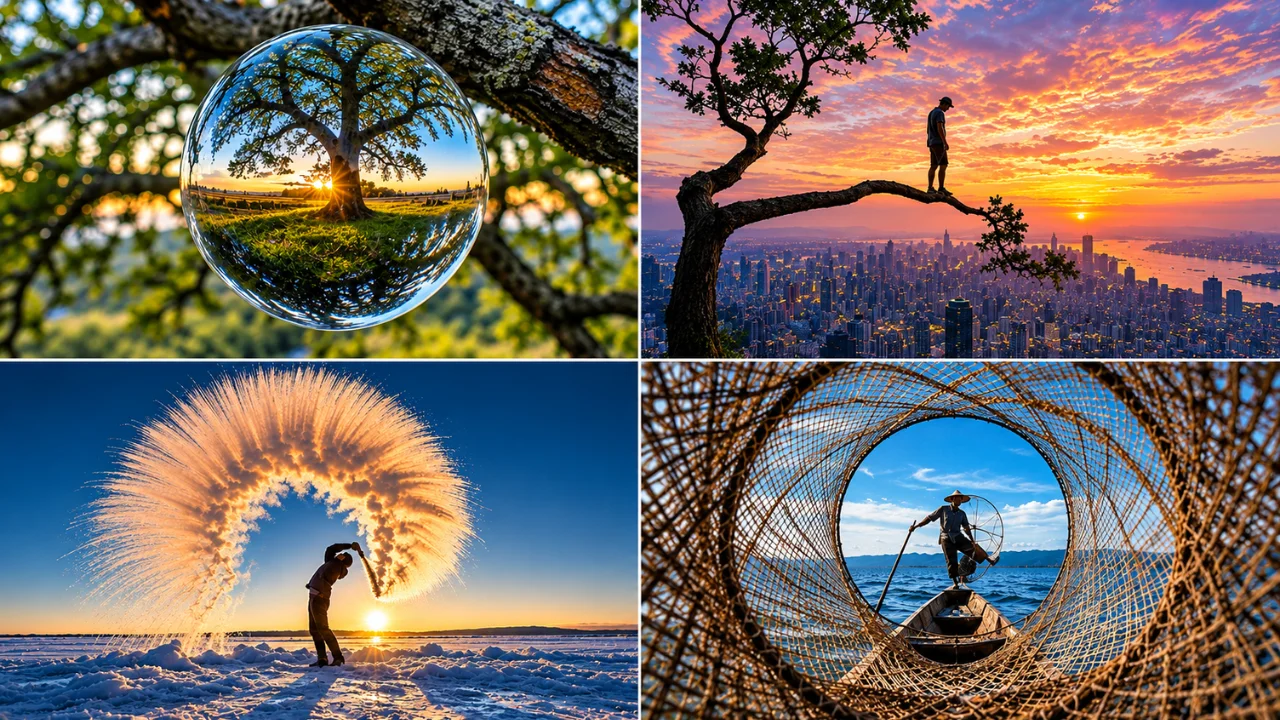
You do not need fancy gear. You need curiosity, a bit of light, and the will to take a lot of bad photos before the good ones show up. That is how every great photographer learned.
This guide is written by the team at Clipping Area. We have edited photos for brands, studios and photographers since 2014. So we see what works in real images every day, and what gets fixed in post. That inside view shapes every tip below.
Quick Answer: What Are the Best Creative Fun Photography Tutorials in 2027?
The best creative fun photography tutorials in 2027 are short, practical projects you can finish in one session. Top picks include shallow depth of field, light painting, the rule of thirds, Rembrandt lighting, high-speed splash shots, double exposure, and product photography at home. Start with camera basics, then add composition, light, and editing one step at a time.
Key Takeaways
- You can learn most of these tutorials in under one hour each.
- Light matters more than gear. Learn light first.
- Composition rules are a starting point, not a cage.
- Editing is half of the final image, so practice it too.
- Pick one tutorial per week and you will see real growth in a year.
How to Use This List
Do not try all 50 at once. That is the fastest way to burn out.
- Pick one group that matches your current goal.
- Choose one tutorial from that group.
- Shoot at least 30 frames practicing only that skill.
- Pick your best three and study what made them work.
- Move on to the next tutorial the following week.
Keep a simple notebook or phone note. Write the settings, the light, and what you learned. In three months, you will have your own personal photography course built from real practice.
Part 1: Camera Tutorials (1 to 10)
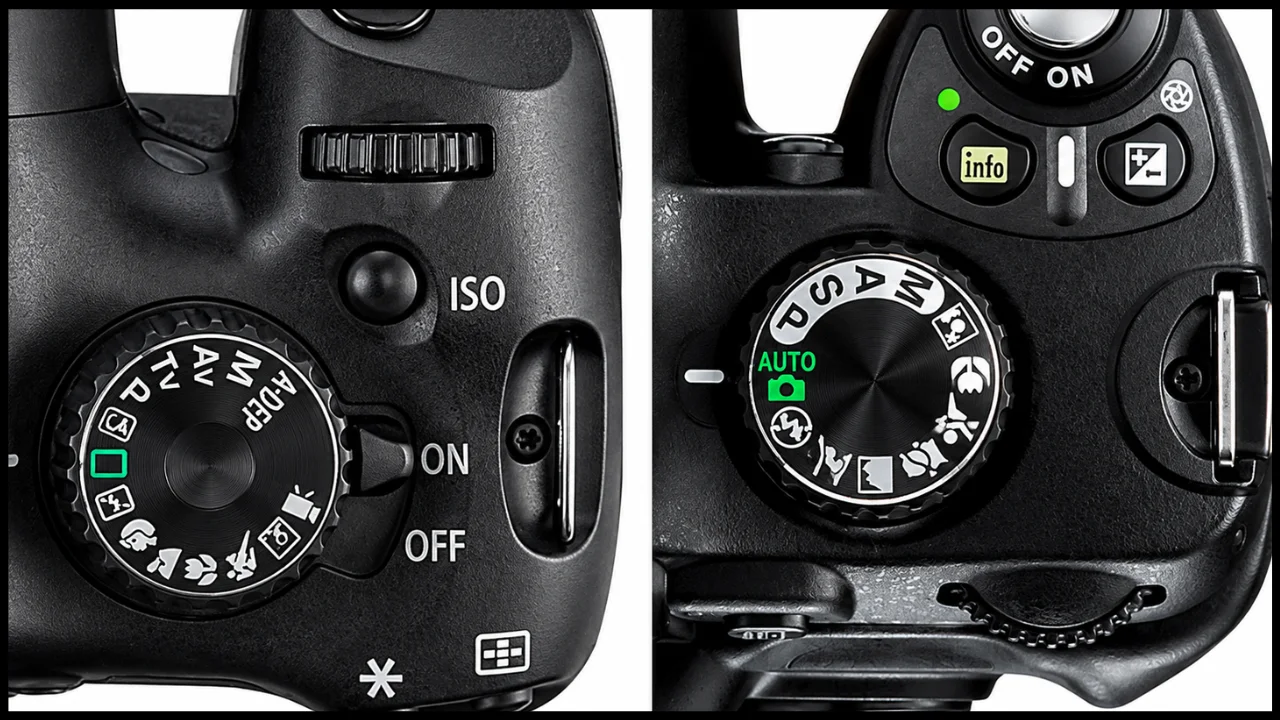
Your camera is the best place to start. Even if you have owned it for years, there are likely settings you have never touched. Learning them opens new creative doors fast.
1. Understand the Exposure Triangle
Every photo is built from three settings: aperture, shutter speed, and ISO. Aperture controls how much light comes in and how blurry the background gets. Shutter speed controls motion. ISO controls how sensitive the sensor is to light.
Try this: Set your camera to manual. Take the same photo five times, changing only one setting each time. Watch how the image changes. This one exercise teaches more than ten articles.
2. Master Aperture Priority Mode
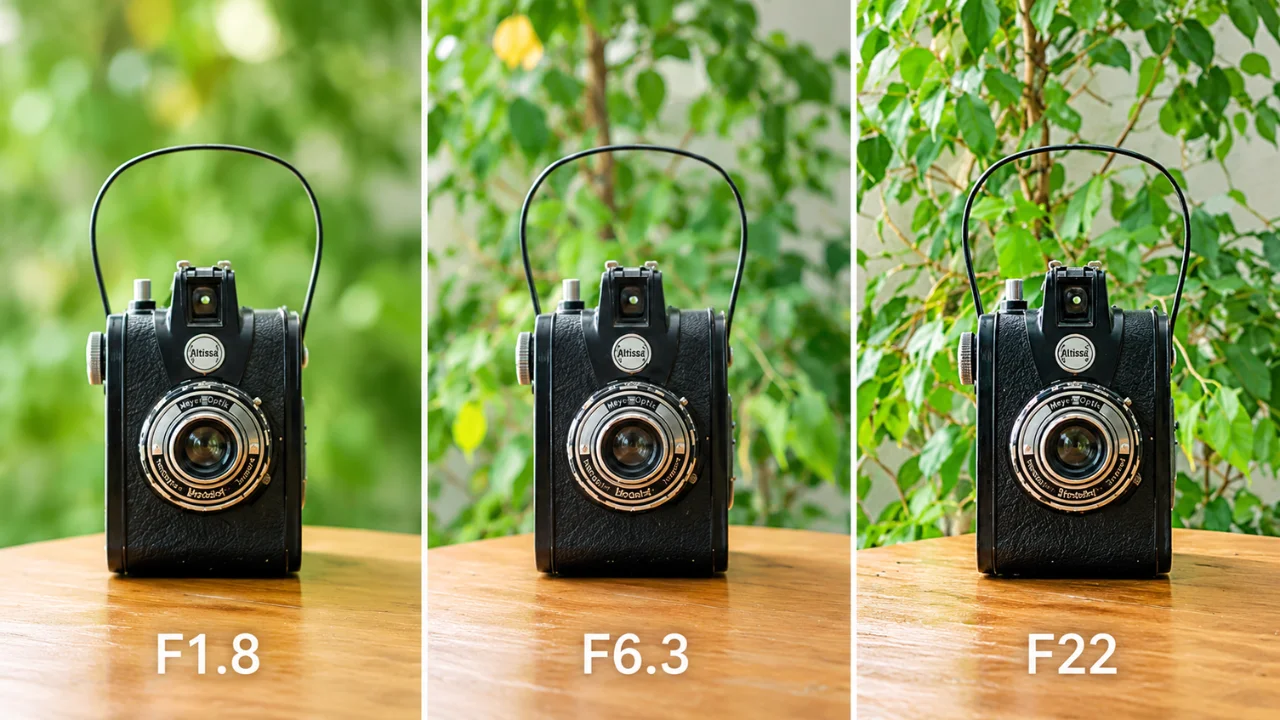
Aperture priority (A or Av) lets you pick the aperture while the camera picks the shutter speed. It is the favorite mode of many working pros because it is fast and reliable.
Try this: Shoot a flower at f/2.8, f/8, and f/16. Compare how much of the background stays sharp. You will quickly learn which aperture fits which mood.
3. Freeze and Blur Motion With Shutter Priority
Shutter priority (S or Tv) puts you in charge of motion. Fast speeds like 1/1000 s freeze action. Slow speeds like 1/15 s create soft motion blur.
Try this: Photograph moving water or cars. Shoot one at 1/1000 s and one at 1/4 s on a steady surface. You will get two totally different stories from the same scene.
4. Create a Dreamy Shallow Depth of Field
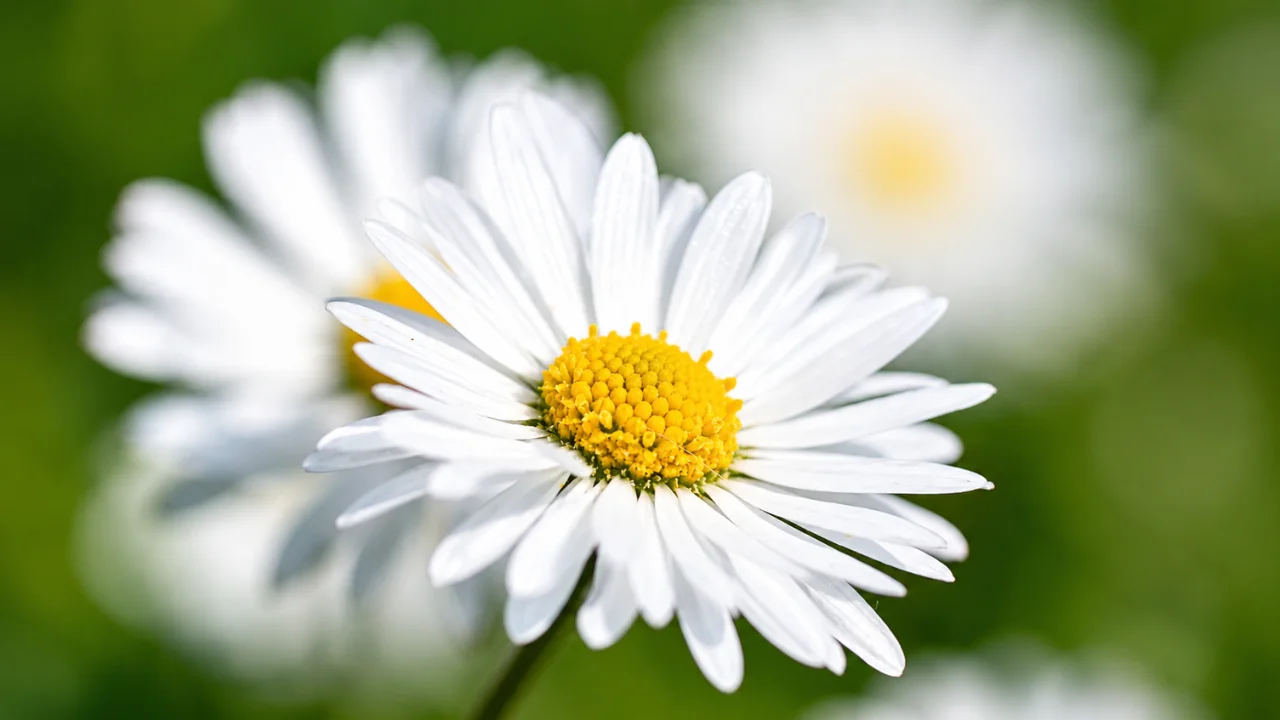
Shallow depth of field means only a thin slice of the image is sharp. The rest melts into a soft blur. It makes subjects pop and hides messy backgrounds.
Try this: Use your widest aperture, like f/1.8. Get close to your subject and keep the background far away. The bigger that gap, the softer the blur.
5. Use Burst Mode for Action
Burst mode, also called continuous shooting, takes many photos per second. It is perfect for kids, pets, sports, and anything you cannot predict.
Try this: Switch to continuous drive and continuous autofocus (AF-C or AI Servo). Hold the shutter while your dog runs toward you. Pick the one frame where everything lines up.
6. Try Focus Peaking for Manual Focus
Focus peaking shows a bright colored outline on the sharpest parts of your frame. It makes manual focus quick and accurate, especially with vintage lenses.
Try this: Turn on peaking in your menu. Set the color to red or yellow. Focus by hand on a small object and watch the outline jump to life when it is sharp.
7. Use Focus Lock for Off-Center Subjects
Focus lock helps when your subject is not in the center. You focus first, then reframe.
Try this: Aim at your subject, half-press the shutter to lock focus, then slide the camera to your final framing. Press fully to shoot. Do not lean forward or back after locking, or focus will slip.
8. Shoot in RAW, Not Just JPEG
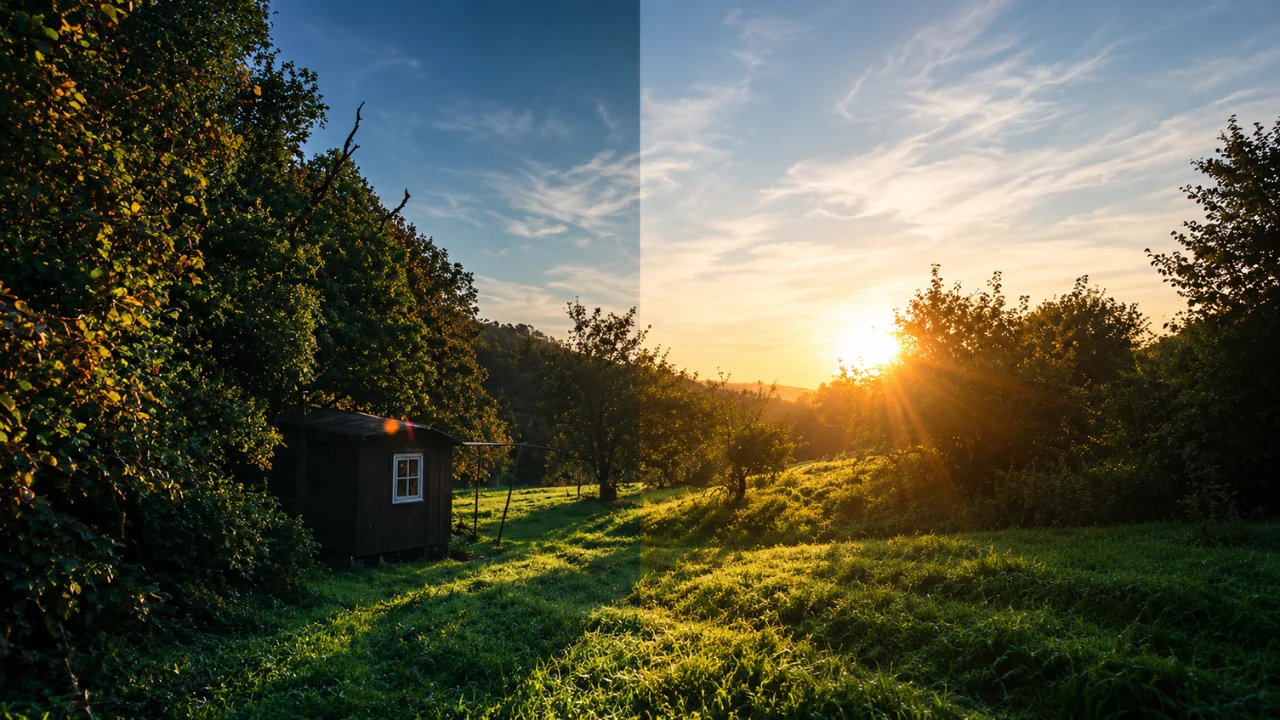
RAW files hold far more detail than JPEGs. You can rescue dark shadows, bright skies, and odd white balance later. JPEG throws much of that data away.
Try this: Set your camera to RAW plus JPEG for one week. Edit the same photo from both files. You will see why most pros never go back.
9. Read Your Histogram
The histogram is a small graph of brightness in your photo. Left is dark, right is bright. It is more honest than your camera screen, which can fool you in bright sun.
Try this: Take a photo, then check the histogram. If the graph is crushed against the right edge, highlights are blown. Lower your exposure and try again.
10. Long Exposure Photography
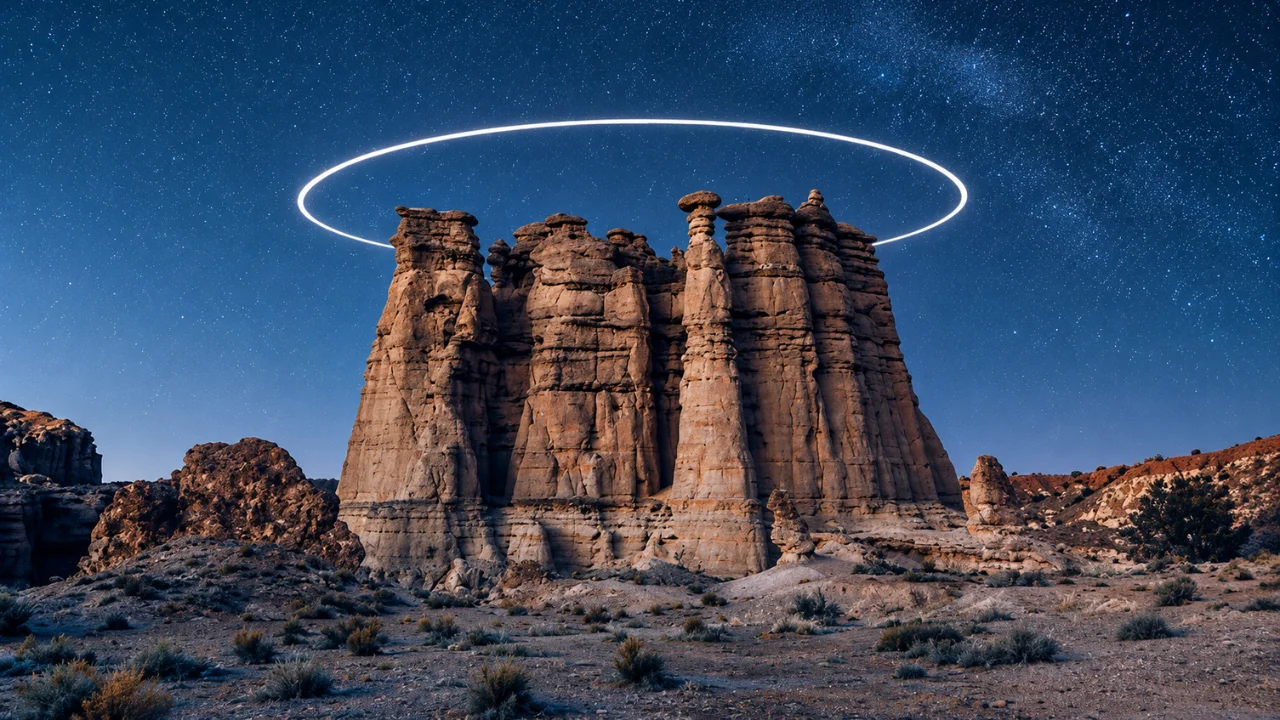
Long exposure uses a slow shutter, from one second to several minutes. Clouds turn into streaks. Water turns into silk. City lights become glowing lines.
Try this: Put your camera on a tripod. Use a low ISO and a small aperture like f/11. Set the shutter to 10 seconds at dusk near a busy road. For daytime long exposures, add an ND filter to cut the light.
Part 2: Composition and Color Tutorials (11 to 22)
Composition is how you arrange things in the frame. Good composition guides the eye. Bad composition makes people scroll past. The good news is that composition is a learned skill, not a gift.
Learn the rules below first. Then break them on purpose once you know why they work.
11. The Rule of Thirds
Imagine two lines across your frame and two lines down. That gives you nine boxes and four crossing points. Place your subject on one of those points instead of the dead center.
Try this: Turn on the grid in your camera or phone. Shoot 20 photos where the subject sits on a crossing point. For landscapes, put the horizon on the top or bottom line, never the middle.
12. Leading Lines
Leading lines are roads, rails, fences, rivers, or shadows that pull the viewer into the photo. They work like arrows pointing at your subject.
Try this: Find a long path or staircase. Get low and let the line start near a corner of your frame. Place a person at the end of it.
13. The Rule of Space
Give your subject room to move or look into. If a runner faces right, leave empty space on the right. It feels natural and adds story.
Try this: Photograph a friend walking. Shoot once with space in front of them and once with space behind. Notice how the second one feels tense and odd.
14. The Golden Triangle
Draw a line from one corner to the opposite corner. Then draw short lines from the other two corners that meet it at right angles. Place key elements along these lines and crossing points.
Try this: Use this for reclining portraits, sloping hills, or a road cutting across the frame. Diagonals add energy that straight lines cannot.
15. The Golden Ratio and Fibonacci Spiral
The golden ratio (about 1:1.618) shows up in shells, flowers, and waves. In photography, you place your subject at the tight end of a spiral and let other elements follow the curve.
Try this: Many editing apps have a golden spiral crop overlay. Crop five of your old photos with it and see which look stronger.
16. Framing Within a Frame
Use doorways, windows, arches, branches, or even hands to frame your subject. It adds depth and focus.
Try this: Walk around your home. Shoot a family member through a doorway, a window, and a gap in curtains. Pick the frame that feels most intimate.
17. Symmetry and Reflections
Symmetry feels calm and powerful. Reflections in puddles, glass, and lakes double your subject and create instant art.
Try this: After rain, get your camera very low over a puddle. Shoot a building reflected in it. Flip the image upside down later for a fun surreal look.
18. Minimalism and Negative Space
Less is often more. A small subject in a big empty space can feel bold and emotional.
Try this: Find a plain wall, sky, or sea. Place one small subject in a corner. Fill the rest with nothing. Keep the colors simple.
19. Forced Perspective
Forced perspective plays with size and distance. It is how people “hold” the moon or “pinch” a tower.
Try this: Place a friend far away and a toy close to the lens. Use a small aperture like f/11 so both stay sharp. Line them up until the illusion clicks.
20. Color Contrast With Complementary Colors
Colors opposite on the color wheel, like orange and blue or red and green, create strong contrast. Orange and blue is a favorite because it flatters skin.
Try this: Shoot a person in a warm jacket against a blue sky or blue wall. Or shoot at blue hour with warm street lights.
21. Analogous Colors for Calm Images
Analogous colors sit next to each other on the wheel, like yellow, orange, and red. They feel soft and harmonious.
Try this: Shoot autumn leaves, a sunset, or a plate of citrus fruit. Keep any clashing colors out of the frame.
22. Color Temperature and White Balance
Light has a color. Candles are warm orange. Shade is cool blue. White balance tells your camera what “white” should look like.
Try this: Shoot the same scene with Daylight, Tungsten, and Shade presets. Compare the moods. Then try setting a custom Kelvin value, like 3200K for warm indoor light or 5600K for daylight.
Part 3: Lighting Tutorials (23 to 32)
Photography literally means “drawing with light.” Change the light and you change everything: mood, shape, color, and story. These lighting tutorials go from free window light to full studio setups.
23. Window Light Portraits
A big window is one of the best free light sources in the world. It is soft, flattering, and easy to control.
Try this: Place your subject at a 45-degree angle to a window on a cloudy day. Shoot from the room side. Hang a thin white sheet over the window if the sun is too harsh.
24. Golden Hour and Blue Hour
Golden hour is the hour after sunrise and before sunset. Light is warm and low. Blue hour comes just after sunset, when the sky turns deep blue.
Try this: Use a weather app to find sunset time. Arrive 60 minutes early. Shoot portraits in golden hour, then switch to city or landscape shots in blue hour.
25. Backlighting and Rim Light
Backlight means the light is behind your subject. It creates glowing hair, rim light, and dreamy flare.
Try this: Put the sun behind your subject’s head. Use spot metering on their face, or add a reflector to bounce light back. Try shooting a silhouette by exposing for the sky instead.
26. Silhouette Photography
Silhouettes turn subjects into dark shapes against a bright sky. They are simple, strong, and full of emotion.
Try this: Shoot at sunset. Expose for the bright sky so the subject goes black. Ask your subject to turn sideways so their outline is clear.
27. Bounce Flash
Direct on-camera flash looks flat and harsh. Bouncing it off a wall or ceiling turns it into soft, natural light.
Try this: Point your flash head at a white ceiling behind you. Compare it with a direct flash shot. The difference will surprise you.
28. Off-Camera Flash
Taking the flash off the camera gives you full control over direction. You can sculpt light like a painter.
Try this: Use a cheap wireless trigger. Place the flash on a stand to the side of your subject. Add an umbrella or softbox. Move it until the shadows look right.
29. The Three-Point Lighting Setup
This classic setup uses a key light (main), fill light (softens shadows), and back light (separates the subject from the background). It works for portraits, products, and video.
Try this: Start with only the key light. Add the fill on the other side at half power. Then add the back light behind the subject. Take a photo after each step to see what each light does.
30. Rembrandt Lighting
Named after the Dutch painter, this look creates a small triangle of light under the eye on the shadow side of the face. It feels dramatic and timeless.
Try this: Place one light at about 45 degrees to the side and slightly above the face. Angle it down. Adjust until the small triangle appears on the cheek. Use a dark backdrop.
31. Light Painting
Light painting is one of the most fun photography tutorials you can try. You leave the shutter open in the dark and draw with a flashlight, LED, or sparkler.
Try this: Put your camera on a tripod in a dark room. Set ISO 100, f/8, and a 20-second exposure. Press the shutter, then draw shapes or write your name with a phone light.
32. Slow Sync Flash
Slow sync mixes a slow shutter with a flash burst. You get a sharp subject plus colorful light trails behind them.
Try this: At night, set 1/8 s and rear-curtain sync. Photograph a friend near city lights. Move the camera a little during the exposure for creative streaks.
Part 4: Photo Editing Tutorials (33 to 40)
Shooting is only half the job. Editing is where a good photo becomes a great one. These photo editing tutorials cover the tools and skills that matter most in 2027.
33. Lightroom Basics: The Five-Slider Edit
Lightroom is the most popular editor for photographers. You can fix most photos with just five sliders: Exposure, Contrast, Highlights, Shadows, and White Balance.
Try this: Open one photo. Lower Highlights, lift Shadows, then set Exposure until the subject looks right. Adjust Temp and Tint last. Save it as your first preset.
34. Masking and Local Adjustments
Modern editors let you select the sky, subject, or background with one click. You can then brighten a face or darken a sky without touching the rest.
Try this: In Lightroom or Capture One, use Select Subject. Raise exposure on the person by +0.3. Then select the sky and add a little blue saturation.
35. Photoshop Layers and Layer Masks
Layers are the heart of Photoshop. A layer mask lets you hide or show parts of a layer without deleting anything. It is safe, flexible editing.
Try this: Duplicate your photo layer. Make it black and white. Add a mask and paint black over one red object. You now have a classic color-pop image.
36. Clean Background Removal
Removing a background is a key skill for product sellers, designers, and social media creators. Quick AI tools are fine for simple shapes, but hair, fur, and glass need careful work.
Try this: Use the Pen Tool in Photoshop to trace a simple product like a mug. Turn the path into a selection and place the mug on pure white. Zoom to 200% and check every edge.
37. Skin Retouching the Natural Way
Good retouching keeps skin texture. Over-smoothed “plastic” skin is the most common editing mistake we see.
Try this: Use the Spot Healing Brush only on temporary marks like spots. Then try frequency separation or a soft dodge and burn layer to even out tone. Zoom out often.
38. Color Grading for Mood
Color grading gives your photos a signature look. Think teal shadows and warm highlights for a cinematic feel.
Try this: In the Color Grading panel, push shadows slightly toward teal and highlights toward orange. Keep saturation low. Small changes look more professional.
39. Double Exposure Art
Double exposure blends two images into one. A classic version mixes a portrait silhouette with trees or a city skyline.
Try this: Place a landscape over a portrait in Photoshop. Set the blend mode to Screen or Lighten. Use a layer mask to clean the edges.
40. Mobile Editing With Snapseed and Lightroom Mobile
You can do serious edits on your phone. Snapseed is free and powerful. Lightroom Mobile syncs with desktop.
Try this: Use Snapseed’s Selective tool to brighten a face. Then use Healing to remove a small distraction. Export at full size.
When to Hand Off Editing: Clipping Area, Your Premium Post-Production Partner
Practicing editing is fun. But when you have 500 product photos due Friday, fun turns into stress fast. That is where a professional photo editing team saves you.
Clipping Area is a premium post-production and photo retouching agency, working with clients worldwide since 2014. We give photographers, ecommerce brands, fashion labels, and real estate agencies a complete image editing solution under one roof.
Our Core Image Editing Services
- Clipping Path: Hand-drawn Pen Tool paths for sharp, clean product cutouts.
- Background Removal: Pure white, transparent, or custom backgrounds for Amazon, Shopify, and more.
- Image Masking: Detailed masking for hair, fur, smoke, lace, and transparent items.
- Ghost Mannequin: Invisible mannequin edits that give apparel a clean 3D shape.
- Ecommerce Image Editing: Consistent, marketplace-ready product images at scale.
- Real Estate Photo Editing: HDR blending, sky replacement, window pulls, and virtual staging.
- Jewelry Retouching: Dust removal, metal polish, and sparkling gemstone enhancement.
- Product Retouching: Scratch, dust, and reflection cleanup for flawless products.
- Color Correction: Accurate color matching so products look the same online as in real life.
- Shadow Creation: Natural, drop, and reflection shadows for depth.
- Photo Retouching: Portrait, beauty, and fashion retouching that keeps natural texture.
- Video Editing, 3D Rendering, and AI Creative Services: For brands that need more than stills.
Why Photographers and Brands Choose Clipping Area
- Over a decade of hands-on editing experience.
- Fast turnaround, including rush options for urgent batches.
- Human editors checking every image, not just automated tools.
- Bulk pricing for large ecommerce catalogs.
- Free trial so you can test quality before you commit.
Think of it this way: learn the skills in this guide so you understand great editing. Then let a trusted team handle the volume, so you can spend your time behind the camera. Visit clippingarea.com to try a free sample edit.
Part 5: Photography Tutorials by Genre (41 to 50)
Every genre has its own tricks. Street shooters need speed. Product shooters need control. Wildlife shooters need patience. Try a few genres to find the one that lights you up.
41. Product Photography at Home
Product photography is one of the most useful skills you can learn. Online stores live or die by their images.
Try this: Build a simple light tent with a white box and baking paper. Place one light on each side. Shoot at f/8 for full sharpness. Use a tripod and keep the camera at the same height for every product.
42. Flat Lay Photography
Flat lays are shot straight down from above. They are perfect for food, fashion, beauty, and desk setups.
Try this: Lay a plain board on the floor near a window. Arrange five items with space between them. Stand on a chair and shoot straight down. Keep your camera level.
43. Food Photography
Good food photos make people hungry. Soft side light, fresh ingredients, and a clean background do most of the work.
Try this: Use window light from behind or the side of the plate. Shoot from 45 degrees for drinks and burgers, and from above for pizza and bowls. Add a little steam or a sprinkle of herbs for life.
44. High-Speed Water Splash Photography
This is pure fun. A fast flash freezes water drops in the air like glass sculptures.
Try this: Fill a glass tank with water. Set a flash on low power behind a diffuser. Drop a strawberry in and shoot in burst mode. Low flash power means a shorter, sharper burst of light.
45. Portrait Photography
Portraits are about connection, not just faces. A relaxed subject always beats perfect lighting.
Try this: Use an 85mm or 50mm lens at f/2. Focus on the eye closest to you. Talk to your subject the whole time. Ask them to look away, then back at you, and shoot the moment they turn.
46. Corporate Headshots
Headshots are a steady income source for photographers. Clients often need many people photographed in one session.
Try this: Set up a plain gray backdrop and one softbox at 45 degrees. Add a white reflector on the other side. Keep the same settings for everyone so the team photos match.
47. Street Photography
Street photography captures real life in public places. It rewards patience and a good eye for light and shadow.
Try this: Find a spot with strong light and an interesting background. Wait for someone to walk into the scene. Use zone focus at f/8 so you can shoot fast without thinking about focus.
48. Wildlife and Backyard Bird Photography
You do not need a safari to practice wildlife photography. Your backyard or local park works fine.
Try this: Set up a bird feeder near a window. Use your longest lens and a shutter speed of at least 1/1000 s. Sit still and let the birds get used to you.
49. Real Estate and Interior Photography
Good real estate photos sell homes faster. Bright rooms, straight lines, and true colors are the goals.
Try this: Use a wide lens around 16mm to 24mm on a tripod. Keep vertical lines straight by holding the camera level. Shoot three bracketed exposures and blend them later for an HDR look.
50. Smartphone Photography
The best camera is the one you have with you. Modern phones shoot RAW, portrait mode, and great night photos.
Try this: Clean your lens first. Tap to focus, then slide your finger to lower the exposure a bit. Turn on the grid. Try the Pro or Manual mode to control shutter speed and ISO.
Which Tutorial Should You Start With?
Not sure where to begin? Match your goal to a starting point below.
| Your goal | Start with | Why it helps |
|---|---|---|
| Total beginner | 1, 2, 11 | Builds the base for every other skill |
| Better portraits | 4, 23, 30, 45 | Soft light and blur flatter people |
| Selling products online | 22, 36, 41, 42 | Clean, true-color images convert better |
| Creative art and fun | 19, 31, 39, 44 | Fast results that impress friends |
| Travel and landscapes | 10, 12, 24 | Light and lines make places come alive |
| Phone only | 11, 23, 40, 50 | No extra gear needed |
| Real estate work | 9, 29, 49 | Bright, straight, accurate rooms |
A Simple 12-Week Practice Plan
Consistency beats talent. Here is an easy plan that takes about two hours per week.
- Weeks 1 to 2: Exposure triangle, aperture priority, and shutter priority (tutorials 1 to 3).
- Weeks 3 to 4: Depth of field, RAW, and the histogram (4, 8, 9).
- Weeks 5 to 6: Rule of thirds, leading lines, and framing (11, 12, 16).
- Weeks 7 to 8: Window light, golden hour, and backlight (23 to 25).
- Weeks 9 to 10: Lightroom basics, masking, and color grading (33, 34, 38).
- Weeks 11 to 12: Pick one genre and do a mini project of 20 finished images.
At the end, put your best 12 images side by side with your photos from before you started. The jump will motivate you to keep going.
Basic Gear You Actually Need
You can do most of these creative fun photography tutorials with very little gear. Here is a realistic starter kit.
- Any camera: A phone, an older DSLR, or a mirrorless camera all work.
- A 50mm f/1.8 lens: Cheap, sharp, and great for portraits and blur.
- A tripod: Needed for long exposure, light painting, and product shots.
- A reflector: A white foam board works just as well as a store-bought one.
- One speedlight: Opens up bounce flash, off-camera flash, and splash photography.
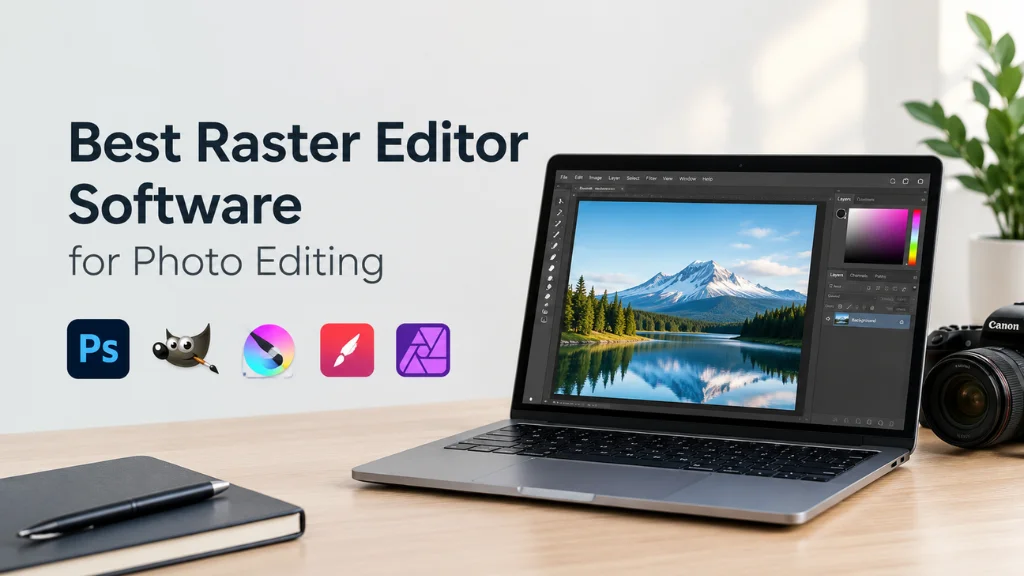
- Editing software: Lightroom, Capture One, GIMP, or Snapseed.
Buy gear only when a skill demands it. A new lens will not fix weak composition, but practice will.
10 Common Mistakes Beginners Make (and How to Fix Them)
After editing millions of images for clients, our team sees the same problems again and again. Avoid these and your photos will instantly look more professional.
- Centering everything. Use the rule of thirds or the rule of space instead.
- Shooting in harsh midday sun. Find shade or wait for golden hour.
- Crooked horizons. Turn on your grid and level the camera.
- Too high ISO. Use a tripod or wider aperture before raising ISO.
- Missed focus on the eyes. Use single-point AF and place it on the nearest eye.
- Messy backgrounds. Move your feet, open your aperture, or change your angle.
- Overediting. Push sliders, then pull them back by about 30%.
- Plastic skin. Keep texture. Remove marks, not pores.
- Wrong white balance. Check skin tones and whites, especially indoors.
- Not shooting enough. Take more photos. Volume builds instinct.
How Professionals Keep Learning
Even pros with 20 years behind the camera still study. Here is how they stay sharp.
- They study great photos. Not just likes, but why a photo works. Light, color, framing.
- They copy, then create. Recreating a famous lighting setup teaches more than reading about it.
- They shoot personal projects. Paid work pays the bills. Personal work builds style.
- They get feedback. Join a local club or online critique group and ask for honest notes.
- They outsource smartly. Busy pros send bulk editing to a trusted post-production team and focus on shooting and clients.
Frequently Asked Questions
What are the most fun photography tutorials for beginners?
The most fun photography tutorials for beginners are light painting, forced perspective, shallow depth of field, reflections in puddles, and flat lays. They need little gear and give fast, exciting results. They also teach core skills like exposure and composition without feeling like homework.
Can I learn photography with just a smartphone?
Yes. Modern phones handle composition, lighting, portrait blur, and night shots very well. Many of the tutorials in this guide, like the rule of thirds, window light, and mobile editing, work perfectly on a phone. Move to a dedicated camera only when you feel limited.
How long does it take to get good at photography?
Most people see a big improvement within three to six months of regular practice. If you shoot a few times per week and study your results, you can build solid skills in about a year. Mastery takes longer, but progress starts right away.
What is the easiest photography skill to learn first?
The rule of thirds is the easiest first skill. Just turn on your grid and place your subject on a crossing point. It takes one minute to learn and instantly makes photos look more balanced.
Do I need Photoshop to edit photos?
No. Lightroom handles most edits for photographers. Free tools like GIMP and Snapseed also work well. Photoshop shines for detailed work like background removal, compositing, and advanced retouching.
What camera settings should a beginner use?
Start with aperture priority mode, auto ISO with a limit of around 3200, and single-point autofocus. Shoot in RAW. This setup gives you creative control over blur while the camera handles the rest.
How do I make product photos look professional?
Use soft, even light, a clean background, and a tripod. Shoot at f/8 to f/11 for full sharpness. Then remove the background, correct colors, and retouch dust. Many brands outsource this final editing step to a professional agency like Clipping Area for consistent results.
What is the best lighting for portraits?
Soft, directional light is best. A large window on a cloudy day or a softbox at 45 degrees gives flattering results. For drama, try Rembrandt lighting with a single light and a dark backdrop.
Is photography still a good hobby or career in 2027?
Yes. Demand for images keeps growing across ecommerce, social media, real estate, and brand content. AI tools help with speed, but human vision, lighting skill, and taste still set great work apart.
What is the difference between clipping path and image masking?
A clipping path uses a hand-drawn vector path to cut out objects with clear, hard edges, like shoes or bottles. Image masking is used for soft or complex edges, like hair, fur, and smoke. Both are key services for clean product and portrait images.
Final Thoughts
Photography grows one small skill at a time. These 50 creative fun photography tutorials give you a clear path, from your first manual exposure to full lighting setups and pro-level editing.
Pick one tutorial today. Grab your camera or phone and shoot 30 frames. Learn from them, then move to the next one next week. In a year, you will look back at your old photos and barely recognize your own work.
And when your editing workload grows faster than your free time, remember you do not have to do it all alone. Clipping Area has helped photographers and brands with clipping path, background removal, image masking, ghost mannequin, ecommerce editing, real estate editing, jewelry retouching, product retouching, and color correction since 2014. Send us a free trial image and see the difference a dedicated post-production team makes.
Now go shoot something fun.