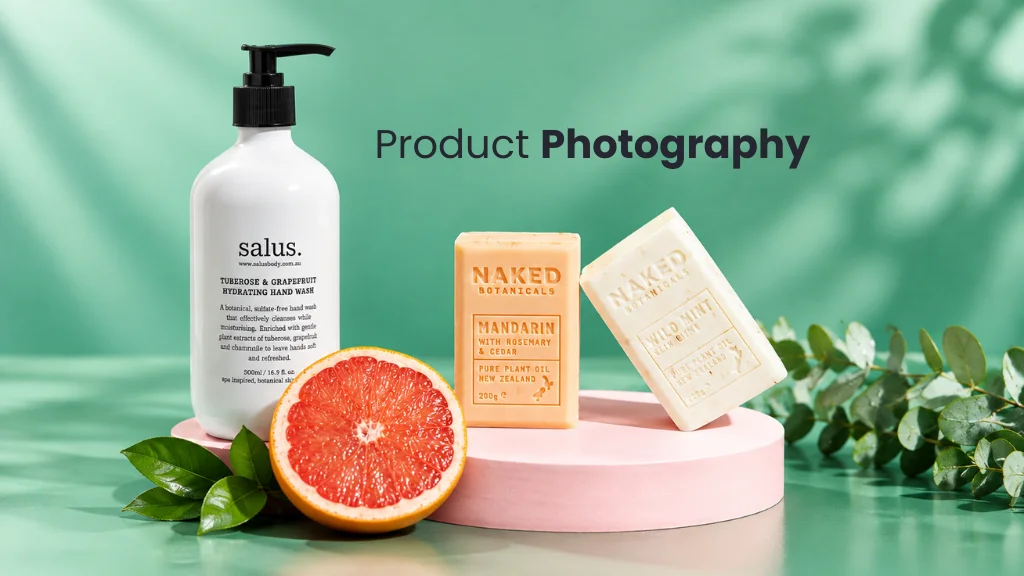
Online shoppers cannot pick up a product, turn it over, or feel the material. They rely on what the product page shows them. That is the short answer to the question: Why are High Quality Images Important in E-Commerce? Images do the job that hands and eyes do in a physical store.
A good set of product photos shows appearance, shape, color, texture, features, small details, scale, and different angles. Images are not the only thing a shopper considers. Price, reviews, descriptions, and shipping all matter too. But clear photos give people the visual information they need to judge a product fairly.
This guide explains what image quality really means, how photography and editing create it, and how to keep it consistent across a whole catalog.
What Makes an E-Commerce Image High Quality?
A high quality ecommerce image is a photo that shows the product clearly, accurately, and consistently, in a file that loads well on the website.
High quality does not mean the biggest file or the highest resolution. A 20 MB photo with wrong colors is still a poor product image. Quality comes from several things working together:
- Sharpness: edges and details are in focus.
- Accurate color: the image matches the real item.
- Proper exposure: not too dark, not washed out.
- Clean background: nothing pulls attention from the product.
- Clear product details: texture, labels, and features are visible.
- Good composition and framing: the product fills the frame without being cut off.
- Consistent style: the image matches the rest of the catalog.
- Suitable dimensions and file size: large enough to zoom, light enough to load.
- Natural retouching: cleaned up, but still true to the product.
There are two sides to this. Technical image quality covers focus, exposure, resolution, and color. Effective product presentation covers whether the image actually helps a shopper understand the item. A technically perfect photo from an unhelpful angle still fails the second test. You need both.
Why Are High Quality Images Important in E-Commerce?
High quality product images matter because they replace physical inspection. Here are the main reasons.
1. Images Help Customers Understand the Product
Some things are hard to describe in words. “Relaxed fit” or “matte finish” means different things to different people. A clear photo shows it in a second.
2. Images Show Product Details
Shoppers look for texture, material, shape, finish, stitching, design, and small features such as zips, buttons, clasps, and ports. A sharp close-up of a leather bag’s stitching tells the shopper more than a sentence saying “well made”.
3. Images Support Product Presentation
When every product in a category uses the same background, crop, and lighting, shoppers can compare items quickly. The catalog becomes easier to browse.
4. Images Help Set Customer Expectations
A product photo is a kind of promise. If the image shows a deep navy shirt and a bright blue one arrives, the customer feels misled. Accurate images help people know what they will receive.
5. Images Support Brand Presentation
Consistent, clean images make an online store look organized and cared for. They contribute to a professional appearance. They do not guarantee sales, but they remove a common reason for doubt.
How Product Images Influence Online Shopping
Most shoppers scan a product page before they read it. Images are usually the first thing they look at, because pictures deliver information quickly.
Each type of image answers a different question:
- The main image answers “What is this?”
- Extra angles answer “What does the rest of it look like?”
- Close-ups answer “What is it made of?”
- Lifestyle images answer “How would I use it, and how big is it?”
Images work alongside descriptions, specifications, size guides, reviews, and return policies. They are one part of the shopping experience, not the whole of it. A page with great photos and no size information still leaves questions open.
High Quality Images vs Low Quality Images
| Factor | High Quality Image | Low Quality Image |
|---|---|---|
| Sharpness | Crisp edges, in focus | Soft, blurry, or pixelated |
| Product details | Texture and features are visible | Details are lost or unclear |
| Color | Matches the real product | Too warm, too cool, or oversaturated |
| Background | Clean and non-distracting | Cluttered or uneven |
| Lighting | Even, with controlled shadows | Harsh shadows or dark areas |
| Composition | Product centered and well framed | Product too small, tilted, or cut off |
| Consistency | Matches other catalog images | Different style on every product |
| Product presentation | Easy to understand at a glance | Shopper has to guess |
| Website appearance | Tidy and professional | Uneven and unfinished |
Poor images make shoppers work harder. If they cannot see the fabric, the true color, or the back of the item, they have to guess. Some will look for the same information elsewhere.
Why Product Image Clarity Matters
Clarity decides whether a shopper can see the details they care about. It depends on a few things:
- Resolution: the number of pixels in the image. More pixels allow more detail and zoom.
- Sharpness and focus: the whole product should be in focus, not just the front edge.
- Fine details: weave, grain, engraving, and print should hold up when enlarged.
- Zooming: if your store offers zoom, the source image must be large enough to support it.
- Mobile viewing: details must still read on a small screen.
Bigger is not always better. Image clarity should fit the product and the website. A ring needs far more close-up detail than a plain storage box. Choose a size that supports your zoom feature and page layout, then stop there.
Why Accurate Product Color Matters
Color is one of the main things shoppers judge from a photo, and one of the easiest things to get wrong.
Several factors affect color:
- White balance: the camera setting that keeps whites neutral instead of yellow or blue.
- Lighting: mixed light sources (daylight plus a warm bulb) cause color shifts.
- Camera settings: automatic modes can change color from shot to shot.
- Color correction: the editing step that brings the image back in line with the real product.
- Monitor differences: every screen shows color a little differently. You cannot control this, but you can start from an accurate file.
Keep the real product next to the screen when correcting color. Avoid oversaturation. Boosted colors may look attractive, but the edit should never make the product look clearly different from the item the customer will receive.
Why Multiple Product Views Matter
One photo shows one side. A product has many. Multiple views give more information than any single image can.
Useful views include:
- Front view: the standard first look.
- Back view: closures, labels, rear design.
- Side view: depth and profile.
- Top view: useful for shoes, bags, and containers.
- Close-up: material and texture.
- Detail shot: one specific feature, such as a zip or clasp.
- Product-in-use image: how the item is worn or used.
- Scale or context image: the item next to a hand, a person, or a familiar object, where that helps.
Not every product needs all eight. A notebook may need three or four. A backpack may need all of them.
Different Types of E-Commerce Product Images
Main Product Image
This is the primary image. It appears in category pages, search results, and thumbnails. It should show the whole product clearly on a clean background.
Additional Product Images
These show other angles and sides. They complete the picture the main image starts.
Lifestyle Images
These show the product in a realistic setting, such as a lamp on a bedside table. They give context, scale, and a sense of use.
Close-Up Images
These show material, texture, and finish at close range.
Detail Images
These highlight one feature, such as a reinforced seam, a charging port, or a hallmark stamp.
Infographic or Informational Images
These add text, measurements, or labels on top of a photo. They work well for sizes and feature callouts. They are not standard product photographs, so treat them as a supplement. Some marketplaces limit text on main images, so check the rules for each platform.
Importance of Consistent Product Images
A catalog looks organized when every image follows the same rules. Consistency means:
- Same background
- Same crop and margins
- Same product scale within a category
- Same lighting style
- Same image dimensions and aspect ratio
- Similar composition and camera angle
- Consistent color treatment
- Consistent shadows
A consistent visual system helps shoppers compare products side by side. It also helps your team. When the rules are written down, new products can be shot and edited the same way without starting from zero.
How High Quality Images Support Brand Trust
Images do not create trust on their own. They contribute to it. A store earns trust through product quality, service, reviews, and honest information. Images support that in specific ways:
- Consistent visual identity: the store looks like one brand, not a mix of sources.
- Accurate product representation: what arrives matches what was shown.
- Professional presentation: clean images suggest care and attention.
- Clear product details: nothing appears hidden.
- Reliable product information: photos back up what the description says.
The key word is accurate. A flattering but misleading image may win a first order, but it damages credibility when the product arrives.
High Quality Images for Mobile E-Commerce
Many shoppers browse on phones. A photo that looks fine on a desktop monitor can lose its meaning on a small screen.
Check these points for mobile shopping:
- Smaller screens: the product should fill most of the frame.
- Cropping: make sure automatic crops do not cut off part of the product.
- Thumbnail quality: the main image must be recognizable at a very small size.
- File size: heavy images load slowly on mobile data.
- Responsive image delivery: the site serves smaller versions to smaller screens.
- Zoom and detail views: pinch-to-zoom needs a sharp source file.
Test product pages on a real phone, not only in a desktop browser. Images should stay useful for both mobile shopping and desktop shopping.
High Quality Images for Different Product Categories
Each category has its own needs. What counts as a good image for a sofa is different from a good image for a ring.
Fashion and Apparel
Shoppers want to see fabric, fit, color, and texture. Three common styles are used. Model photography shows fit and drape on a body. Flat lay shows the garment laid out from above. Ghost mannequin (an editing technique that removes the mannequin so the garment keeps its 3D shape) shows form without a model. Many clothing retailers combine them.
Jewelry
Jewelry is small, shiny, and detailed. It needs macro views (extreme close-ups), controlled reflections on metal surfaces, and clear gemstones. Dust and tiny scratches show up at this scale, so careful retouching is normal. The aim is a clean piece that still looks real.
Cosmetics
Packaging and labels must be sharp and readable. Product color matters a lot for items like lipstick and foundation. Texture shots, such as a cream swatch, help show consistency.
Electronics
Show screens, ports, buttons, and materials. Glossy surfaces pick up reflections, so lighting needs control. A clear photo of the back panel can answer a compatibility question quickly.
Furniture
Scale is the main challenge. Show shape and materials on a clean background, then add room context so shoppers can judge size. Keep perspective straight so the piece does not look distorted.
Food Products
Show packaging clearly, including the label. Where the food itself appears, texture and natural color matter. Over-edited food tends to look artificial.
How Product Photography Creates High Quality Images
Product photography for ecommerce is where image quality starts. Editing improves a good photo. It cannot always rescue a poor one. A blurry or badly lit original stays limited no matter how much work goes into it.
Focus on these basics:
- Lighting: soft, even light shows shape without harsh shadows.
- Camera or smartphone: a modern phone can produce usable images for simple products. A dedicated camera gives more control over detail and color.
- Tripod: keeps images sharp and keeps the angle the same across products.
- Background: a plain, clean surface makes editing easier.
- Product styling: clean the product, steam the garment, remove tags and fingerprints.
- Composition and camera angle: use the same angle for every product in a category.
- Focus and exposure: check sharpness and brightness on a larger screen before moving on.
- Multiple views: shoot every angle in one session so lighting matches.
How Photo Editing Improves E-Commerce Product Images
Ecommerce image editing (also called post-production) is the work done after the shoot. Each technique has a clear purpose:
| Technique | Purpose |
|---|---|
| Background removal | Separates the product from its original background |
| Clipping path | A hand-drawn outline for clean, precise edges on solid products |
| Image masking | Handles soft or complex edges such as hair, fur, and sheer fabric |
| Color correction | Matches image color to the real product |
| Exposure correction | Fixes images that are too dark or too bright |
| Dust removal and object cleanup | Removes specks, lint, threads, and props |
| Shadow adjustment | Adds or refines a natural shadow so the product does not float |
| Reflection control | Reduces distracting glare on shiny surfaces |
| Cropping and straightening | Aligns and frames the product consistently |
| Resizing | Sets the dimensions the website needs |
| Retouching | Cleans small flaws such as wrinkles and scratches |
Good product photo editing is realistic. It removes distractions that came from the shoot. It does not hide real features or change how the product looks.
Background Removal and White Background Images
Many ecommerce businesses use clean backgrounds because they keep attention on the product and make a catalog look uniform. There are four common choices:
- White background: simple and widely used for main images.
- Transparent background: useful when the product will sit on different colored layouts.
- Neutral background: light grey or beige, often used by fashion and home brands.
- Lifestyle background: a real setting that adds context.
There is no single correct choice. The right background depends on the product, the brand, the website design, and each marketplace’s own rules. Requirements differ between platforms and change over time, so read the current guidelines for every channel you sell on.
Image Optimization: Quality vs File Size
A high quality image also needs to load quickly. Product image optimization is the process of preparing files for web use. The goal is a balance:
Visual Quality + Reasonable File Size + Appropriate Dimensions
- Image dimensions: export at the size your site actually displays and zooms to. Extra pixels add weight without adding value.
- Compression: reduces file size. Light compression is hard to notice. Heavy compression causes blocky artifacts.
- JPG: a good general choice for photographs.
- PNG: supports transparent backgrounds, but files are larger.
- WebP: a modern format that often gives smaller files at similar visual quality and supports transparency.
- Responsive images: the site serves different sizes to different screens.
No file size is right for every store. Export, check the image at full size and on a phone, and reduce further only if quality holds.
Common E-Commerce Product Image Mistakes
| Mistake | How to avoid it |
|---|---|
| Blurry images | Use a tripod and check focus before moving on |
| Poor lighting | Use soft, even light from more than one side |
| Incorrect colors | Set white balance and compare against the real product |
| Distracting backgrounds | Shoot on a plain surface or remove the background |
| Inconsistent image sizes | Use one set of dimensions and one aspect ratio |
| Excessive editing or misleading retouching | Keep edits limited to cleanup and correction |
| Heavy compression | Review exports at full size |
| Product too small or cropped incorrectly | Use a fixed margin template |
| Poor shadows | Use one natural shadow style across the catalog |
| Visible dust | Clean the product before shooting, retouch what remains |
| Rough background removal | Check edges at high zoom |
| Different visual styles across products | Write a style guide and follow it |
DIY Product Photography and Professional Post-Production
Not every ecommerce business needs an editing company. DIY editing works well for simple products and small catalogs. Professional post-production becomes useful when the edits are complex or the volume is high.
| Task | DIY Approach | Professional Support |
|---|---|---|
| Basic cropping | Easy with free tools | Rarely needed alone |
| Basic color adjustment | Manageable with practice | Useful when color must match exactly |
| Background removal | Automatic tools handle simple shapes | Cleaner edges on complex products |
| Detailed masking | Hard and slow (hair, fur, lace) | Done by hand for natural edges |
| Complex retouching | Needs skill and time | Consistent, controlled results |
| Jewelry editing | Difficult because of reflections and scale | Specialist retouching |
| Apparel editing | Wrinkles and ghost mannequin are time-consuming | Standard service with set workflows |
| Bulk editing | Slow for one person | Team capacity and faster turnaround |
| Catalog consistency | Hard to hold over hundreds of images | Style guide applied to every file |
A sensible approach is to start with DIY, note where it takes too long or looks uneven, and get help for those parts only.
High Quality Images for Large E-Commerce Catalogs
Managing ten product images is easy. Managing five thousand is a process problem. Without a system, quality drifts from batch to batch.
Large catalogs need:
- File organization: folders by category, product, and date.
- Naming conventions: file names based on SKU and view, such as SKU-front and SKU-back.
- Editing guidelines: a written style guide covering background, margins, shadows, and dimensions.
- Color consistency: the same correction approach across each batch.
- Batch editing: shared settings applied to similar images.
- Quality control: a second person checks edges, color, and crop before export.
- Revision process: a clear way to flag and fix problems.
- Final delivery: files exported in the right format and named ready for upload.
A practical catalog workflow runs in this order:
- Photography
- File organization
- Editing
- Retouching
- Quality control
- Export
- Upload
How Clipping Area Helps With E-Commerce Product Images
Clipping Area is a Post-Production Photo Retouching Agency. The team handles the editing stage of the image workflow, so businesses and photographers can spend their time on shooting, selling, and running the store.
Clipping Area provides post-production support for ecommerce businesses, online retailers, product photographers, fashion brands, jewelry businesses, product-based businesses, and creative teams.
Services include:
- Ecommerce product photo editing and product image editing
- Background removal
- Clipping path
- Image masking
- Photo retouching
- Color correction
- Jewelry retouching
- Apparel photo editing
- Ghost mannequin editing
- Bulk image editing
For catalogs, the main benefit of professional post-production is consistency. Every image follows the same background, margin, shadow, and color rules, whether the batch has 50 files or 5,000. Edits stay realistic, so the image still represents the actual product.
If you want to see how your own images would look, you can send a few files first.
Get a Free Sample | Get a Free Quote
How to Build a High Quality E-Commerce Image Workflow
A repeatable workflow is the simplest way to improve ecommerce product image quality. Follow these stages in order:
- Product preparation: clean, steam, and inspect each item.
- Photography: shoot all views with the same lighting and angle.
- Image selection: pick the sharpest, best-framed shot of each view.
- Background editing: remove or clean the background.
- Color correction: match the image to the real product.
- Retouching: remove dust, wrinkles, and small flaws.
- Shadow: add or refine a natural shadow.
- Cropping: apply the same margins and alignment.
- Resizing: export at the required dimensions.
- Compression: reduce file size without visible loss.
- Quality control: check edges, color, and consistency.
- Upload: add images to the product page and review them live on mobile and desktop.
High Quality E-Commerce Image Checklist
Photography
- Product is clean
- Product is properly lit
- Image is sharp
- Product is correctly framed
- Multiple views are captured
Editing
- Background is clean
- Edges are accurate
- Product color is realistic
- Dust and minor distractions are removed
- Retouching looks natural
- Shadows are appropriate
Website Preparation
- Correct dimensions
- Appropriate file format
- Reasonable file size
- Consistent catalog appearance
- Image works on mobile and desktop
Frequently Asked Questions
Why are high quality images important in ecommerce?
Online shoppers cannot touch or inspect a product. High quality images show its appearance, color, texture, details, and scale, so customers can understand what they are buying and know what to expect.
Why are product images important for online stores?
Product images give quick visual information that text cannot fully describe. They help shoppers compare items, check details, and judge whether a product suits their needs.
What makes a good ecommerce product image?
A good ecommerce product image is sharp, well lit, accurate in color, cleanly framed on a non-distracting background, consistent with the rest of the catalog, and sized to load quickly.
What resolution should ecommerce product images have?
It depends on the platform and your zoom feature. The image should be large enough to stay sharp when zoomed, and no larger. Check the recommended dimensions for your store theme and each marketplace you sell on.
Why is product color accuracy important?
Shoppers choose products partly by color. If the image shows a different shade from the real item, the customer receives something they did not expect. Accurate color keeps the image honest.
How many product images should an ecommerce store use?
There is no fixed number. Use enough to show the product fully. For many items that means a main image, two or three extra angles, a close-up, and a context image. Complex products need more.
Should ecommerce product photos have a white background?
White backgrounds are common for main images because they are clean and consistent. They are not required everywhere. The right background depends on your brand, your website, and each platform’s rules.
How can I improve the quality of ecommerce product images?
Start with the shoot. Use soft, even lighting, a tripod, and a clean product. Then correct color, clean the background, remove dust, and apply the same crop and dimensions to every image.
How do I optimize product images for a website?
Export at the dimensions your site displays, choose a suitable format (JPG, PNG, or WebP), apply light compression, and check the result on mobile and desktop before uploading.
Does professional photo editing improve ecommerce product images?
It can. Professional editing gives cleaner edges, more accurate color, natural retouching, and consistent results across a catalog. It works best when the original photo is already sharp and well lit.
What is the difference between product photography and product photo editing?
Product photography is capturing the image with a camera. Product photo editing is the work done afterwards, such as background removal, color correction, and retouching. Both affect the final image.
How can I keep ecommerce product images consistent?
Write a style guide that sets the background, margins, angle, shadow style, and dimensions. Use the same lighting setup for every shoot, and check each batch against the guide before upload.