Online, your photo is your product. A shopper cannot pick it up, feel the fabric, or check the finish, so the image has to do all of that work in a fraction of a second. That is why product photography is one of the highest return investments you can make in an online store, and why getting it right in 2026 looks a little different than it did even two years ago.
This guide walks through everything that actually moves the needle: the shots every listing needs, gear and lighting on any budget, a repeatable shoot workflow, the editing that turns good photos into sale ready ones, current platform image specs, and the 2026 trends worth your attention. Whether you shoot in a home studio or hand thousands of images to an editing partner, you will leave with a clear plan.
Why product photography decides your sales in 2026
Shopping is now overwhelmingly visual and overwhelmingly mobile. Buyers scroll fast, judge instantly, and move on if a thumbnail does not read clearly. Industry research has consistently found that the large majority of shoppers rank image quality as one of the most important factors in a purchase decision, and that high resolution, multi angle photos can lift engagement and conversion well above low quality images.
There is a cost side too. A meaningful share of returns happen simply because the product did not look the way the customer expected online. Accurate, detailed photography is one of the few levers that increases conversion and reduces returns at the same time. Every image is doing three jobs at once: earning the click, building enough trust to buy, and setting accurate expectations so the product is kept rather than sent back.
The takeaway for 2026: product imagery is not a cost to minimize, it is a conversion asset to optimize.
The product images every listing needs
Strong listings are built from a set of images that each answer a different buyer question. Aim to cover these:
The image checklist
- Hero (main) image: clean, well lit, pure white background, product fills most of the frame. It must read instantly at thumbnail size.
- Multiple angles: front, back, sides, top. Four to eight angles for most products.
- Detail and macro: texture, stitching, material, hardware, print quality.
- Scale or in hand: removes size confusion, a top driver of returns.
- Lifestyle and in context: the product in a real setting so buyers picture it in their life.
- Infographic: short callouts on key features, dimensions, and what is in the box.
- 360 spin and video: let customers control the view or watch the product in use.
A simple rule: the hero builds the click, the supporting images close the sale.
Gear and studio setup on any budget
You do not need a five figure kit to produce clean, professional images. You need control over three things: focus, lighting, and consistency.
Camera or phone: a modern smartphone with a good sensor is enough to start, especially shooting in RAW. A mirrorless or DSLR with a 50mm or macro lens gives more control over depth of field and detail when you scale up.
Lighting: consistent, soft light matters more than expensive light. Two softboxes or a window with a diffuser will outperform a harsh on camera flash. Soft, daylight balanced light that mimics natural sunlight is the look most shoppers find believable.
Background: a sweep of seamless white paper or a small light tent gives clean, even backdrops that are easy to edit later. Keep a few neutral surfaces (wood, stone, linen) for lifestyle shots.
Stability and consistency: a tripod plus a fixed camera position keeps every product framed the same way. Lock exposure, white balance, and height so a hundred products look like one cohesive set.
Color reference: shoot a gray card or color checker at the start of each session. It makes accurate color correction far faster and keeps colors true across the whole catalog.
Lighting fundamentals that make products look real
Lighting is where most home setups win or lose. A few principles cover the majority of products:
Use soft, diffused light as your base. Hard light creates harsh shadows and blown highlights that hide detail. Diffusion (softboxes, a scrim, or a north facing window) wraps light around the product.
Light for the material. Matte products want broad, even light. Glossy or reflective products (jewelry, glass, electronics) need careful angles and sometimes a light tent to control reflections. Shape reflections on set rather than fighting them in editing.
Keep shadows natural. A soft contact shadow under the product grounds it and adds depth. Avoid heavy, distracting shadows on the hero shot.
Stay consistent. The same lighting setup across a catalog is what makes a store look premium. Mark your light positions so you can recreate the setup next session.
A repeatable shoot workflow
Speed comes from a system, not from rushing. A workflow that scales:
- Prep the product. Clean it, remove tags and dust, steam fabric, remove fingerprints. Every flaw you fix on set is one you do not pay to fix in editing.
- Set the scene. Lock your background, lighting, tripod height, and camera settings. Shoot your color reference frame.
- Shoot the hero first. Nail the main angle, then work methodically through supporting angles and details.
- Review as you go. Check focus and exposure on a larger screen, not the camera back. Reshoot immediately.
- Name and organize files. A clear system (SKU, angle, sequence) saves hours when you scale to hundreds of products.
- Hand off to editing with a short brief. Note background type, color targets, and style so every image matches.
Editing: where good photos become great
Even excellent photography needs post production to become sale ready and consistent across a catalog. This is the step where a specialist editing partner saves the most time, because it is repetitive, detail heavy, and easy to get subtly wrong. The core edits for ecommerce:
Background removal and clean cutouts. A pure, even background is what marketplaces require for hero images and what makes a catalog look cohesive. A hand drawn clipping path gives crisp, accurate edges on hard edged products, while background removal places your product on clean white or transparent for any channel.
Soft edges and fine detail. Hair, fur, fabric, glass, and other soft or transparent edges need image masking rather than a hard outline, so the cutout stays natural.
Apparel without a model. For clothing, the ghost mannequin (invisible mannequin) effect shows the garment shape and fit with no visible model or mannequin.
Accurate, consistent color. Color correction and white balance keep colors true to the real product across every image, which directly reduces "it looked different online" returns.
Natural shadows and depth. Adding a realistic drop or reflection shadow grounds the product and gives a premium, three dimensional feel.
Retouching with restraint. Photo retouching removes dust, scratches, and distractions while keeping real texture. In 2026, over editing is a liability: aggressive sharpening or AI enhancement that makes the product look better than reality leads to disappointed buyers and refunds.
For high volume catalogs, the goal is consistency at scale, every image edited to one standard. That is exactly what an ecommerce photo editing workflow is built to deliver.
Platform image specs (quick reference)
Each marketplace has its own rules, and getting them wrong can suppress a listing. Always confirm the latest guidelines on each platform, but the durable basics are:
Amazon: the main image must be a real photo of the product on a pure white background (RGB 255, 255, 255), with the product filling roughly 85 percent of the frame, and no logos, text, or props. Images of at least 1,600 pixels on the longest side enable zoom, which Amazon recommends.
Shopify and your own store: use large, high resolution images (around 2,048 by 2,048 pixels is a common standard), keep aspect ratios consistent across the catalog, and compress files (WebP where supported) so pages stay fast.
General best practice: shoot and store at high resolution, then export platform specific sizes. Keep file sizes lean for page speed, name files descriptively, and write keyword relevant alt text on every image. Clean, fast, descriptive images help both shoppers and search engines.
The 2026 trends worth your attention
The fundamentals above do not change. What is changing in 2026 is how images are produced, what shoppers expect, and which formats win attention.
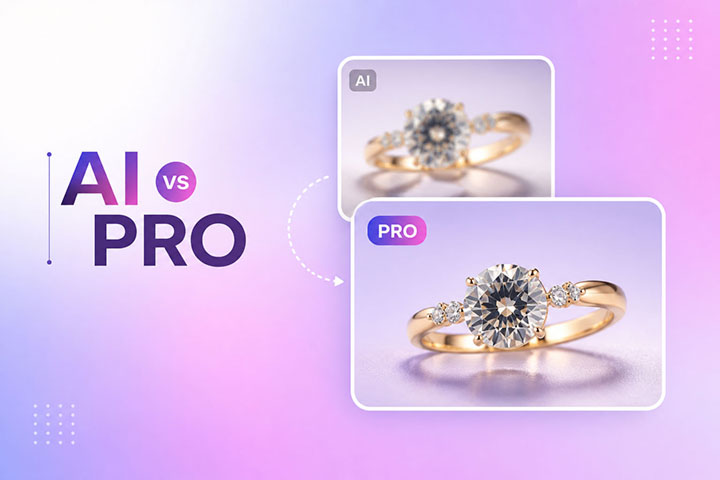
AI assisted, human finished workflows. AI tools can now remove backgrounds, generate lifestyle scenes, and produce variations in seconds, and they have cut per image costs dramatically. The brands winning in 2026 are not "AI only," they run a hybrid workflow: AI handles repetitive, high volume steps, and experienced editors do the final quality pass so results stay accurate and on brand. Speed without quality control just produces returns faster.
Mobile first and vertical framing. Most shopping happens on phones, so images have to read at thumbnail size and increasingly in vertical and square crops. Shoot once, then export multiple crops. Build a "thumbnail test" into your review: zoom out until the product is tiny, and if it becomes ambiguous, recrop or reshoot.
High resolution with restraint. Shoppers want to zoom in and inspect real texture. Deliver genuine high resolution detail, but resist over sharpening and AI texture hallucination. If a product is matte, do not let editing turn it glossy. Authentic beats hyper real.
Lifestyle, in context, and authentic content. Clean studio heroes still matter, but buyers increasingly want proof the product works in real life. Lifestyle shots and user style content build trust, and marketplaces now actively recommend them alongside cutouts.
3D, AR, and 360 to cut returns. Interactive views, virtual try on, and 360 spins are most valuable where they reduce doubt, especially in fashion, beauty, and furniture. Studies have repeatedly linked 360 and AR experiences to higher conversion and fewer returns. Treat them as objection killers layered on top of strong photography, not replacements for it.
Video and shoppable content. Short product videos that show use, scale, and fit continue to rise. A few seconds of motion often answers a question a still cannot.
Sustainability and efficiency. Reducing reshoots and shipping of samples (through better briefs, hybrid AI workflows, and reusable setups) is both a cost saving and an increasingly visible brand value.
Common mistakes to avoid
Inconsistent backgrounds, framing, or color across a catalog, which makes a store look unprofessional. Hero images cluttered with props or text. Low resolution images that cannot be zoomed. Colors that do not match the real product, the top driver of appearance based returns. Over retouching that misrepresents the product. Ignoring mobile and thumbnail legibility. And skipping alt text and file naming, which leaves image SEO on the table.
DIY or outsource: building a workflow that scales
Doing it yourself gives full control and works well at low volume. The challenge is consistency and time: as your catalog grows, editing becomes a bottleneck that pulls you away from shooting and selling.
Outsourcing the editing (while you keep shooting, or while your photographer shoots) is how most growing stores scale. A specialist partner delivers a consistent look across thousands of images, faster turnaround, and lower cost than an in house editor, with a human quality check on every file. The result is a catalog that looks like one premium brand rather than a patchwork.
See the difference on your own images
Send a few samples, tell us how you want them edited, and review the quality before you commit. No long term contracts, no complicated onboarding.
Start a Free TrialFrequently asked questions
What makes a good ecommerce product photo?
How many photos should each product have?
Can I shoot professional product photos with a smartphone?
Do I still need professional editing if I use AI tools?
What background should I use for marketplace listings?
How does product photography affect SEO?
How can I keep thousands of product images consistent?
The bottom line
In 2026, the winners are not the brands with the biggest camera budgets. They are the ones with a repeatable system: clean, honest, high resolution photography that reads on mobile, consistent editing across the whole catalog, the right images for each platform, and selective use of AI, video, and 360 where they genuinely reduce doubt. Get the fundamentals right, keep it authentic, and let editing carry the consistency, and your product pages will earn more clicks, more sales, and fewer returns.